Legacy ZIXEL documentation. Screens and plan limits may differ from the current zCAD Beta. View current 3D CAD help.
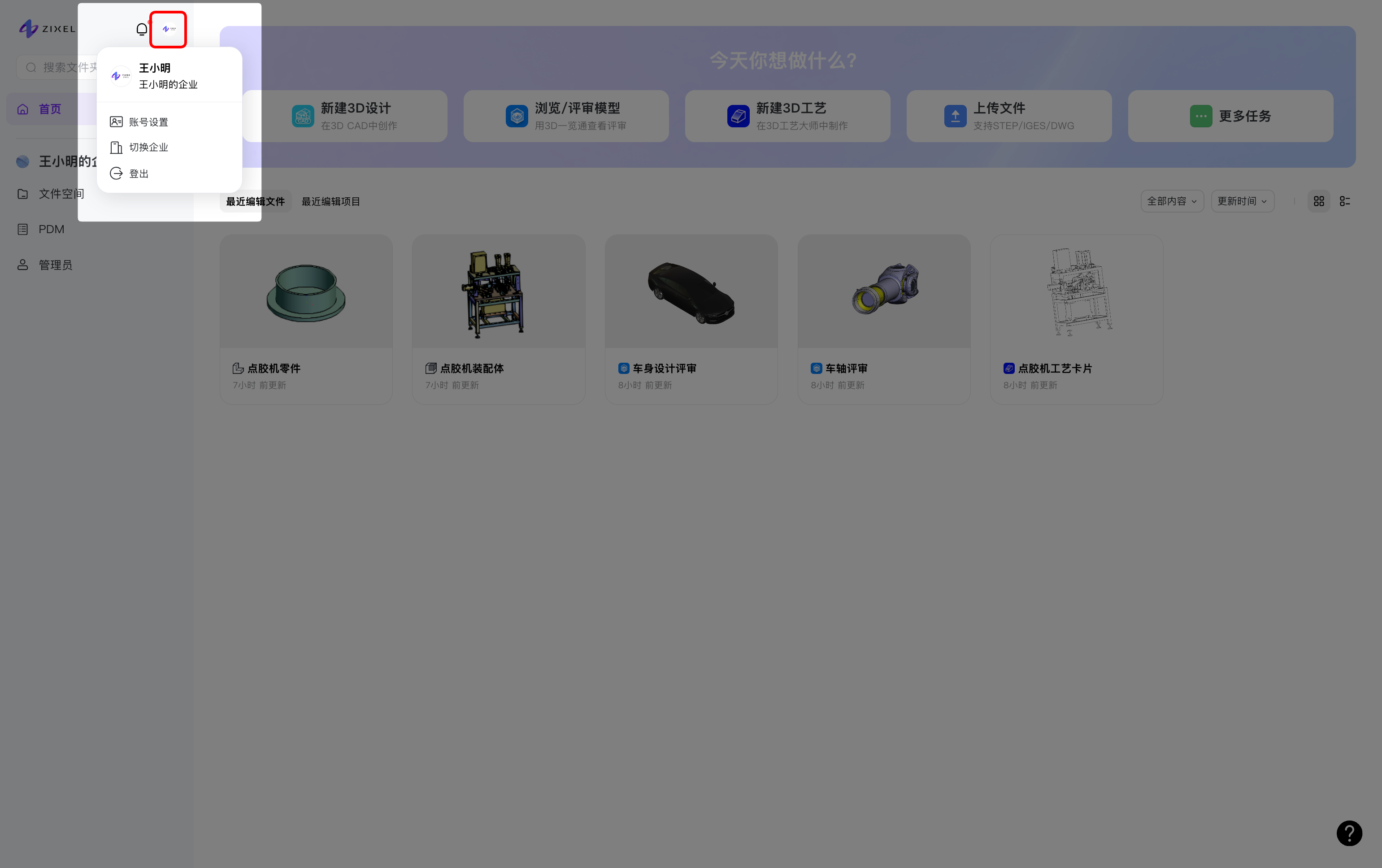
Click your profile picture to open account settings, switch organizations, or sign out.
In Account settings, update your profile, manage sign-in details, or change the interface language.
Profile settings
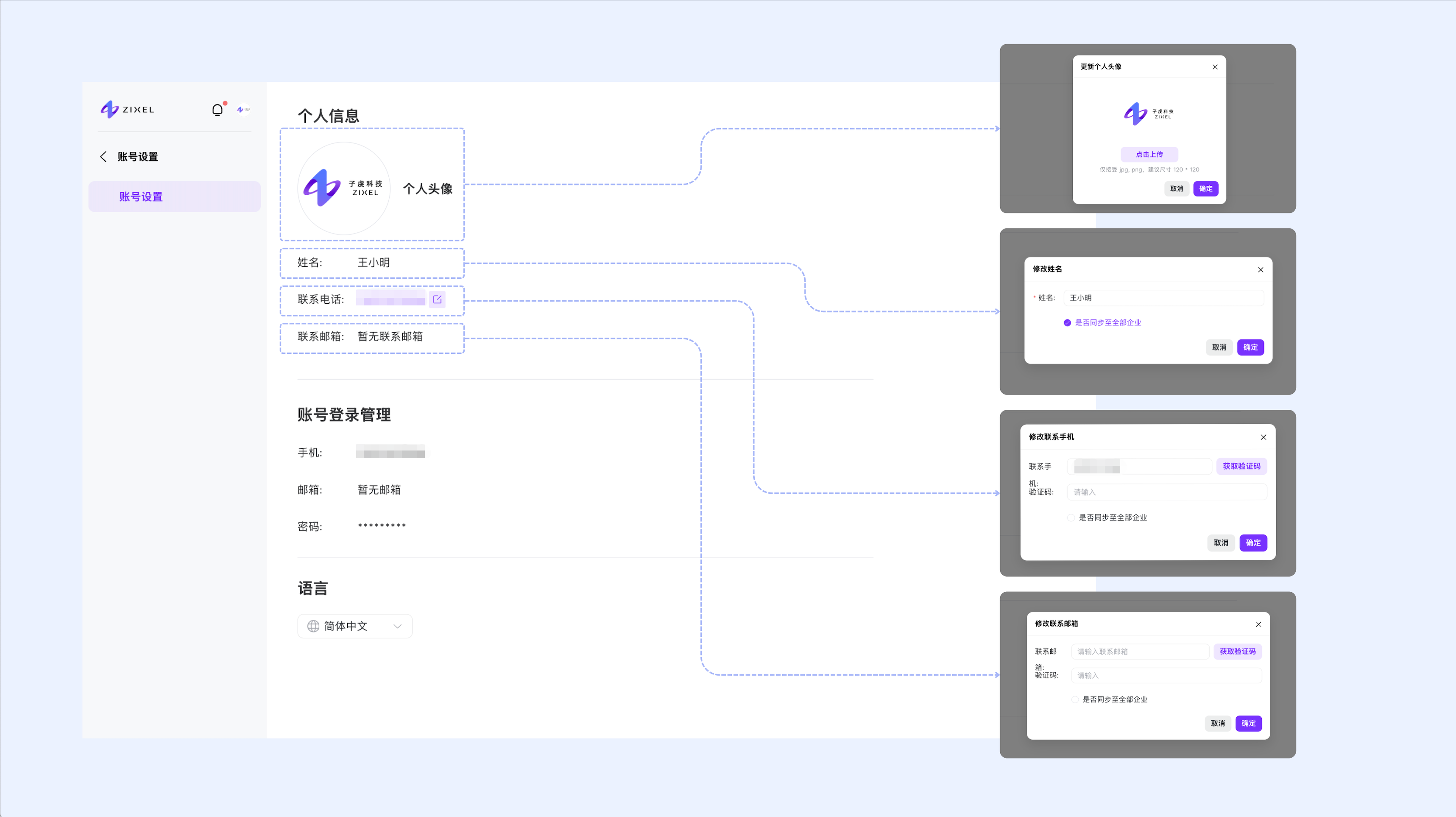
Click your profile picture to replace it.
Hover over your name and click Edit. You can choose whether to apply the change to all your organizations.
Hover over your contact phone number and click Edit to update it.
Hover over your contact email address and click Edit to update it.
Manage sign-in details
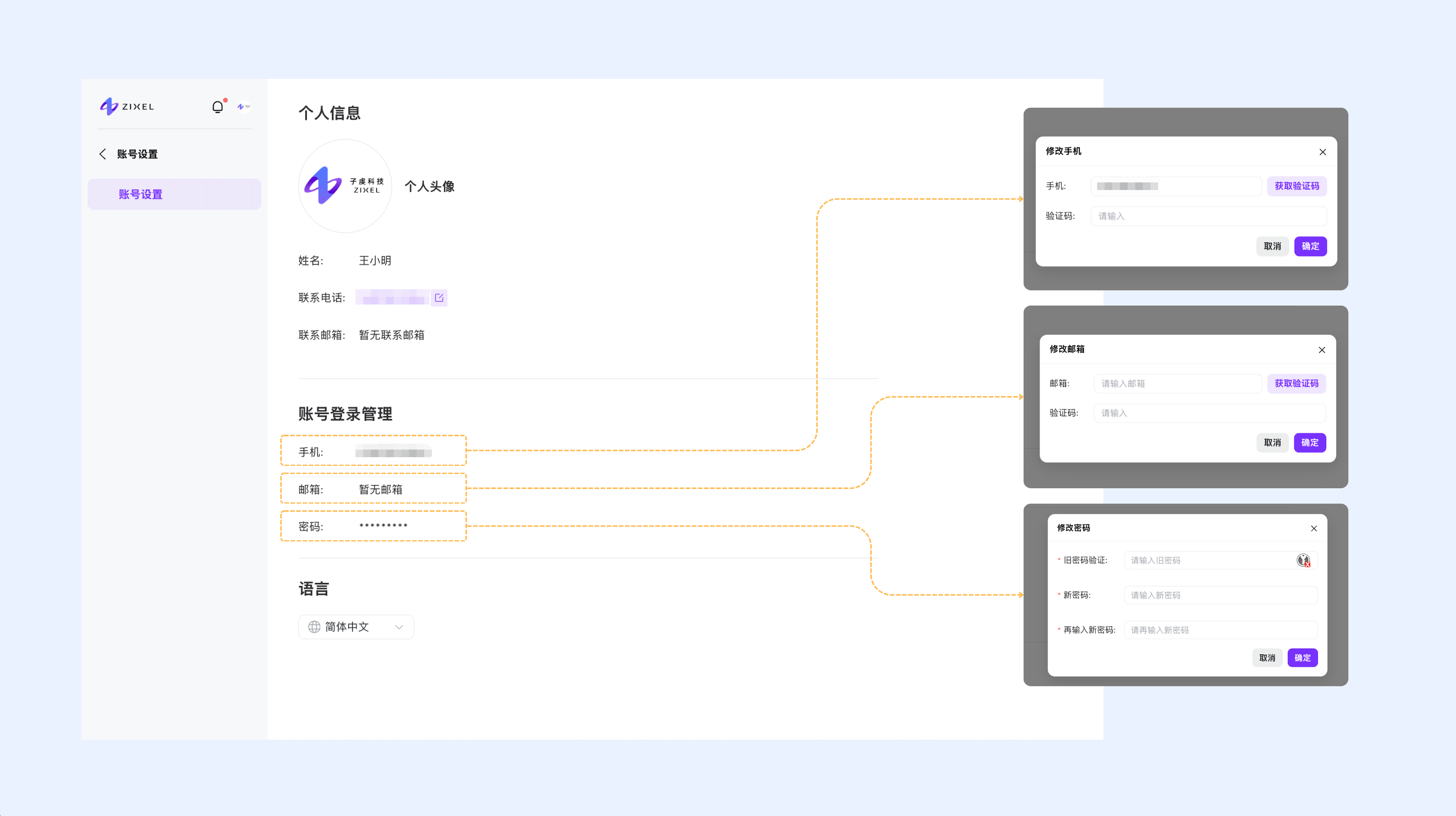
Hover over your sign-in phone number and click Edit to change it.
Hover over your sign-in email address and click Edit to change it.
Hover over your password settings and click Edit to change your password.
Language settings
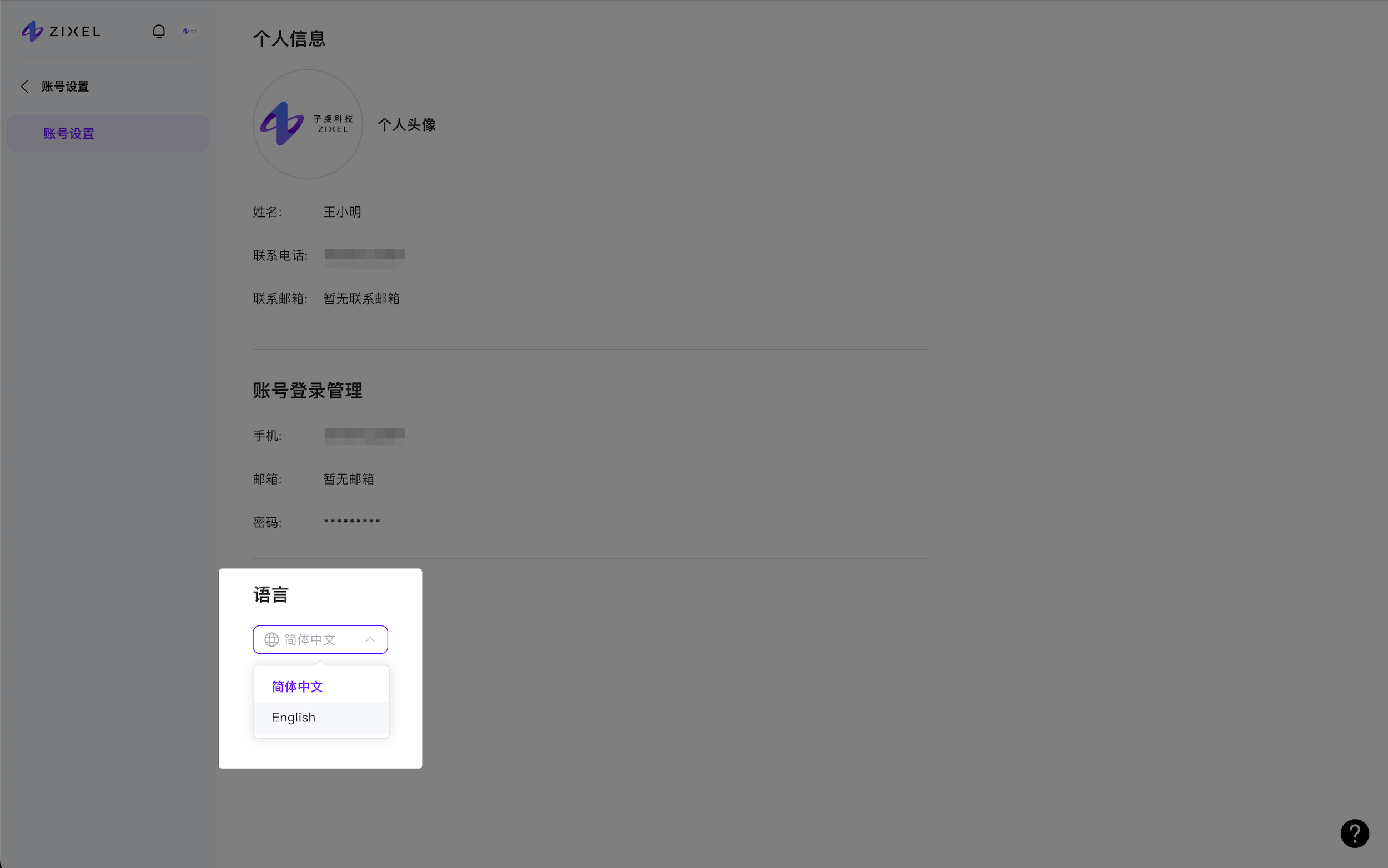
The interface supports English and Simplified Chinese.