
Sketching
2D and 3D sketches, geometric constraints, driving dimensions and imported DXF/DWG profiles.
Your complete CAD workspace
Build parts and assemblies, prepare drawings, and review changes together. One connected workspace, from the first sketch to the next release.
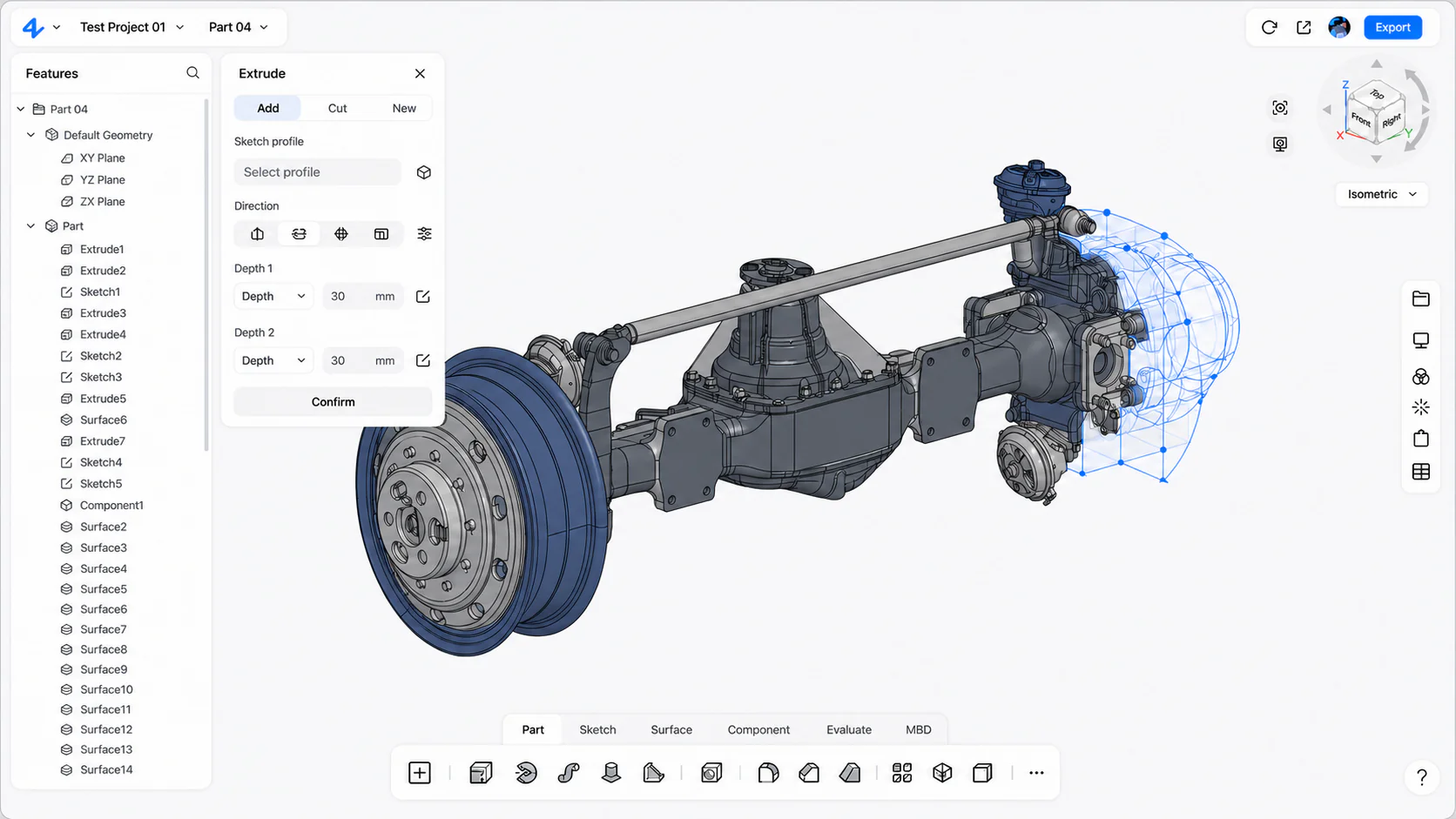
Model, assemble, document and review the design in one browser workspace.
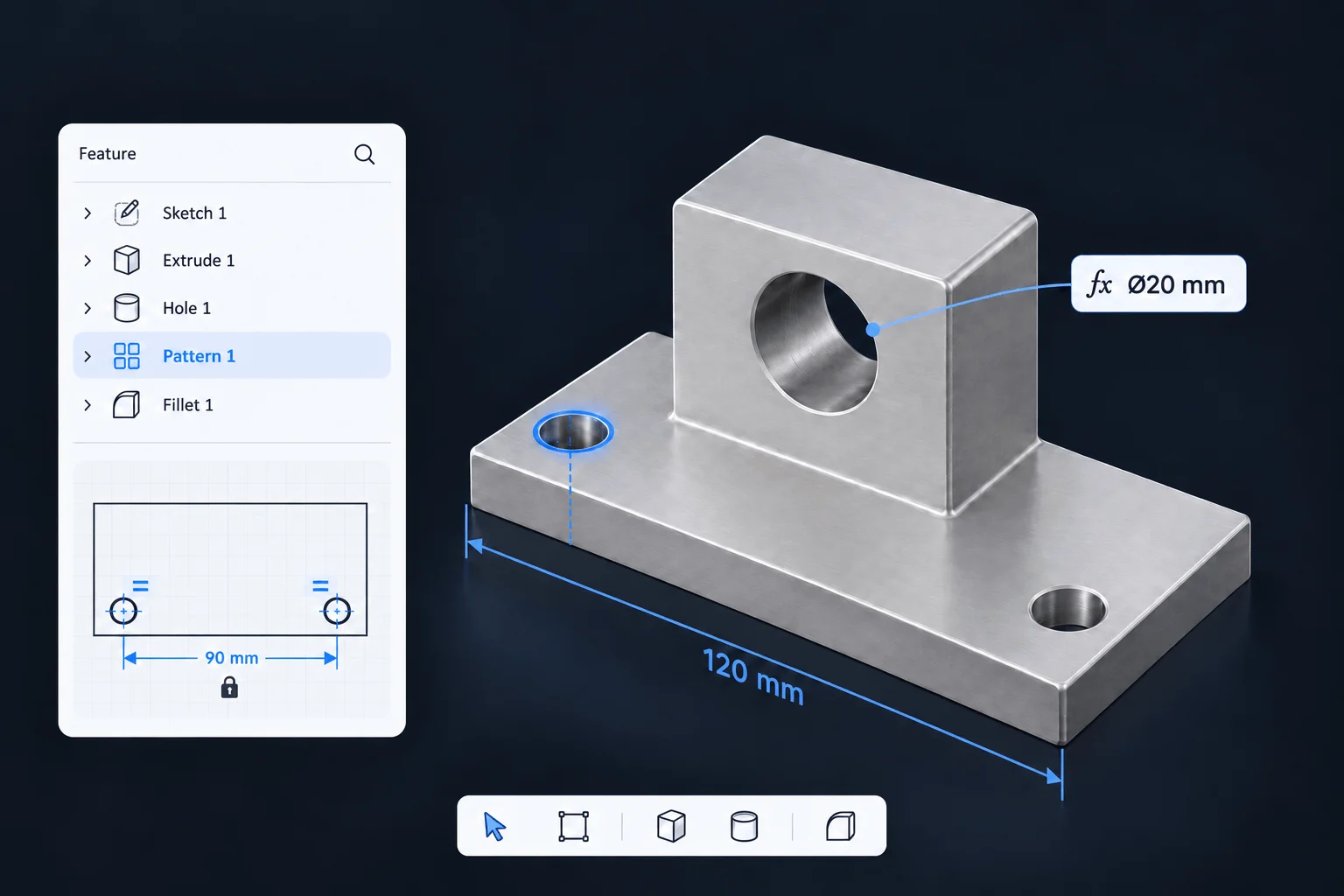
Choose a part of your workflow to see the tools behind it.
Scroll to see all categories.
Start with a constrained sketch, build solid features, and refine the surfaces and faces that matter.
2D and 3D sketches, geometric constraints, driving dimensions and imported DXF/DWG profiles.
Extrude, revolve, sweep and loft. Add holes, ribs, fillets, shells, patterns and reference geometry.
Move, offset, replace or delete faces to refine solid geometry, including imported parts.
Create, trim, extend and knit surfaces. Offset or thicken them to develop the finished form.
Define product structure, establish relationships, and inspect the assembly before release.
Organize multi-level assemblies and subassemblies with standard and mechanical mates, exploded views and a bill of materials.
Measure geometry and physical properties. Inspect interference, wall thickness, draft and curvature, with materials and rendered views.
Evaluate static stress and displacement with materials, loads and constraints. Define rigid or flexible pipe routes and connections.
Develop formed parts, structural members and the documentation needed to communicate the design.
Create flanges, bends and forming features. Unfold and refold the part, then prepare a flat-pattern drawing.
Build profile-based members with trimming, gussets, end caps and weld details. Organize the result with cut lists.
Create associative section, detail and auxiliary views with dimensions, tolerances, hole tables and BOM balloons.
Place dimensions, tolerances, datums and other product manufacturing information directly on model views.
Bring the model, project history and review context into one shared workspace.
Work together on a project, share review links with view, comment or edit permissions, and keep feedback connected to the model.
Track saved changes, return to previous versions, and organize project files with search and batch operations.
Bring a representative project into Online, validate what transfers, and deliver in the format your collaborators need.
Supported inputs include SolidWorks, CATIA V5, NX, Inventor and Solid Edge. Check the information retained for your source format.
Exchange geometry with STEP, IGES and Parasolid. Use supported drawing, mesh and visualization exports for the next step in your workflow.
Start with a sketch or imported CAD file, or continue a native zCAD. AI model in Online. Refine your design with its available sketches, solid features, constraints and assembly structure.
Begin with a sketch, import a CAD file, or generate with zCAD. AI. Open its native model in Online with its available design context.
ExploreSet dimensions, refine sketches and shape solid features.
Keep changes in the feature history so you can revisit the part as the design evolves.
Organize parts and subassemblies, then define how they fit together.
Check mates, fit and clearances in context before the assembly moves into drawings.
Create associative drawing views with dimensions and tolerances tied to the model.
Share the project for feedback, then review comments against the right design version.
Save a version of the design so your team can return to the right project state later.
Export files for your team. Keep the project ready to edit.
Bring a familiar part or assembly into zCAD. Online. Check what transfers, make a change and test the drawing and export workflow before moving more projects into your workspace.
Pick a part or assembly with the geometry and structure your team works with.
Check units, solids, assembly structure and annotations. Feature history depends on the source format.
Edit the model, create a drawing and export a file for the next person in your workflow.
$0Free plan
For individuals, makers, and engineers exploring cloud CAD.
$58.90per user / month · Beta price
For commercial CAD work, private designs, and team collaboration.
Coming soonLaunch timing to be announced
For advanced CAD capabilities and more AI generation.
Contact usTeam plan
For teams of 10 or more that need product data management.
Prices are in USD and billed monthly. Standard includes 200 credits per month, reset monthly. Beta end dates will be announced separately.
It is a browser-based parametric CAD workspace for creating parts, assemblies and drawings, with sheet metal, surfacing, weldments and other engineering workflows. It also includes AI generation, project versions and collaboration tools. Availability depends on the plan and Beta stage; advanced Online Pro capabilities are coming soon.
Personal has all available modeling features and export formats during Beta, excluding advanced Online Pro modules. It is a one-seat, non-commercial plan. Models are public unless the account has an active paid subscription. After Beta, Personal keeps a reduced feature set and STL, 3MF and OBJ exports. The Beta end date will be announced.
Standard is $589 per user per year during Beta, with a regular annual price of $799. It includes private models, commercial use, all supported export formats, team workspace and full version history. Annual billing includes 3,000 AI credits issued once and valid with the subscription; monthly billing includes 200 credits each month.
Import support and the information retained depend on the source format and model. Neutral formats such as STEP typically carry geometry rather than the original modeling history. Start with a representative part or assembly and check geometry, structure, units and annotations. Imported solid geometry can be refined with direct-editing tools where available.
AI and Online share an account, model data and credits. Open an AI-generated native model in Online to continue with its available sketches, features and constraints, without exporting and re-importing it. Saving edits in Online applies the Online plan's export and commercial-use rules to that version. AI Pro includes all Online Standard permissions.
Start from a sketch, an imported part or an AI-generated assembly.