
Five reasons to build with zCAD
Start from an idea, develop it into editable CAD, and keep the project connected as the design changes.
Start with AI
Describe your idea. Generate editable CAD and refine the details.
CAD in your browser
Model in zCAD. Online. No desktop installation needed.
From AI to CAD
Open AI models in zCAD. Online. Keep editing without reimporting.
One shared project
Keep models, drawings and team review together.
Track every revision
Review and restore earlier versions with Online Standard.
AI as the entry point
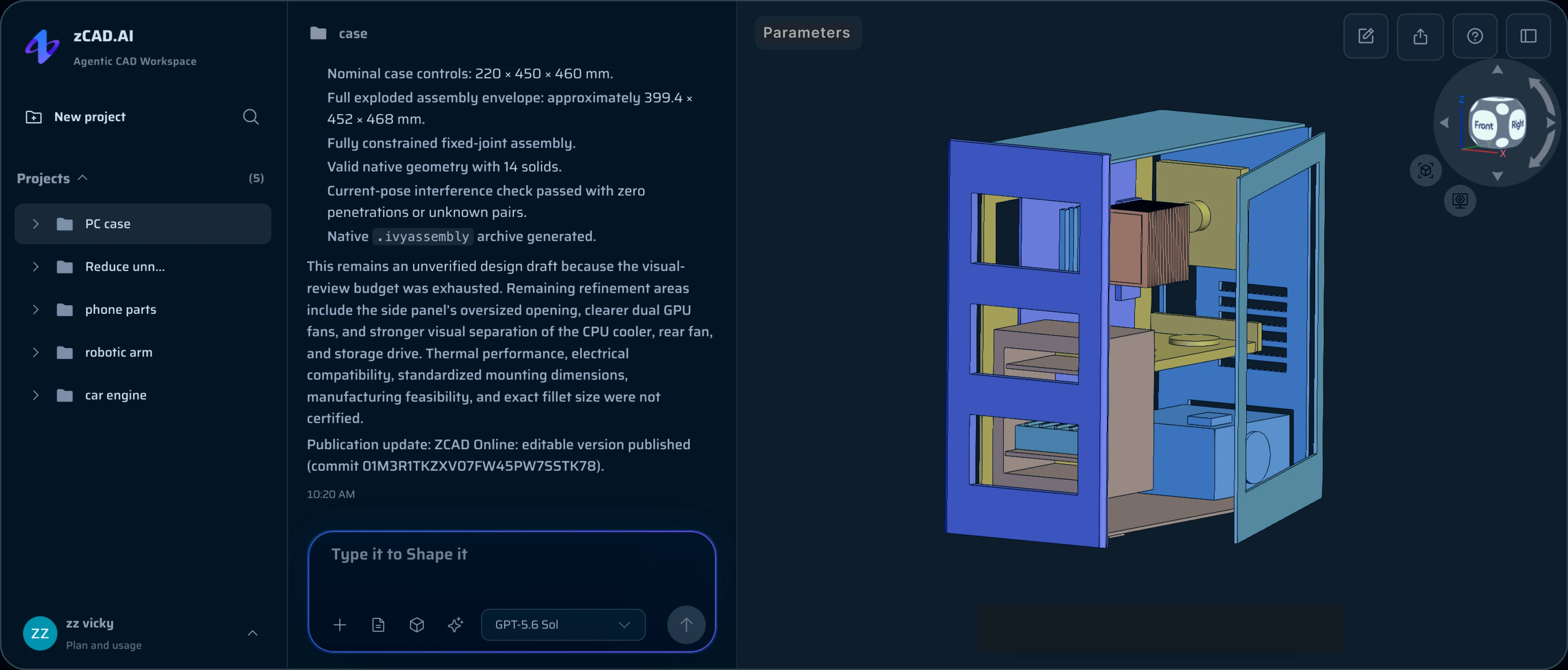
zCAD. AI generates editable CAD geometry from a description. Use it to create the first structure, then inspect the dimensions, interfaces and assembly relationships before developing the design further.
Continue in zCAD. Online for direct parametric editing, drawings and collaboration. Or export STEP to work with the geometry in another CAD tool. Neutral formats do not necessarily preserve the original feature history or assembly mates.
Following one change
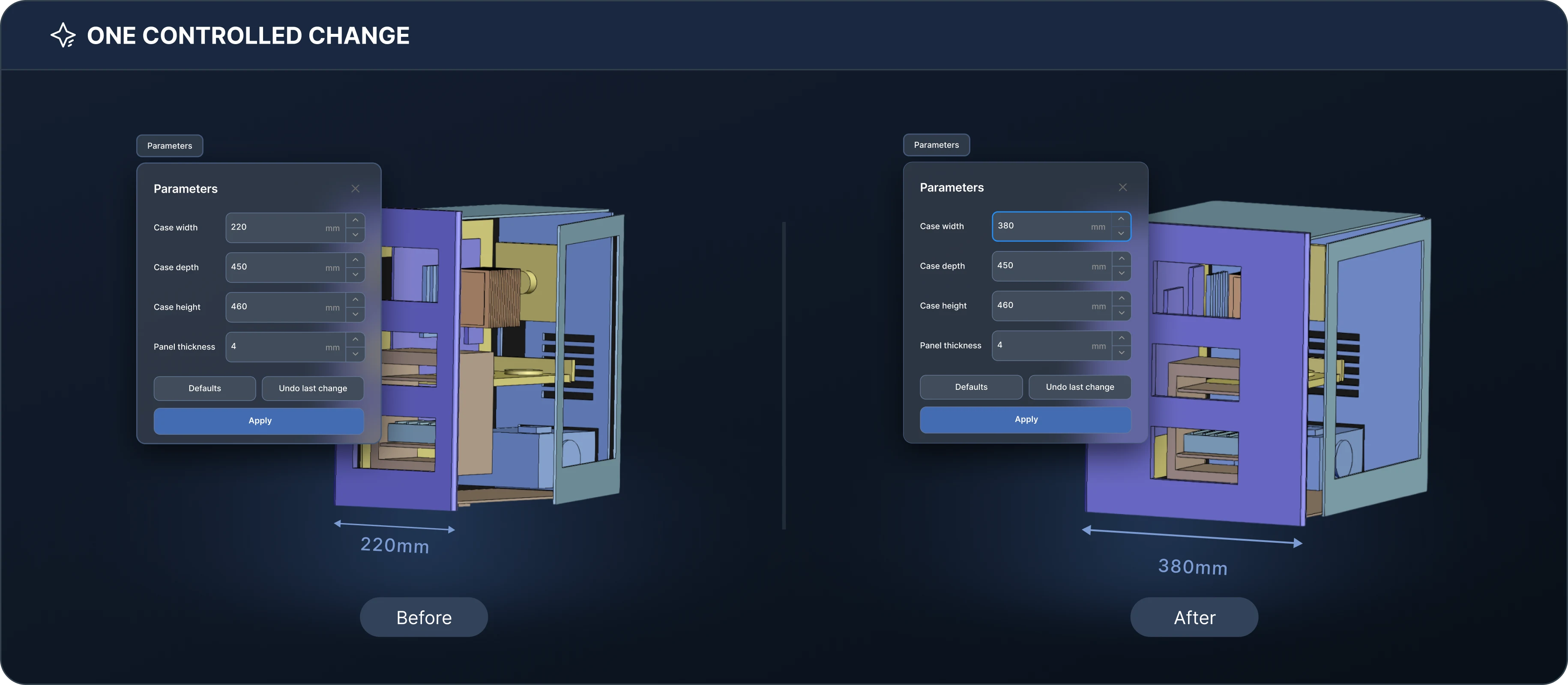
In this example, the enclosure of the electronic device needs its width adjusted. The case width is expanded from 220 mm to 380 mm. Keep the depth of 450 mm, height of 460 mm, and panel thickness of 4 mm unchanged. Adjust the parameters below to see how the model changes.
- 01
Define what changes
Expand the case width from 220 mm to 380 mm. Adjust the parameters below to see how the model changes.
- 02
Make the revision
Revise the model in zCAD. AI or edit its parameters in zCAD. Online. Inspect the resulting geometry.
- 03
Check the assembly
Check connector fit, surrounding clearances and fastener access with the revised housing in its assembly.
- 04
Update the drawing
Review the drawing against the revised model. Confirm dimensions, tolerances and manufacturing notes.
- 05
Share the reviewed version
Save the reviewed version with the reason for the change. Share or export it under the applicable plan.
How to evaluate CAD
Use a representative project and follow it through one meaningful change. These checks are more useful than a feature count.
Can you control the next revision?
Change a driving dimension. Inspect references, geometry and assembly relationships after the rebuild.
Does your project fit the workspace?
Try the part count and geometry you expect to use. Check interaction speed with your browser, device and connection.
Can the team review the same version?
Check sharing, permissions and project history with the people who will participate in the design.
Can the result reach your next tool?
Test a round trip with a representative export. Check geometry, units and structure; do not assume neutral files preserve native feature history.
Do the usage rights match the work?
Free plans are non-commercial. Model privacy, commercial use and export rights have separate rules. Compare them before starting a production project.
What changes after Beta?
Available features are open free during Beta; advanced Online Pro modules remain unavailable. Online Personal will have reduced features and export formats after Beta.
FAQ
Is zCAD fully browser-based?
Yes. The CAD workspace runs in a supported browser and requires an internet connection. You do not need to install a desktop CAD application.
Does browser-based CAD depend on my computer?
Yes. Browser support, graphics hardware, available memory, network quality and model complexity can affect the experience. Evaluate a representative model on the devices your team uses.
Can I work offline?
zCAD requires an internet connection for its cloud workspace. If offline authoring is essential to your workflow, include that requirement in your evaluation.
Are my models private?
Any active paid subscription makes models private across zCAD. AI and zCAD. Online and excludes them from model training. Accounts without a paid subscription have public models, and their generation data is used for training.
Can I export models to another CAD tool?
All AI plans support STEP and other supported export formats. Online Personal supports all formats during Beta; after Beta it retains STL, 3MF and OBJ. Online Standard and above support all available export formats. Rights follow the product where a model version was last saved; exported geometry may not carry native feature history.
Does an AI-generated model need engineering review?
Yes. Check dimensions, fit, clearances, materials, tolerances and manufacturing requirements before use. An editable CAD result is a starting point for engineering work, not confirmation that every design requirement has been met.
Try it on a real project
Bring a part you understand. Generate the first model with AI, or open Online for direct modeling. Make one change and check the result against your requirements.