
Legacy ZIXEL documentation. Screens and plan limits may differ from the current zCAD Beta. View current 3D CAD help.
Open the workspace
After signing in, you arrive at the workspace home page.
The workspace brings together 3D modeling, process planning, model review, and engineering project management. The home page is your starting point after signing in.
Get to know the interface
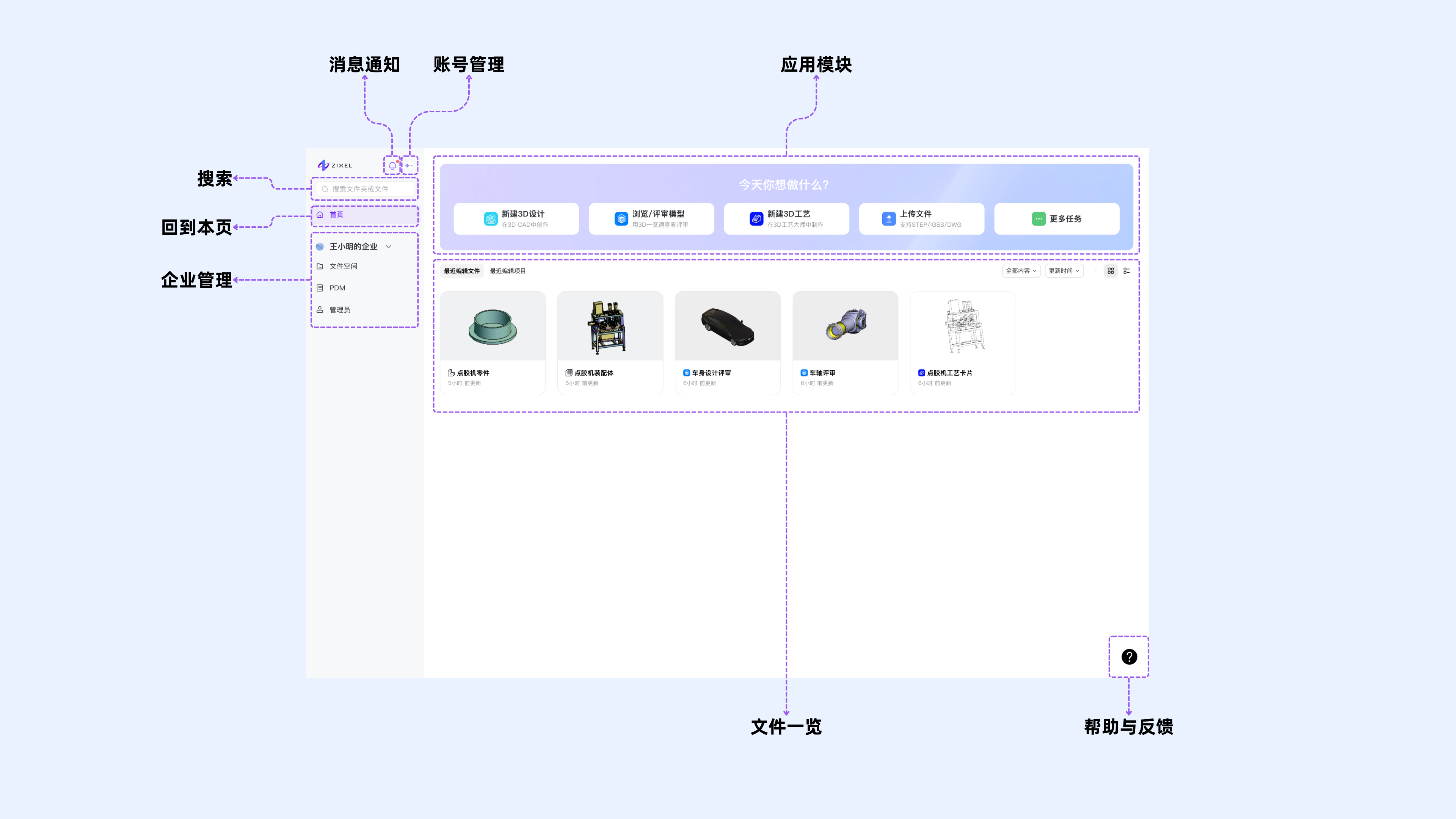
Apps: Create files for different apps or upload existing files.
Recent files: Find the files and projects you edited recently.
Notifications: View collaboration updates, publishing status, model processing status, permission changes, and asset transfers.
Account: Manage your account settings.
Search: Search for files in the workspace.
Home: Return to the home page.
Organization: Manage your organization's workspace.
Help and feedback: Open the Help Center or send feedback.