Legacy ZIXEL documentation. Screens and plan limits may differ from the current zCAD Beta. View current 3D CAD help.
View change notice details
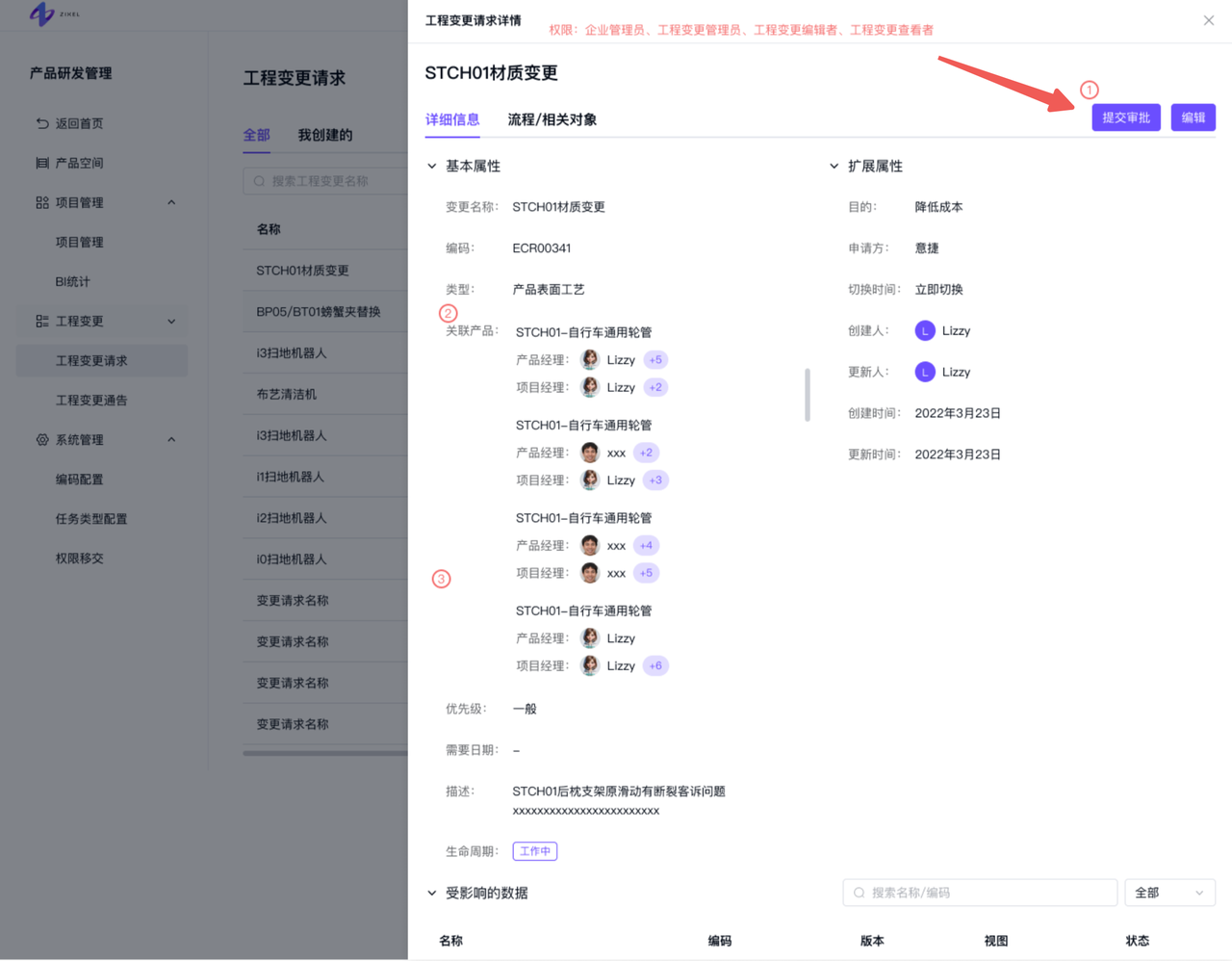
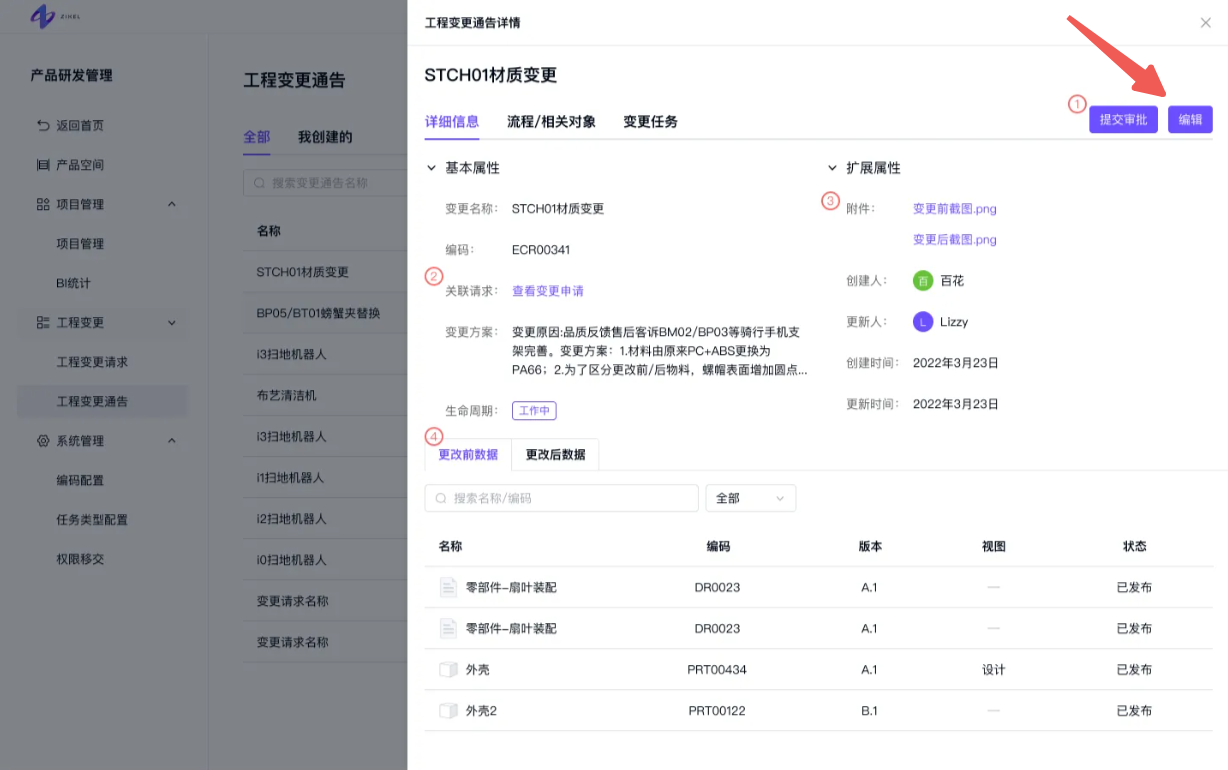
Expand Details to view the change request information.
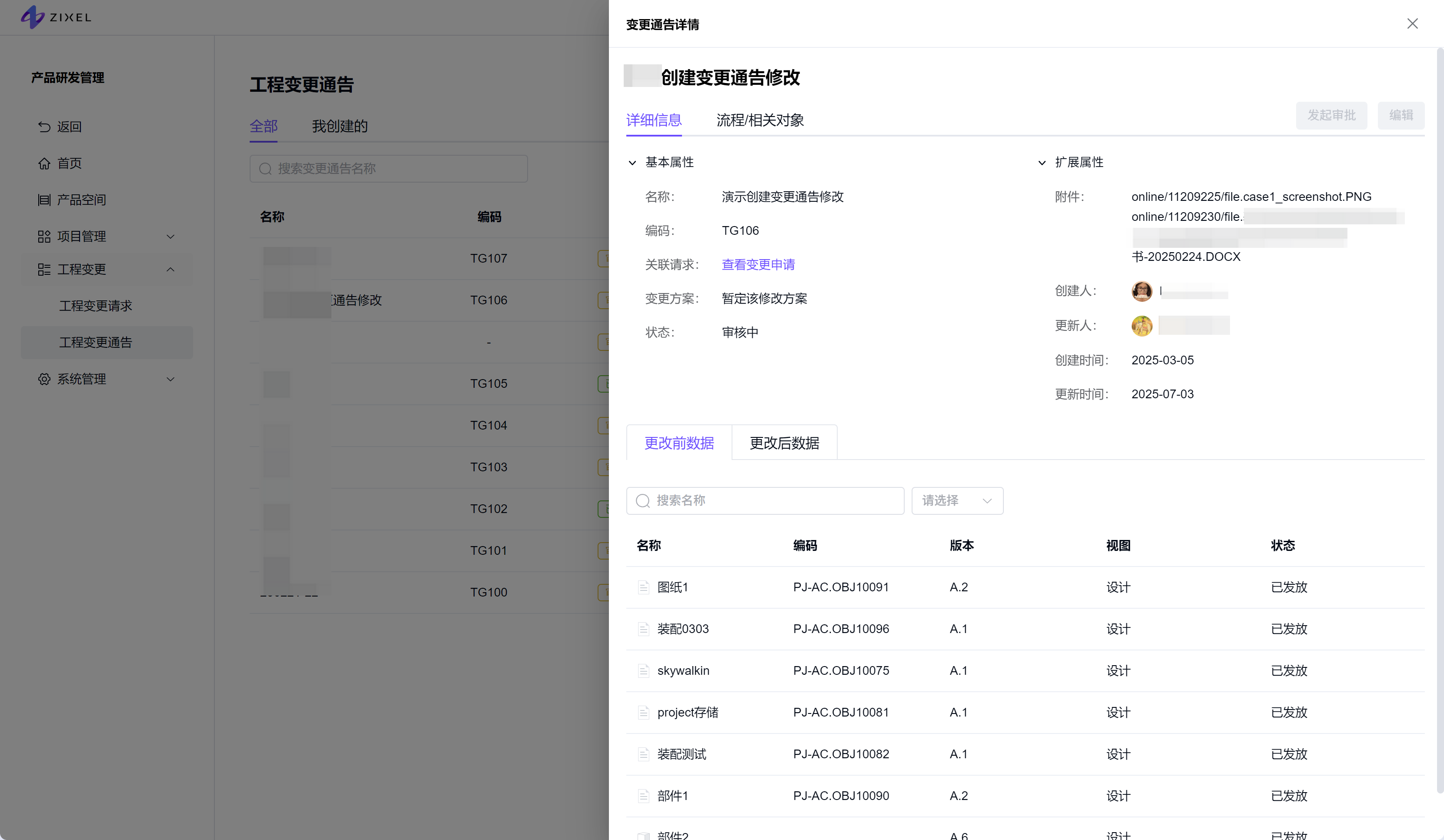
Change notice detail fields
Field
Description
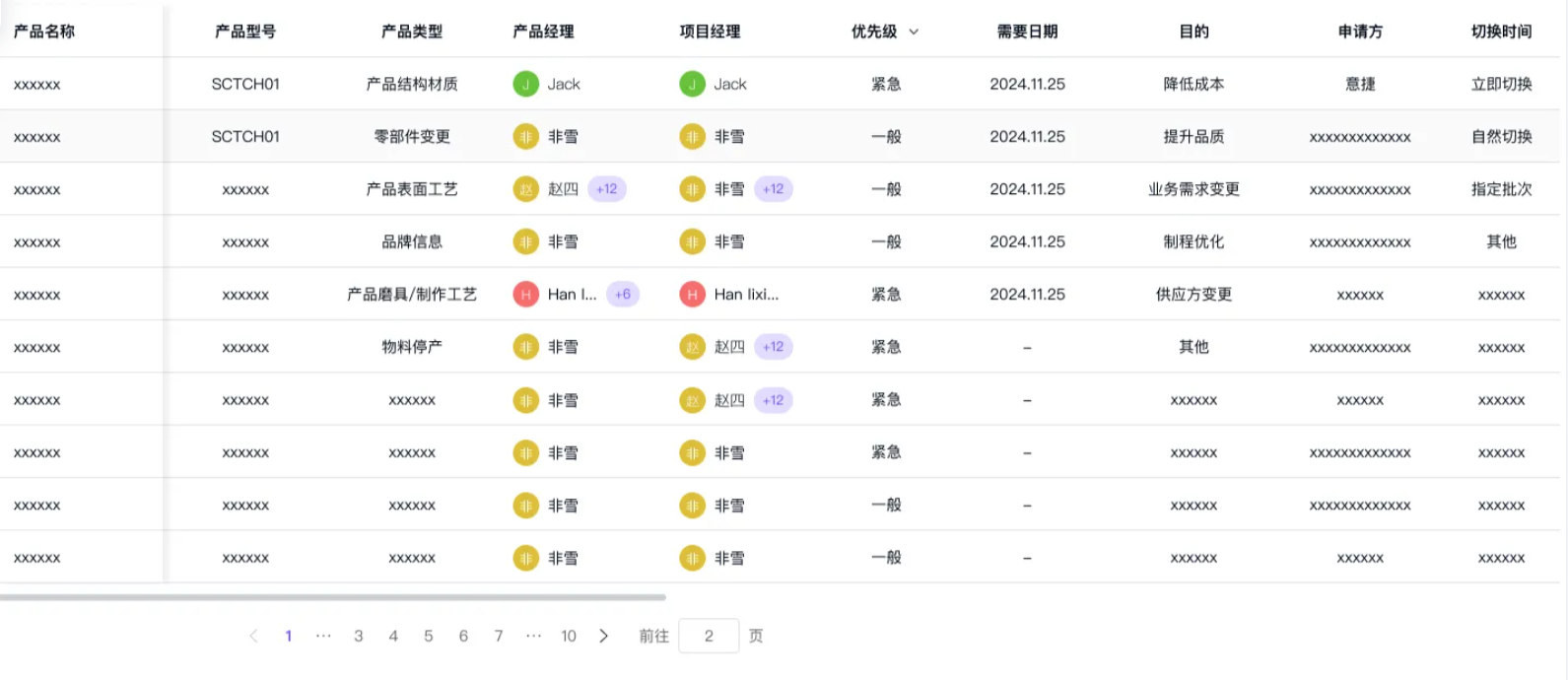
Type and priority
Required date
Taken from the linked change requests.
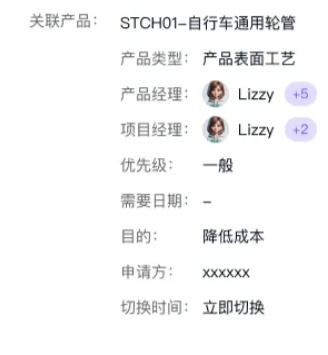
When a notice has one linked request, it displays that request's properties, as in the Lamiku workflow example.
When a notice has multiple linked requests, it displays their property values together.
If the linked requests have the same value, that value is shown once.
If their values differ, all values are shown.
Attachments
Click an attachment name to view the file.
Linked requests
If the linked request has one product, one set of product information is shown.
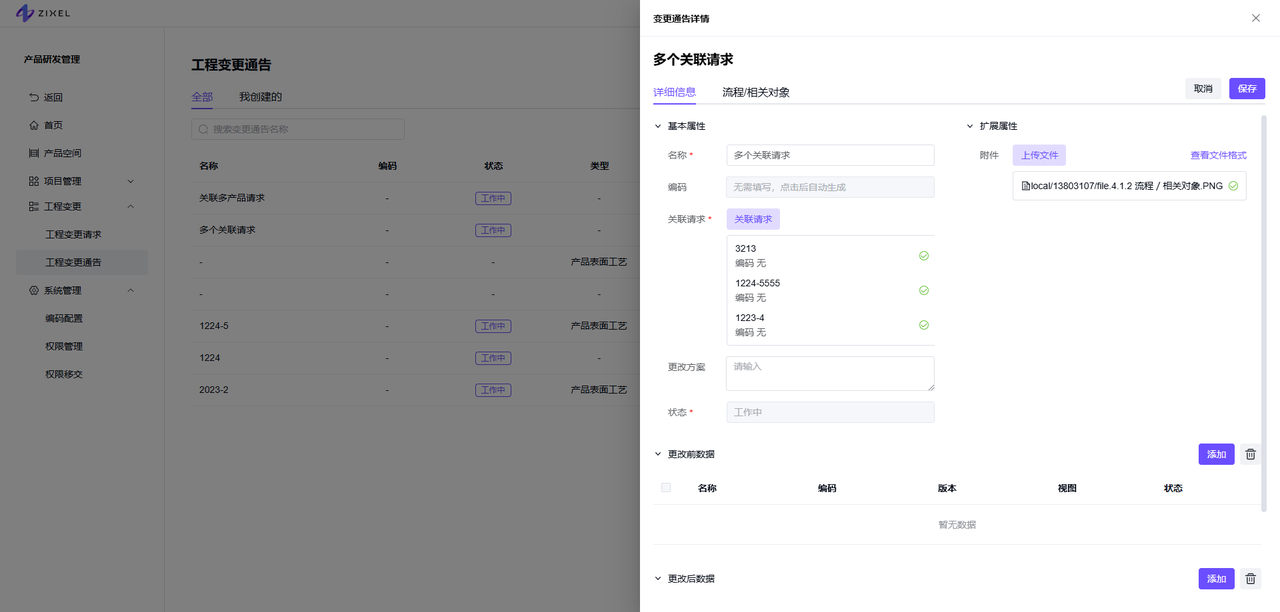
When multiple requests are linked, click View to open the request list.
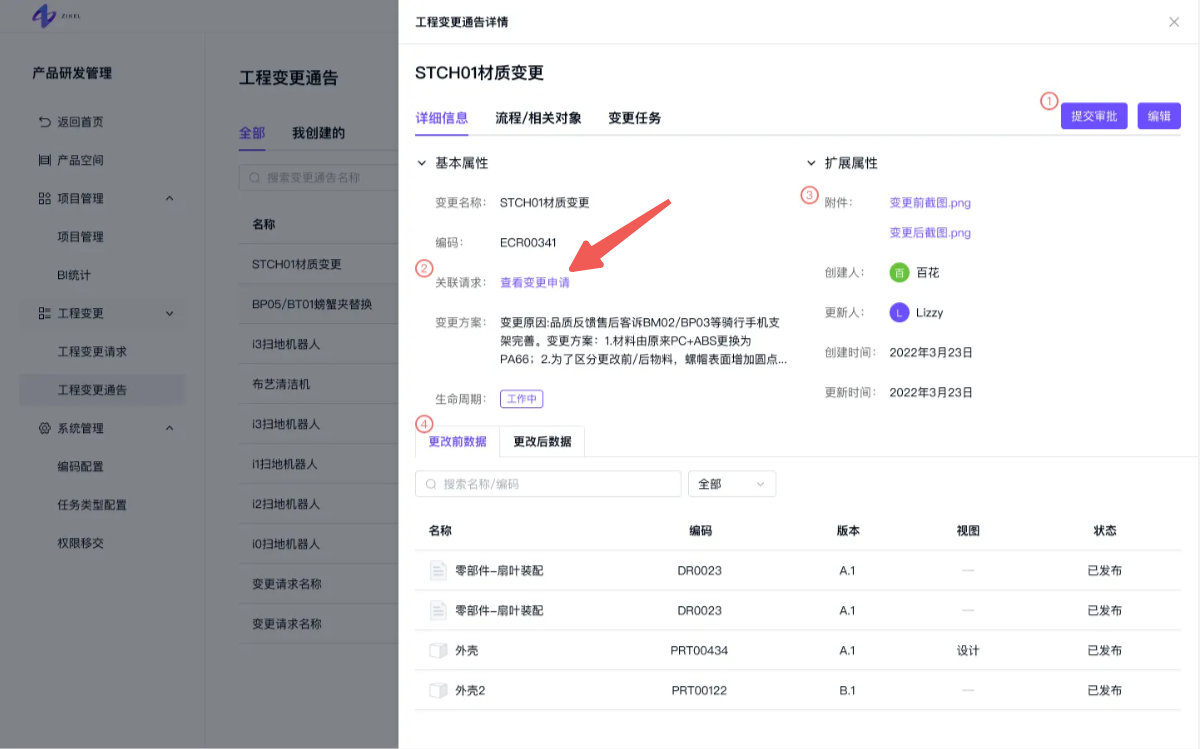
Edit a change notice
Click Edit on the Details tab. Update the basic and additional fields and the before-change or after-change data, then click Save.
A change request cannot be edited after its approval workflow has been submitted.
Access is limited to the change notice creator and organization or engineering change administrators.
Submit a change notice for approval
Click Submit for approval to start the approval workflow.
Access is limited to the change notice creator and organization or engineering change administrators.