Legacy ZIXEL documentation. Screens and plan limits may differ from the current zCAD Beta. View current 3D CAD help.
View change request details
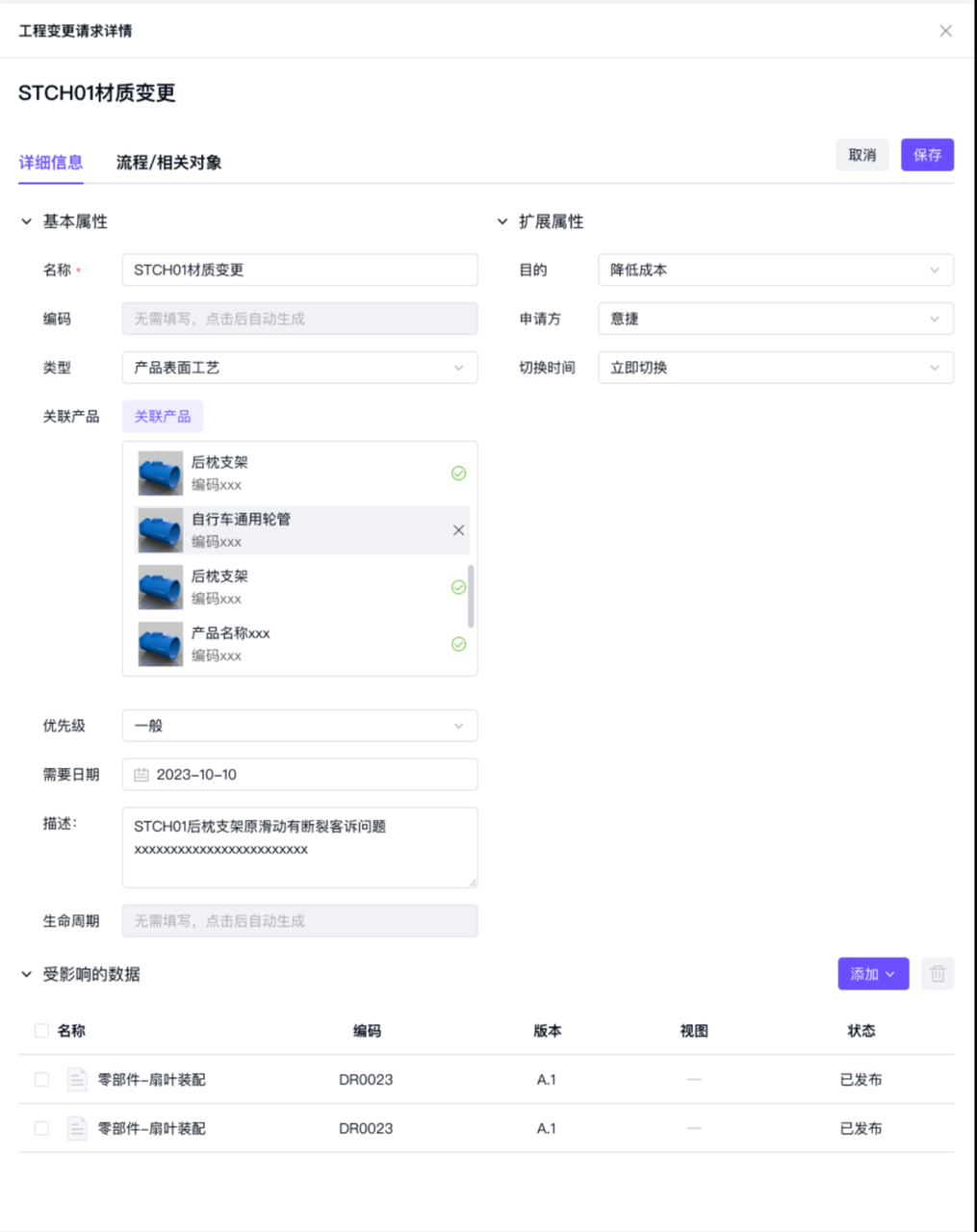
Expand Details to view the change request information.
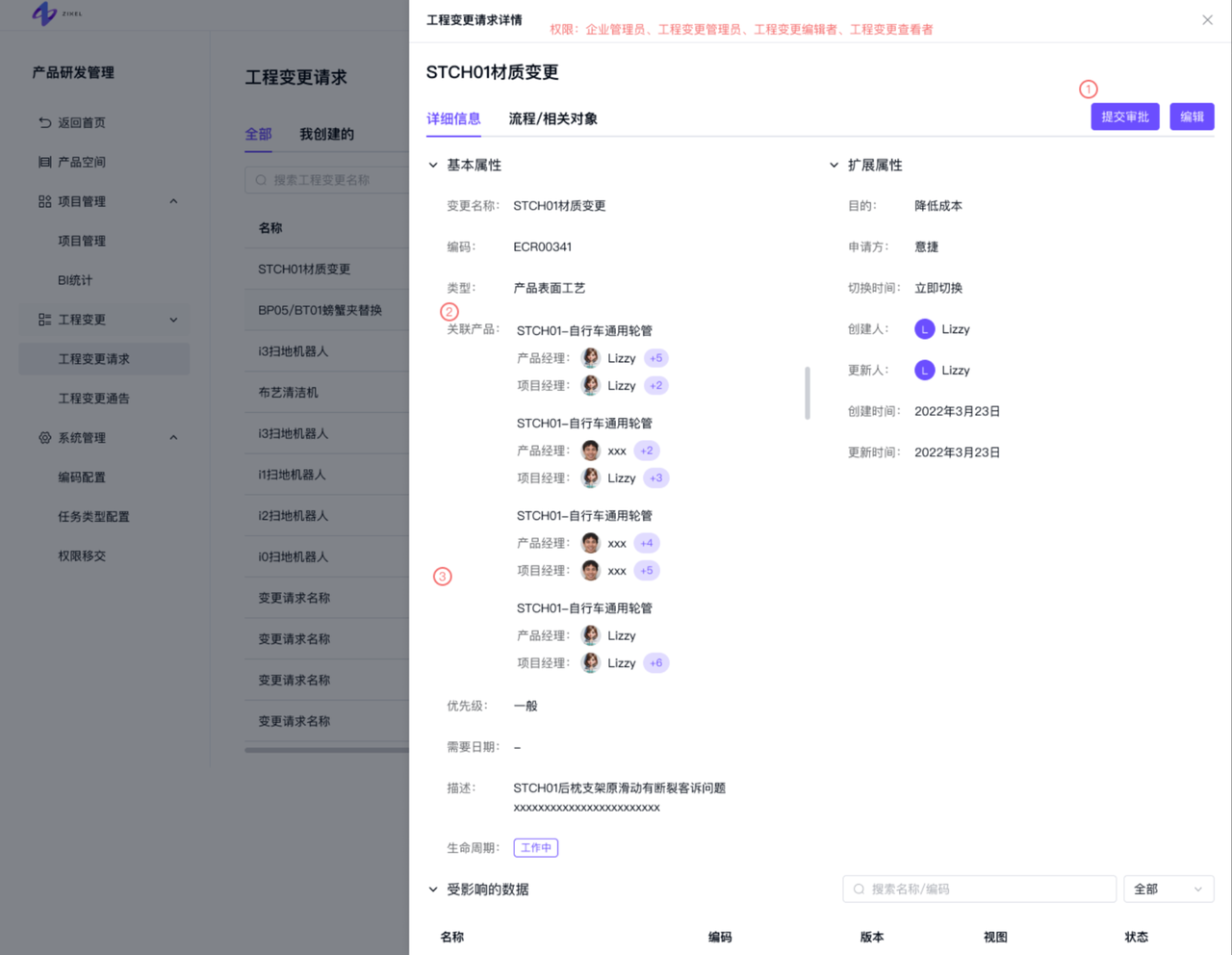
Change request detail fields
Field | Description |
Product model | Filled automatically from the linked products. Multiple values are supported. |
Product name | Filled automatically with the names of linked products. Multiple values are supported. |
Product manager | Filled automatically with the product managers of linked products, with duplicates removed. Multiple organization users are supported. |
Project manager | Filled automatically with the project managers of linked products, with duplicates removed. Multiple organization users are supported. |
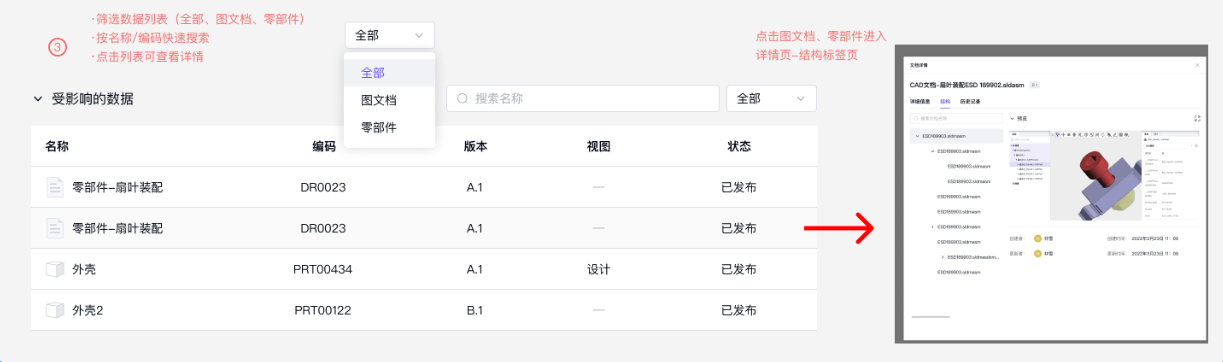
In the Affected data list, you can:
Search by name.
Filter by drawings/documents or parts.
Click a row to open the item's Data tab.
Edit a change request
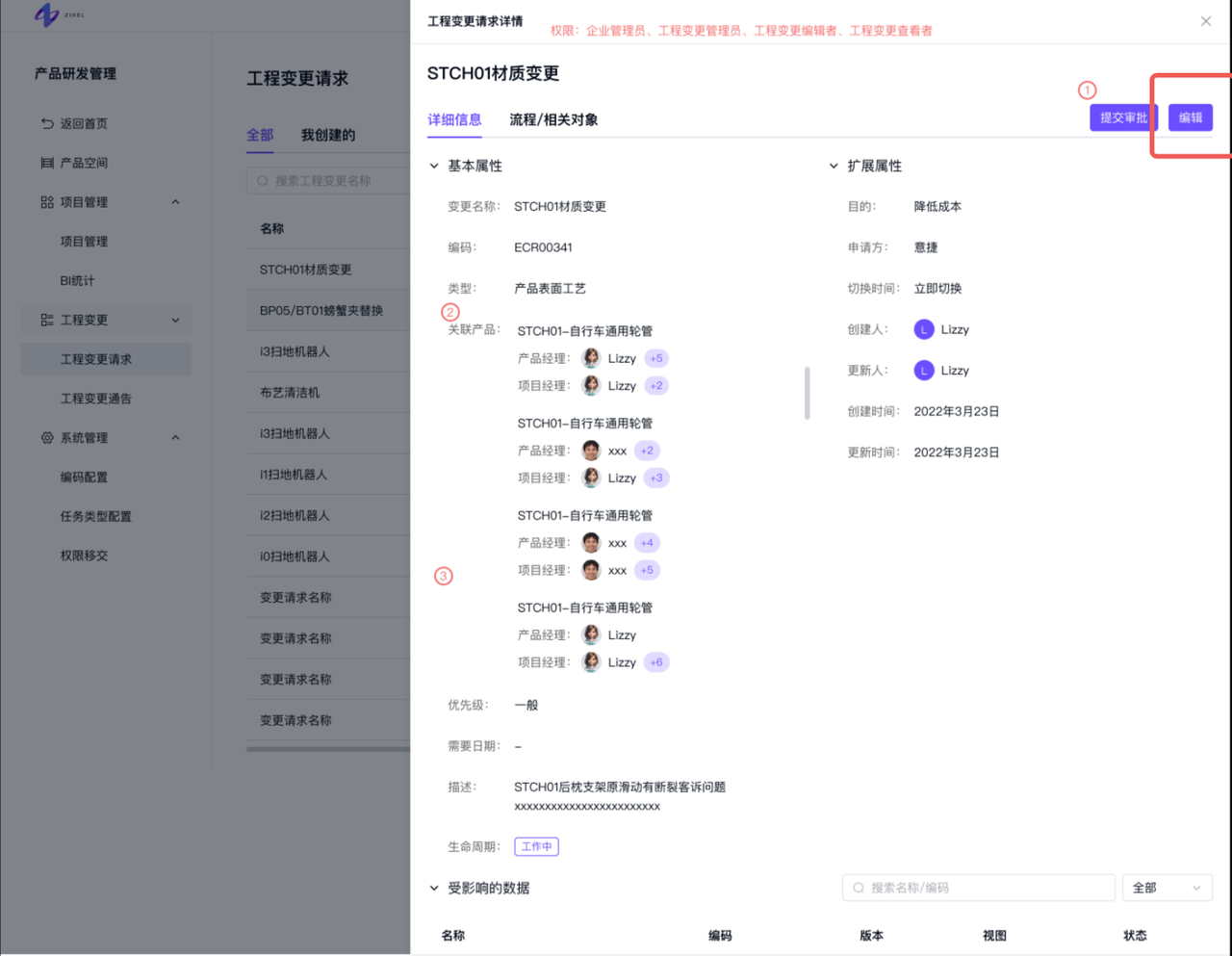
Click Edit on the Details tab, update the basic fields and affected data, then click Save.
A change request cannot be edited after its approval workflow has been submitted.
Access is limited to the change notice creator and organization or engineering change administrators.
Submit a change request for approval
Click Submit for approval to start the approval workflow.
Access is limited to the change notice creator and organization or engineering change administrators.