
Legacy ZIXEL documentation. Screens and plan limits may differ from the current zCAD Beta. View current 3D CAD help.
View the workflow linked to this change request. Click it to open approval details.
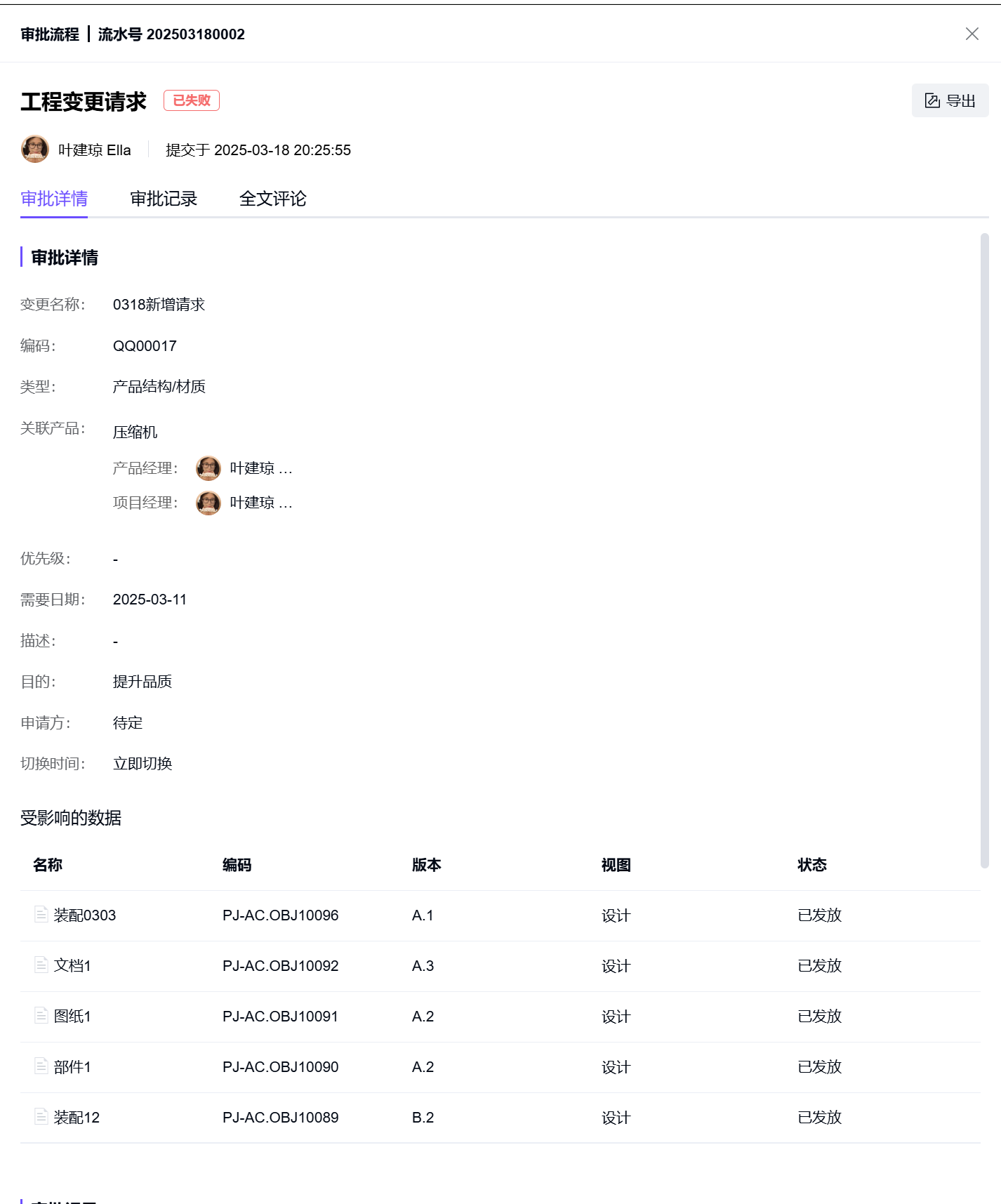
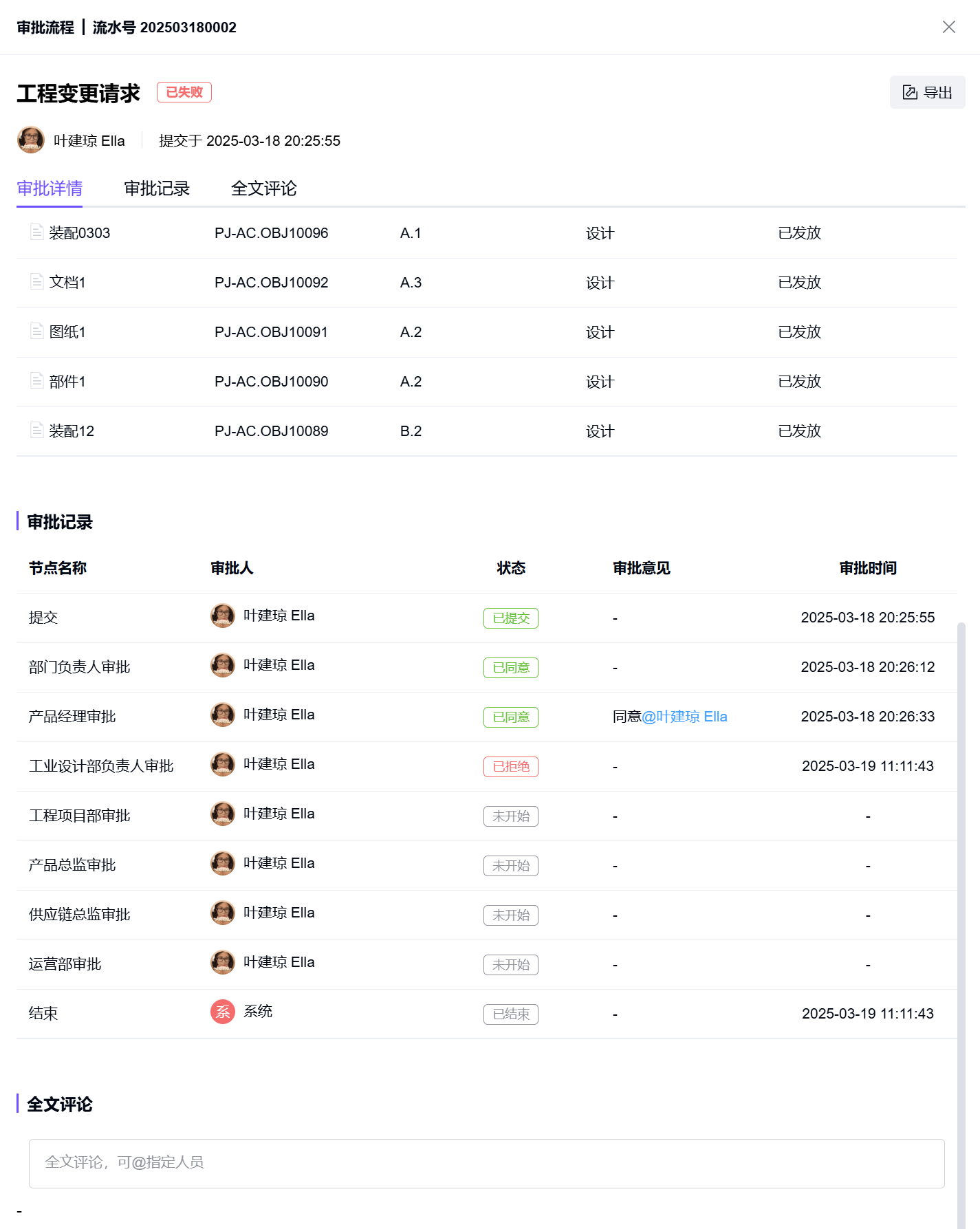
Approval workflow list fields
Field
Description
Reference number
The workflow reference is generated using the organization's numbering rules.
The default format is YYYYMMDD followed by a four-digit sequence, for example 202409060012.
Initiator
The user who started the approval workflow.
Submitted at
The time the approval workflow was started.
Approval status
The current status of the approval workflow.
Approval history fields
Field
Description
Stage name
Possible values: Submit, Approval (including additional reviewers), Copy, and End.
Approver
The user acting at this stage.
Result
Submit: Submitted or Withdrawn.
Approval: Approved, Rejected, or Additional reviewer added.
Copy: Copied.
End: Finished or Not finished.
Approval comments
Comments entered when reviewing the request.
Reviewed at
The time the review action was taken.