
Legacy ZIXEL documentation. Screens and plan limits may differ from the current zCAD Beta. View current 3D CAD help.
Project list
In the left navigation, open Project management > Project management. The list initially shows all projects. Use All my projects, Managed by me, or My participation to filter projects related to your account.
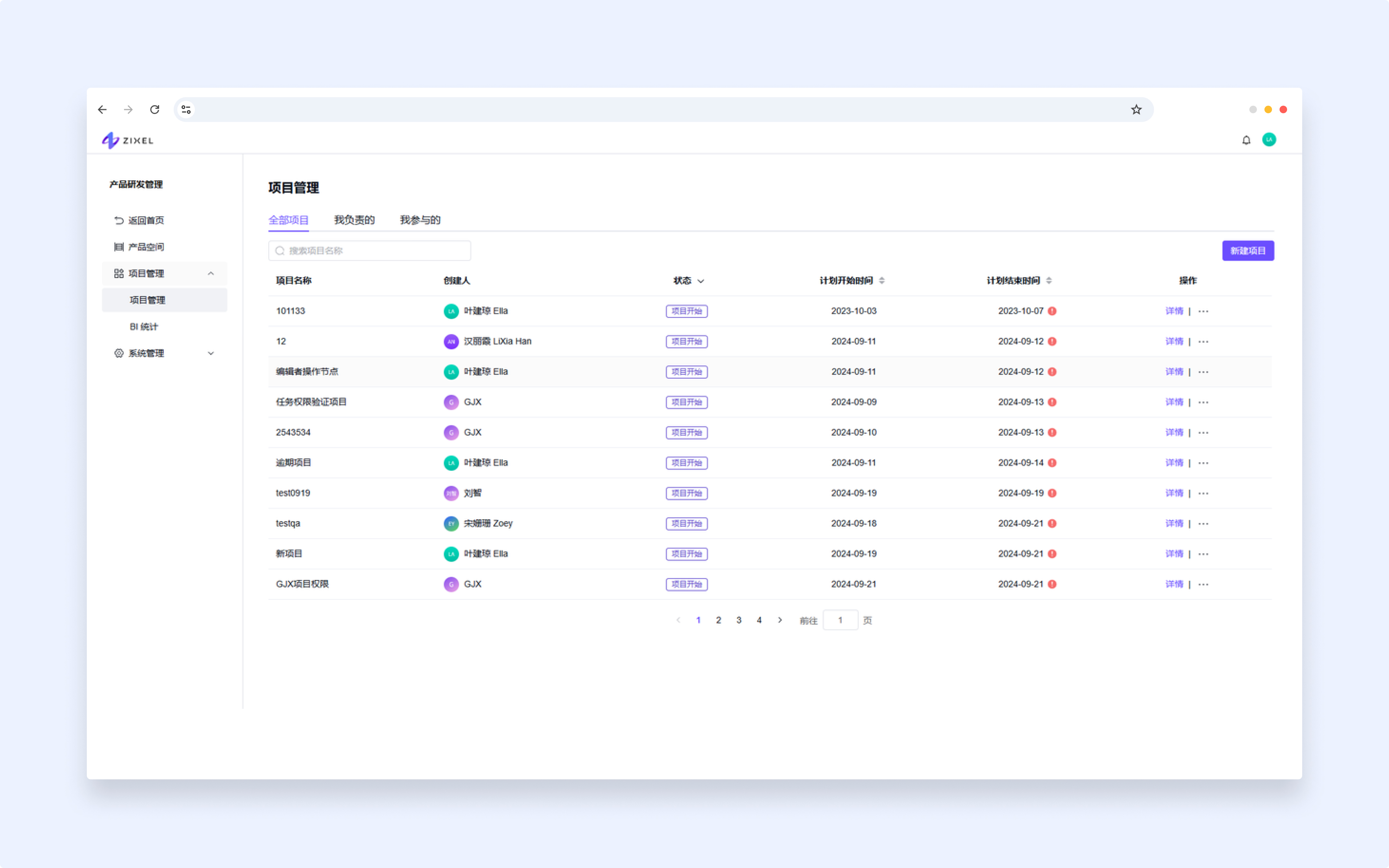
Managed by me: projects where you are an administrator.
My participation: projects where you are an editor or viewer.
Search quickly by project name.
Projects are sorted by most recently updated and then by status. You can also sort by project name or creation date.
Create a project
Click New project, enter the project details, and click Confirm.
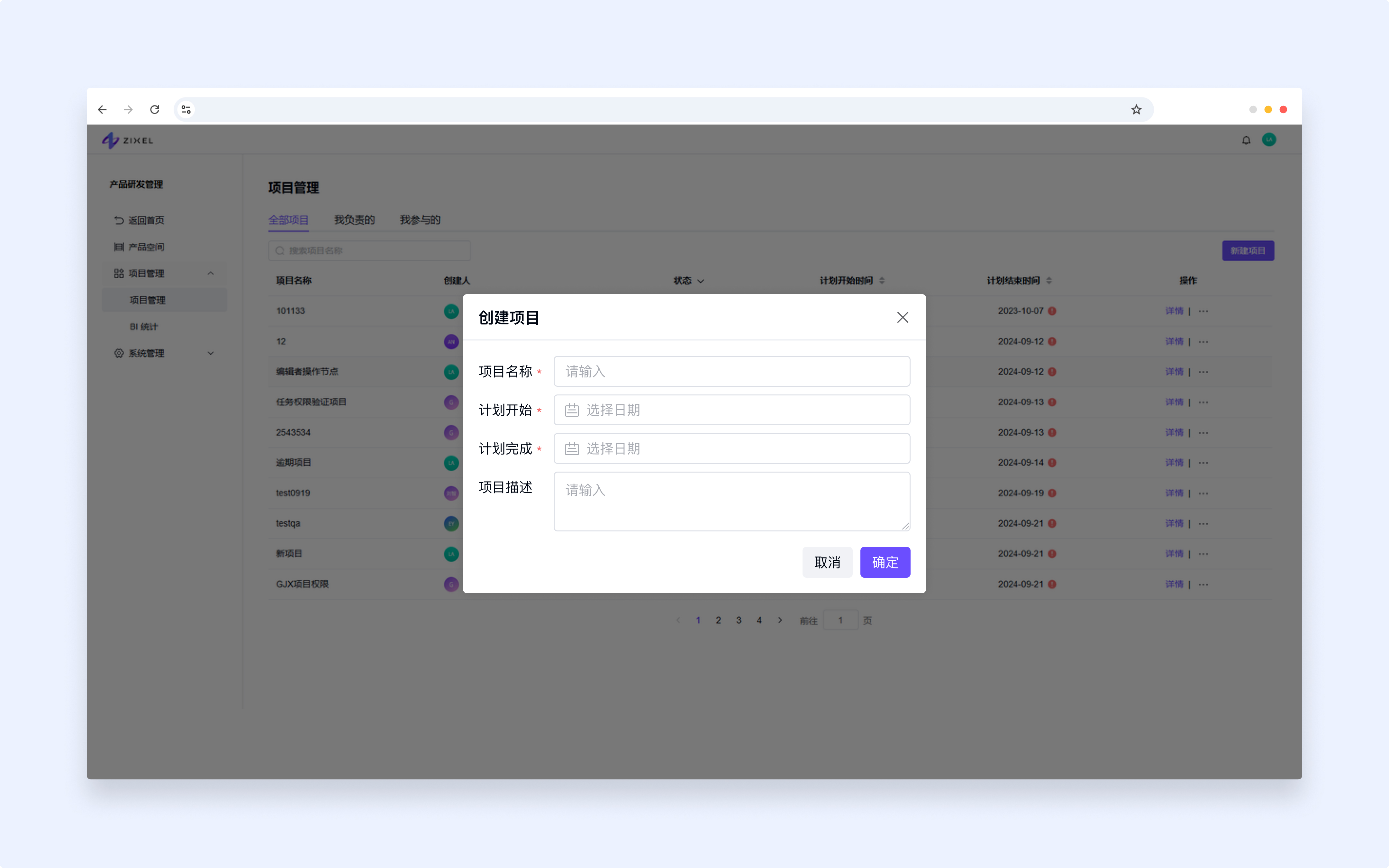
Fields marked with an asterisk (*) are required. The form prompts you to fill in any missing required fields.
Delete a project
Click More (...) in the project's Actions column and choose Delete.
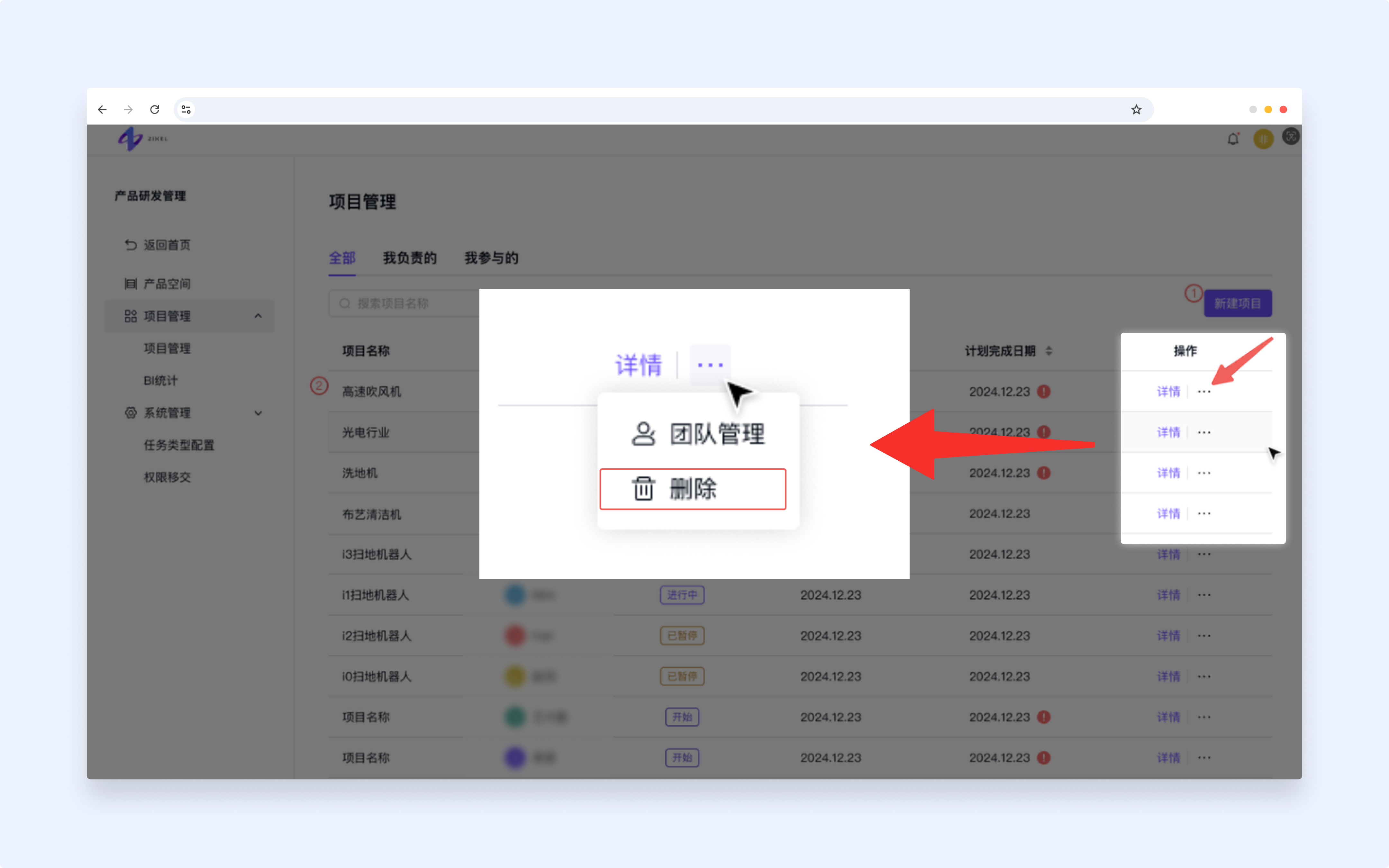
An organization administrator can soft-delete the project and its associated data.
View a project
Click Details or a project row to open the project. The Project plan tab opens first. Switch tabs to view other project information.
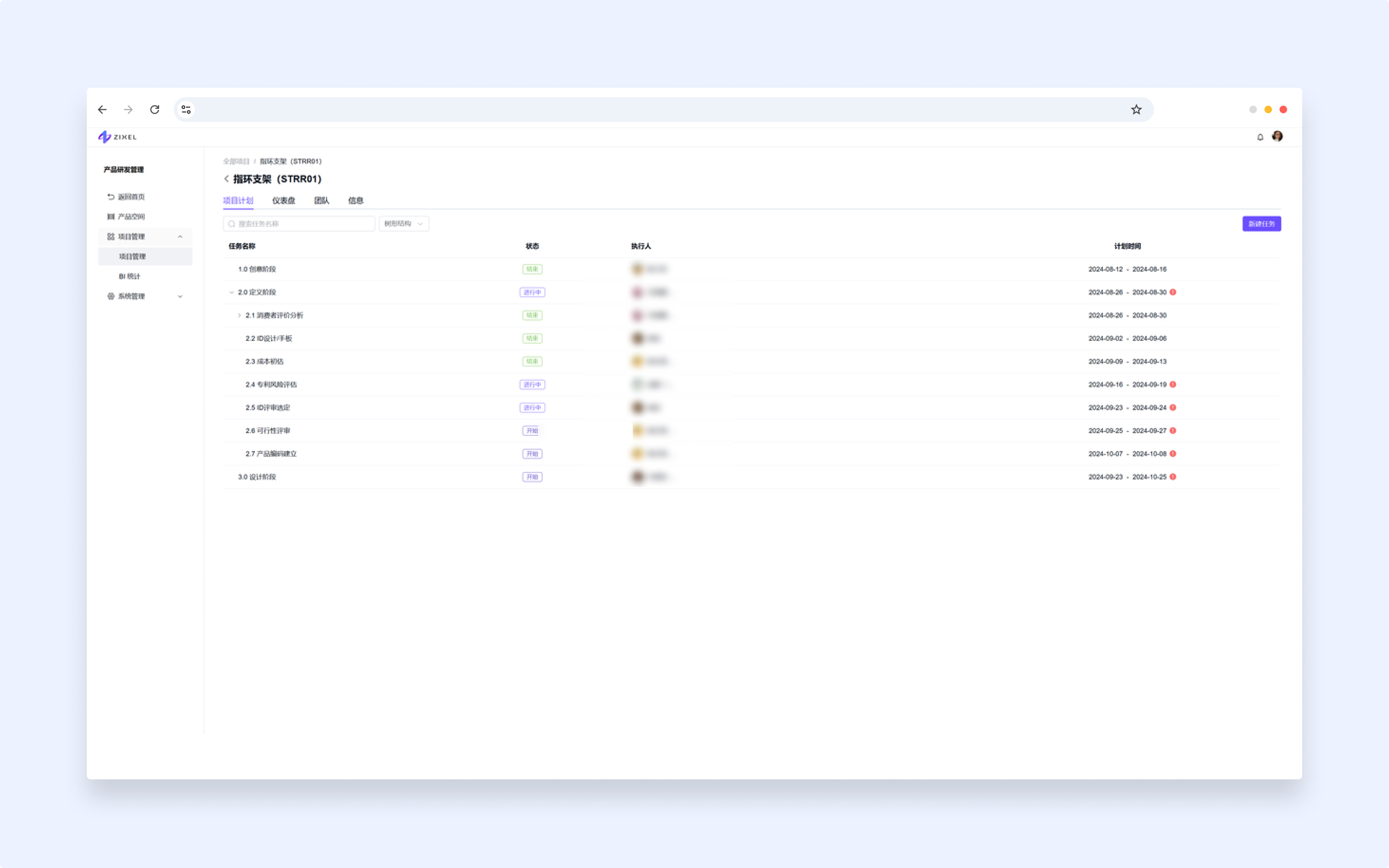
The list is sorted by task name by default. You can also sort by project name or creation date.