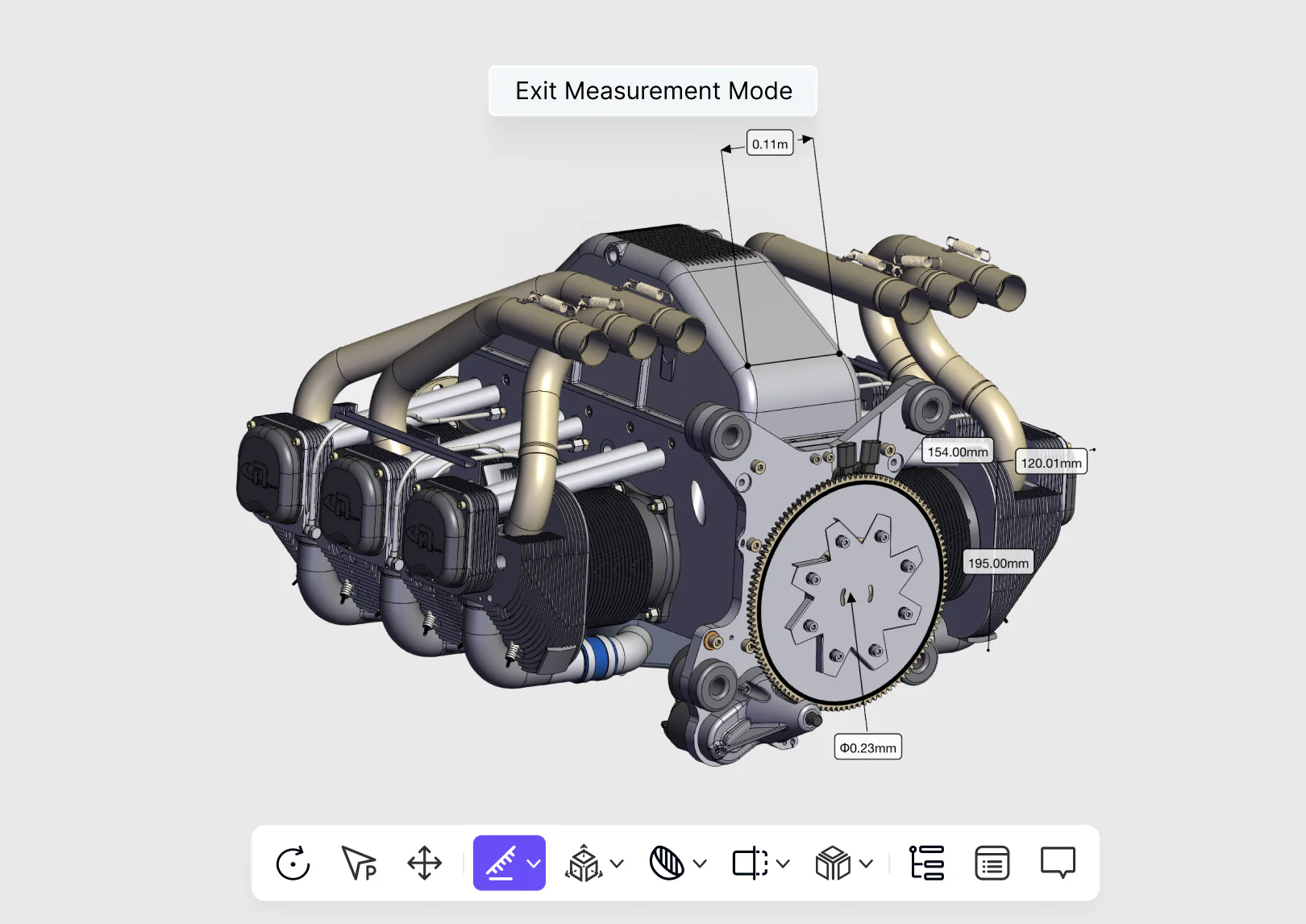
A large mechanical assembly opened in a browser-based 3D review workspace

Free browser tool / CAD review

Review CAD in the browser.

Open supported CAD and drawing formats, inspect engineering detail, add review context, and share the model without installing the authoring application.

Open 3D Viewer
  • Supported CAD and drawing formats
  • No local installation
  • Inspect, annotate, and share

Let every reviewer see the real model.

Give engineering, manufacturing, suppliers, and clients browser access to the product definition while model structure, measurements, annotations, and review feedback remain in context.

Inspect more than a preview

Navigate structure, properties, sections, exploded views, and engineering annotations.

Bring reviewers in quickly

Use browser and mobile access so design, manufacturing, suppliers, and clients can enter the review.

Share with control

Set access, keep comments with the model, and integrate viewing into connected business workflows.


From uploaded CAD to a shared review.

Open the product definition, inspect its engineering context, capture feedback, and share controlled access from the browser.

  1. 01

    Open the file

    Upload supported CAD data to a browser-ready workspace.

  2. 02

    Inspect the model

    Navigate, section, measure, and isolate the geometry that matters.

  3. 03

    Share the review

    Send a link and keep comments connected to the current design context.

CAD review without the workstation barrier.

The viewer keeps engineering structure visible while making the review accessible to people outside the CAD authoring team.

01 / 03

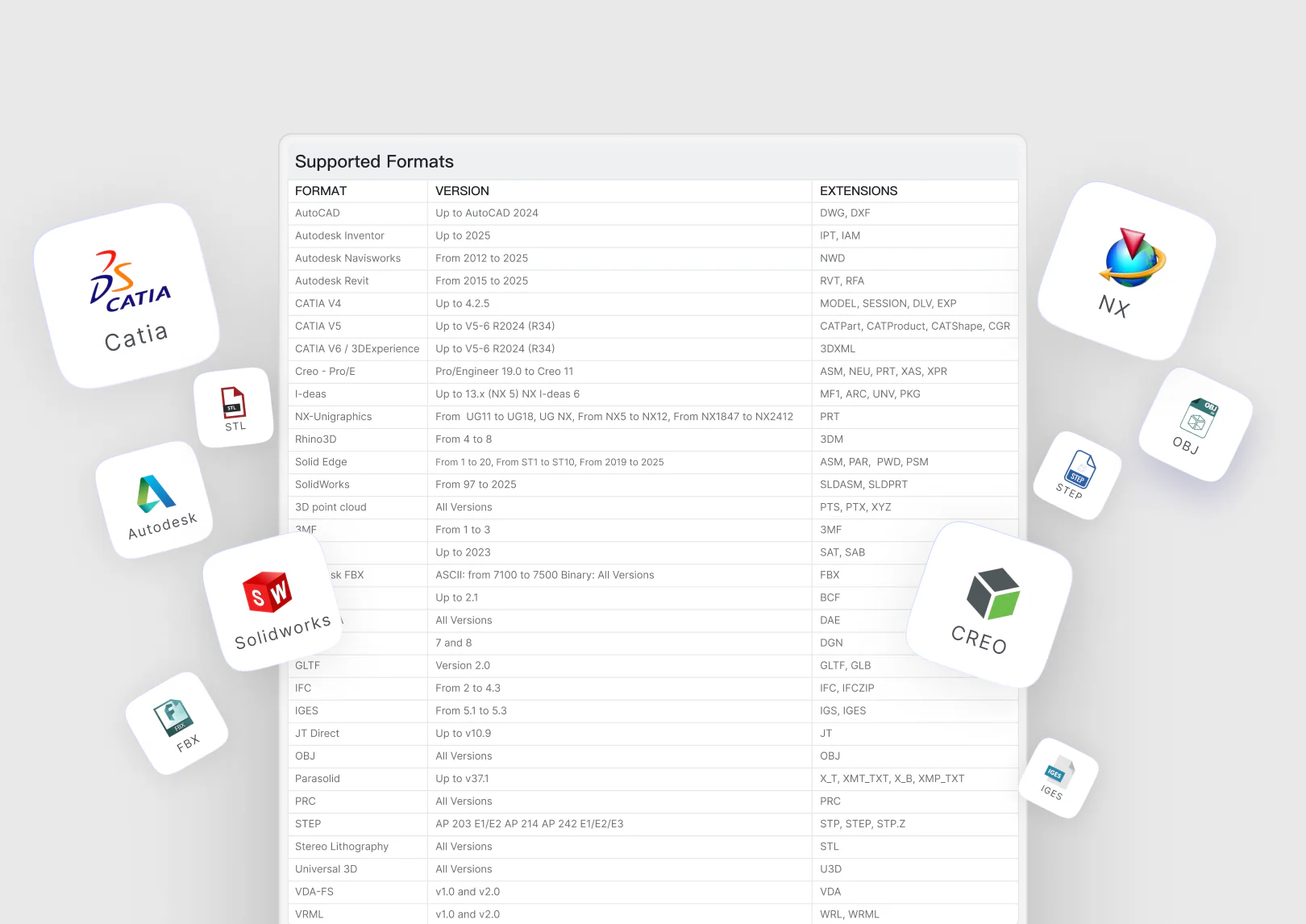
Open mainstream CAD formats

Bring common 3D models and 2D drawings into a browser-ready review space while preserving the structure needed to understand the design.

  • Selected supported formats
  • 3D models and 2D drawings
  • Structure tree and properties
A browser upload view listing common CAD and drawing formats

See, discuss, and distribute design context.

The product combines deep model inspection with lightweight access and controlled collaboration.

Inspect

Understand the model without opening its authoring application.

  • 3D and 2D viewing
  • Structure tree
  • Component properties
  • Section and exploded views

Review

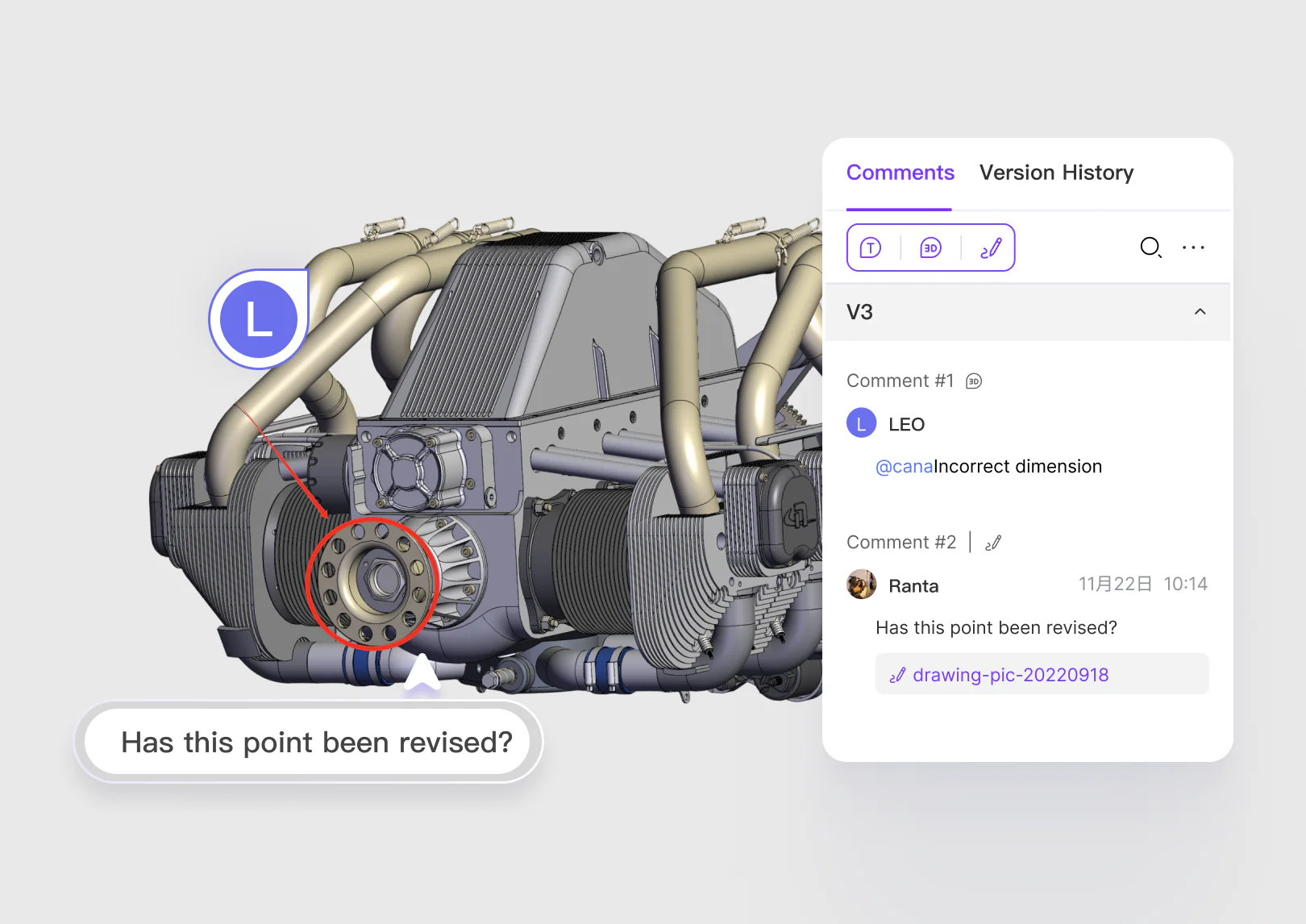
Keep feedback visible in the geometry it refers to.

  • 3D markup
  • Drawing comments
  • Text comments
  • Shared review context

Connect

Fit browser-based viewing into wider product and manufacturing workflows.

  • Access permissions
  • Link sharing
  • Multi-device access
  • Business-system integration

Help and support

Choose self-serve product guidance or reach the team when your project needs direct technical assistance.

Product documentation

Use the Help Center for setup, modeling guidance, file workflows, and common questions.

Technical support

Contact zCAD when a file, account, or product workflow needs direct assistance.

Open Help Center

Common questions

Open a CAD file in your browser.

Inspect, measure, annotate, and share 2D drawings and 3D models without installing the authoring application.