
Gear and gear trains
Start a spur gear CAD model from known parameters
Describe the gears, shafts and supporting components you need. zCAD. AI generates a CAD model you can review and refine. Open it in zCAD. Online to continue working with its available CAD tools.
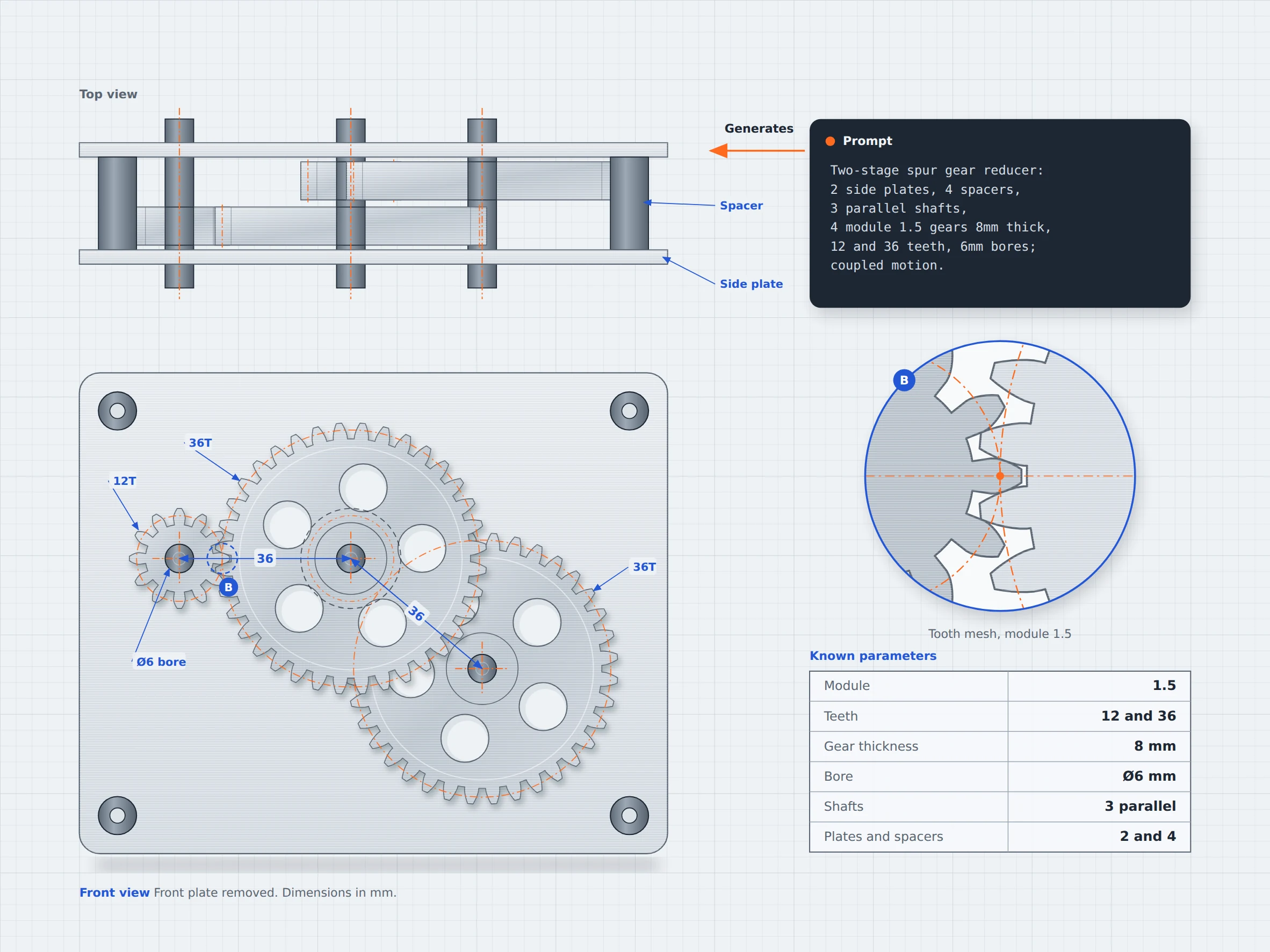
01 / The engineering challenge
Why a gear train takes so many steps to build
A gear train needs more than gears placed next to each other. Gear dimensions, tooth counts, shaft spacing, and component alignment determine how the assembly fits together. Mesh models can show the general shape but an editable CAD model is better suited to review the following aspects:
Mesh model limits
Approximate Gear dimensions
You can describe gear parameters such as tooth count, module, thickness, and other dimensions. You need to review the generated dimensions instead of relying on shape alone. A mesh model may not preserve the exact dimensions you need.
Difficult to edit
A gear may look right but still have the wrong bore diameter, thickness, or tooth dimensions. Editable CAD geometry makes it easier to inspect and adjust dimensions.
Small changes can take extra work
Changing a gear's thickness or modifying a shaft interface may require extra work with a mesh model. With editable CAD geometry, you can use the available CAD tools in zCAD. Online to make adjustments without rebuilding the entire model from scratch.
02 / Connected capabilities
Gear shape and shaft interface in one model
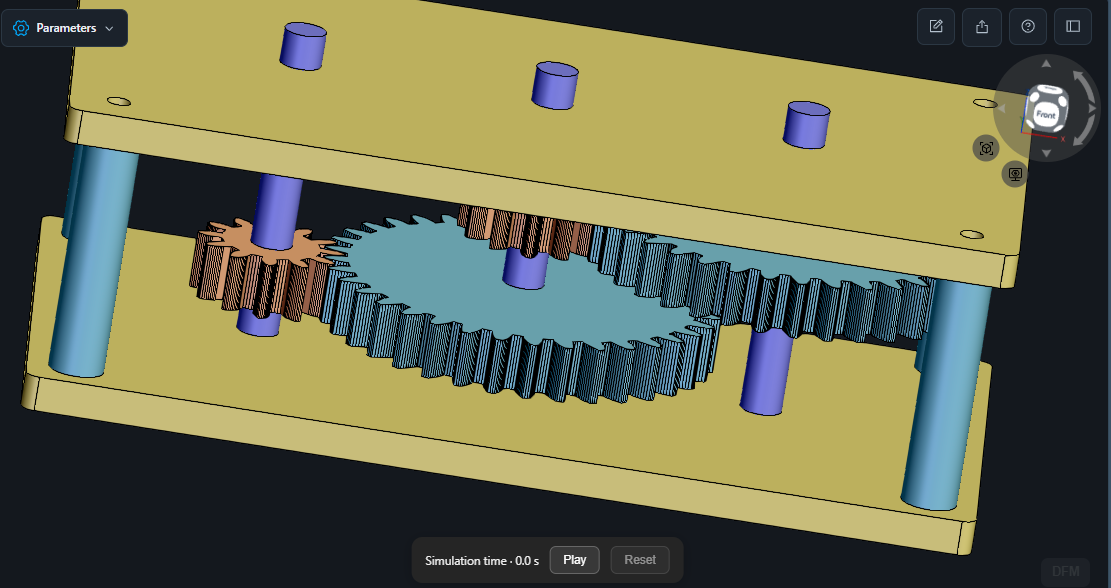
Describe the gear geometry, shaft interfaces, and supporting components in one prompt. zCAD. AI generates an initial CAD model that you can inspect against your requirements and continue refining in zCAD. Online
Define gear parameters
Specify tooth counts, module, thickness, bore diameter, and other known dimensions in your description.
Describe the assembly
Include shafts, mounting plates and the intended arrangement of the components.
Review the generated geometry
Compare the generated gears and supporting parts with your prompt. Check dimensions, spacing, alignment, and tooth engagement.
Continue editing in zCAD. Online
Open the model in zCAD. Online to inspect and refine it using the available CAD tools. Verify gear relationships and any required motion behavior before relying on the assembly.
03 / From requirement to delivery
From gear parameters to a CAD assembly
Start with the gear specifications you know, generate an initial model, and review the geometry before using it.
Describe the gear train
Specify the gear types, tooth counts, thickness and shaft positions.
Generate the initial model
Generate an editable model with zCAD. AI using the detailed prompt.
Check the assembly
Review and refine the model generated, revise the prompt if the generated model is different from the intended design. If the model is different from intended one, then prompts can be given to improve it.
Refine the model
Open the model in zCAD. Online to inspect and edit it using the available CAD tools.
Project at a Glance
Project Inputs
- Gear type and tooth counts
- Bore diameters and shaft positions
- Gear arrangement, supporting components and motion relationships
Expected Outputs
- An initial CAD model of the described gears
- Gear and shaft geometry for review
- Supporting components included in the prompt
Typical Uses
- Robotics: Describe a gear reduction stage for a small robot joint around the intended gear ratio and shaft arrangement.
- Small automation: Model gears for a compact conveyor drive, specifying the gear ratio and shaft arrangement.
- 3D printers: Describe an extruder drive gear around a known shaft diameter.
Before you get started
Frequently Asked Questions
Can I create a spur gear from known parameters?
You can describe the tooth count, bore diameter, thickness, and other dimensions in zCAD. AI. Review the generated geometry to confirm that it matches your requirements.
Can I generate a complete gear train from a text description?
You can describe multiple gears, shafts, supporting plates, and their intended arrangement in one prompt. Check the generated components and their relationships after generation.
Can I create a planetary gear train in CAD?
Yes, a planetary gear train can be described using its sun gear, planet gears, ring gear, and carrier. The tooth counts must be according to the intended arrangement, and the component positions and motion relationships need to be verified.
Will a generated gear train be ready to manufacture?
Not automatically. A generated CAD model is a starting point, check gear geometry, material selection, loads and manufacturing requirements before using the model.
zCAD / Gears and Gear Trains
Start your gear from its parameters
Define your gear parameters, describe how the components fit together, and generate a CAD model to review and refine.