
Plate and panel design
Design a mounting plate around its hole pattern
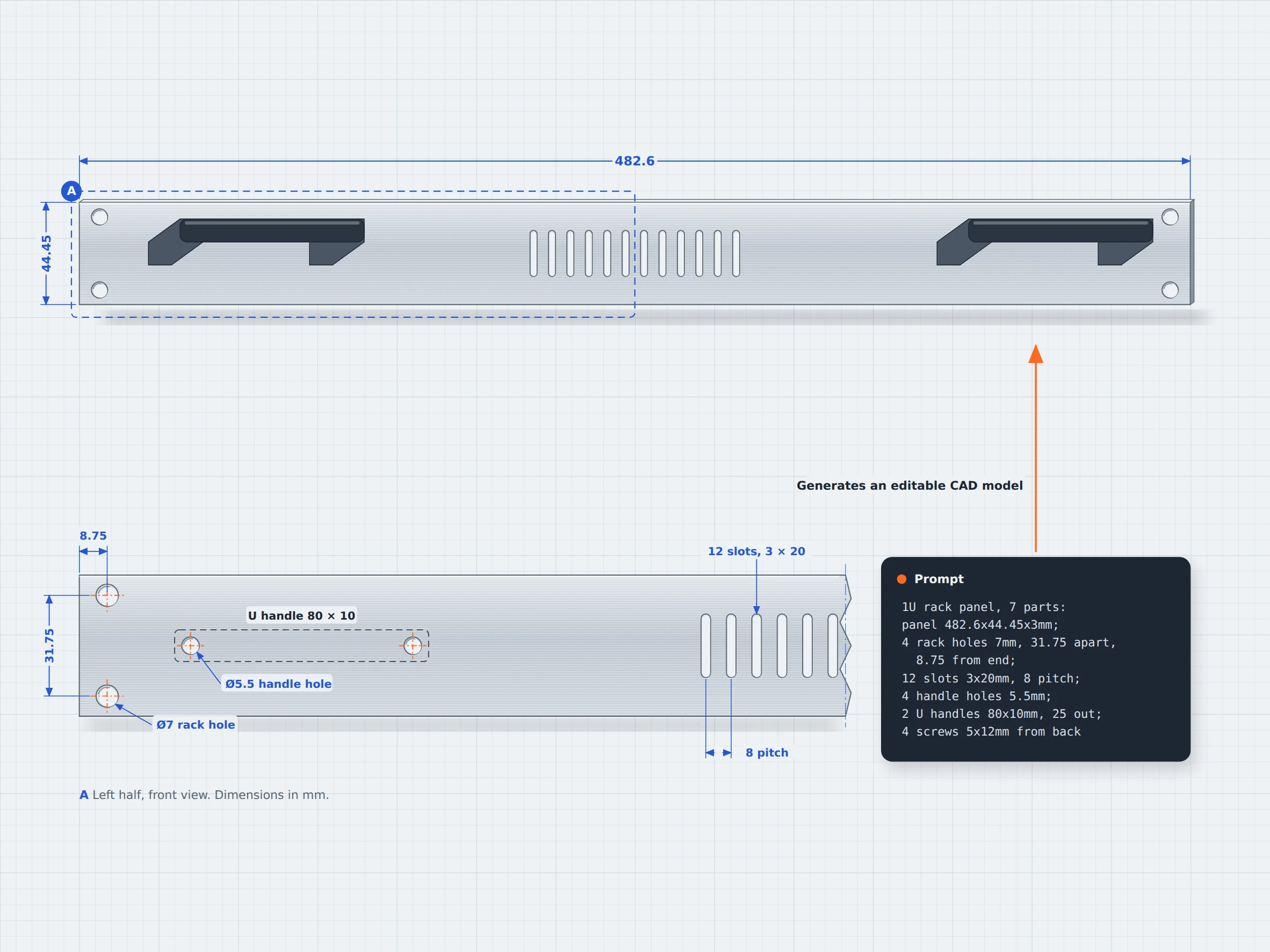
Describe the plate or panel you need, including its dimensions, hole patterns, cutouts, and interfaces. zCAD. AI generates a CAD model you can review and refine. Open it in zCAD. Online to continue working with its available CAD tools.
01 / The engineering challenge
Why plate layouts are drawn hole by hole
A panel needs more than the right outer dimensions. Every hole and cutout has a purpose; rack-mounting holes, ventilation slots, handle openings and other interfaces must be positioned according to the components they support. A mesh model can show the general shape, but its appearance alone does not confirm that the dimensions and features match the design requirements.
Mesh model limits
Intended geometry
A model's appearance alone does not confirm that its holes, cutouts, and dimensions match the design requirements. For example, A panel needs appropriate dimensions, not the approximate ones as provided by mesh models.
Hole and cutout positions
In mesh models, a panel may look correct while its openings are misplaced or incorrectly sized, preventing components from fitting as intended in mesh models.
Small changes
Changing the panel dimensions, hole spacing, or opening may require re-generating the model in mesh models. zCAD. AI can generate an editable model from a description, and it also allows refinement through prompting.
02 / Connected capabilities
Outline, holes and cutouts in one editable model
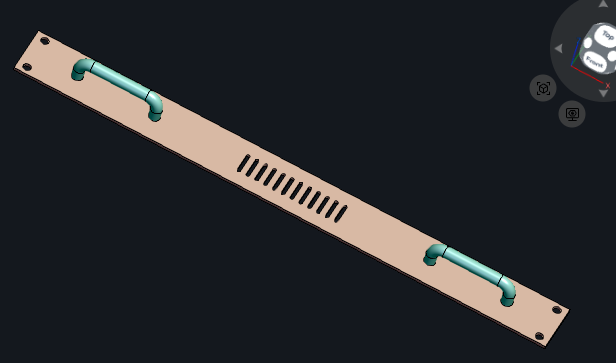
Describe the plate's overall dimensions, hole patterns, cutouts, and other required features. zCAD. AI generates an initial CAD model that you can inspect and refine in zCAD. Online.
Generate plates and panels
Describe the overall shape, dimensions, thickness, and intended application to generate an initial CAD model.
Specify holes and cutouts
Include hole diameters, spacing, opening sizes, and positions in your design requirements. Inspect the generated geometry against the requirements.
Create multi-part assemblies
Describe a plate or panel alongside components such as handles and circuit boards. Review their relative positions and mounting interfaces.
Refine the CAD geometry
Open the model in zCAD. Online to inspect and modify supported geometry where adjustments are needed. Check the updated dimensions and openings against your requirements.
03 / From requirement to delivery
From a plate brief to a CAD model
Describe the plate's purpose, dimensions, opening layout, and required features. Generate an initial model with zCAD. AI, then inspect and refine its geometry in zCAD. Online.
Describe the plate
Specify the overall shape, dimensions, hole pattern, cutouts, and any folded edges or other required features.
Generate the model
Use zCAD. AI to create a CAD model from your description.
Review the design
Check whether the holes, openings, and other features match the intended design. If the result differs, revise the prompt and review the updated model.
Refine the CAD model
You can continue working on the same model in zCAD. Online with its available CAD features.
Project at a Glance
Project Inputs
- Overall plate or panel dimensions, including thickness and edge geometry.
- Hole patterns, slots, and cutouts
- Connected components, installation space and other application specific requirements.
Expected Outputs
- An initial CAD model of plate or panel
- Geometry to inspect against the required dimensions and feature layout.
- A model that can be refined in zCAD. Online.
Typical Uses
- Industrial control
- Design mounting plates for switches or modules in a cabinet.
- Machine shops
- Create fixture plates with hole patterns for positioning workpieces during machining.
- Audio and instruments
- Design front panels with organized openings for controls, switches, connectors, and other hardware.
Before you get started
Frequently Asked Questions
Can I create a plate or panel from a text description?
You can describe its shape, dimensions, hole patterns, cutouts, and other features in zCAD. AI. Review the generated model and refine it to match your requirements.
Can I specify hole patterns and cutout dimensions?
You can include hole diameters, spacing, opening sizes, and positions in your prompt. Check the generated geometry against your original measurements and component specifications.
Can zCAD. AI generate a panel with different types of openings?
You can describe circular holes, rectangular holes, and ventilation slots in your prompt. Review the model to confirm that the features are present and correctly positioned.
Can I edit a plate after generating it?
You can request the changes through prompts in zCAD. AI or open the model in zCAD. Online to continue working with its available CAD features. Verify that the updated dimensions and related features still meet your requirements.
Will a generated panel be ready to manufacture?
Not automatically. Check the dimensions, component clearances, material, tolerances, and manufacturing requirements before manufacturing.
zCAD / Plates and Panels
Start your plate design from its dimensions
From electronics chassis to custom equipment panels, describe the openings and dimensions you need, generate a CAD model, and refine its geometry against your requirements.