
Unlocking the Future of Design: 5 Ways AI CAD Tools Are Transforming Industries
Explore five ways AI CAD tools support concept design, generative optimization, automation, simulation, and technical troubleshooting across industries.

An engineer may know what a product should do long before there is a CAD model to discuss. Building that model takes time, and every promising alternative creates more work to evaluate. Once a product reaches manufacturing and service, the design information has to remain useful to people who did not create it.
AI CAD tools are changing how teams handle those gaps. They can help create starting models, suggest modeling actions, explore design alternatives, and make engineering information easier to find. The capabilities vary widely: an assistant that retrieves documents does a different job from software that generates geometry or predicts physical behavior.
These applications reach from early consumer-product concepts to aerospace structures and industrial equipment in service. The requirements for data and human review change with the task.
What are AI CAD tools?
AI CAD tools apply artificial intelligence to work involving computer-aided design. Some operate inside an existing CAD application. Others generate geometry from a description or connect engineering software with analysis and product information systems.
An AI-powered CAD tool might predict the next command, propose sketch constraints, or help interpret a design brief. More specialized systems explore structural alternatives or learn from previous simulation results. The label covers a collection of capabilities whose inputs and outputs differ.
Generative design software is one part of that collection. It explores alternatives against defined goals and constraints. That differs from generative AI used to produce text or a starting model from a prompt; the methods and outputs depend on the system.
An output's usefulness depends on the work it supports and the design information it retains. A rendered shape, an editable CAD part, and a validated engineering design are different deliverables.
1. Turning early ideas into models that teams can develop
In early product development, a sketch or short description often precedes a usable CAD model. Translating that idea into geometry takes time, especially when the team is still deciding how the product should work.
For example, zCAD. AI can turn a written brief or reference image into a starting CAD model for parts and assemblies. Teams can inspect the geometry and refine it as requirements develop.
Consider a team developing a portable environmental sensor. The first design conversation may concern enclosure proportions, access to the battery, and where the unit attaches to a surface. A starting model can help the team examine those relationships before investing effort in detailed construction.
The output determines what happens next. A visual mesh may be useful for discussing appearance. A model with usable sketches, features, and dimensions can support controlled revisions as the requirements change.
A generated enclosure still needs decisions about its real components, clearances, materials, and production method. Generating geometry reduces some of the work of expressing an idea; the team remains responsible for deciding whether that geometry solves the problem.
For consumer electronics and custom equipment, a useful starting model lets the team examine how a proposed change affects the design before adding more detail.
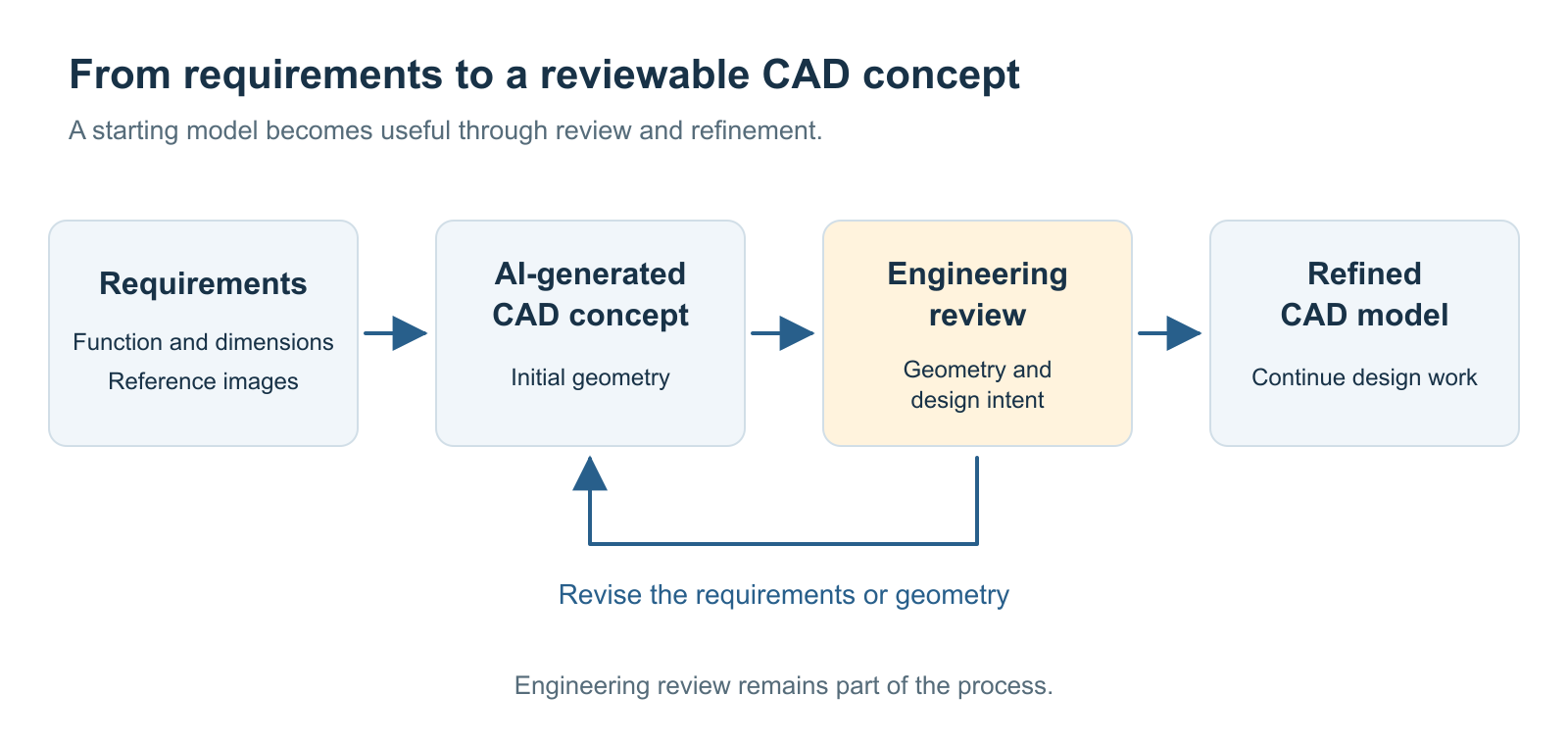
Requirements lead to a starting CAD concept, followed by engineering review and refinement.
2. Exploring lighter structures and alternative ways to use material
Aerospace and automotive designers often have to balance weight against stiffness, available space, and manufacturing cost. A familiar shape may satisfy the requirements, but it may not be the only workable solution.
Generative design software lets engineers describe an objective and the boundaries within which alternatives can be explored. These can include attachment locations, regions that must remain clear, loads, materials, and manufacturing constraints.
A study might seek to minimize mass or maximize stiffness while accounting for milling, casting, or additive manufacturing. Changing the process constraints can change the geometry the software proposes.
NASA's Goddard Space Flight Center has documented its Evolved Structures work, in which specialists define connection surfaces and protected spaces before generative software develops structural forms. The resulting parts also undergo engineering analysis and validation.
Engineers can then compare shapes they might not have drawn first. A branching support can be considered alongside a more conventional structure, with attention to how each carries loads and can be made.
The result is conditional on the problem definition. A lighter candidate that ignores an assembly requirement, an overlooked load, or access for maintenance may be unsuitable. Engineering judgment determines which alternatives deserve further development.
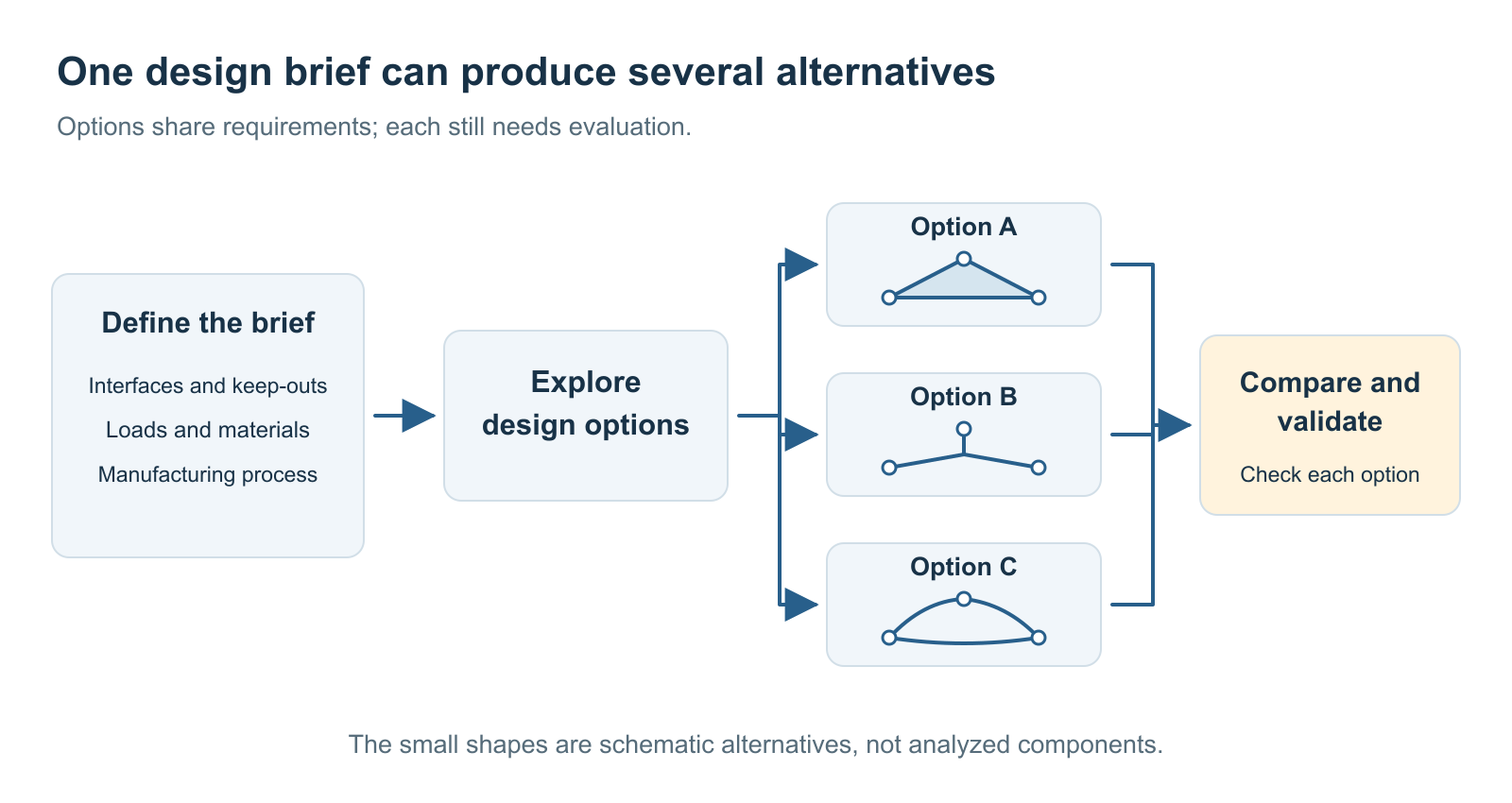
Shared requirements can lead to several alternatives. Each candidate needs comparison and engineering validation.
3. Reducing repetitive work in everyday CAD
Many useful applications of AI happen inside ordinary modeling tasks. Selecting similar faces, locating commands, or adding sketch relationships can consume attention even when the designer already understands the intended result.
CAD AI tools can help with these interactions. Context-aware command prediction uses the current activity to suggest likely actions, while selection tools can identify similar geometry.
Sketch constraint generation is another example. Constraints define relationships such as parallel lines, equal lengths, or concentric circles. AI can propose combinations of constraints and dimensions that an engineer then reviews. For example, an AI constraint assistant can present several options for inspection and adjustment before the designer accepts one.
For a manufacturer developing a family of related machine guards, similar geometric decisions may recur across many parts. Assistance with repeated selections or sketch relationships can reduce the interaction required to carry out those decisions. The resulting part and assembly drawings still need to communicate the intended geometry for production.
The quality of a suggestion still matters. A sketch can be fully constrained yet behave differently from what its designer intended when a dimension changes. Automation is useful when it preserves the relationships the team actually wants.
Over a long design session, assistance with routine interactions can make established workflows easier to use. The team can keep its modeling approach while changing how much of the interaction it performs manually.
4. Bringing performance feedback into design decisions earlier
Design and engineering analysis are closely connected. A change in geometry can affect airflow, heat transfer, or structural behavior, but evaluating every variation with a detailed analysis may limit how many alternatives a team considers.
AI models trained on previous simulation results provide another way to explore some of those variations. They learn relationships between geometry and physical results, then predict behavior for new inputs within the problem they have been trained to represent.
Consider an industrial fan manufacturer comparing several housing shapes. If a suitable predictive model has been developed, the team could use it to screen candidates before committing more detailed analysis effort to the most promising designs.
The benefit depends on the data. A model trained for one family of shapes and operating conditions needs evaluation before its predictions are trusted elsewhere. Training requirements also vary with the type of output being predicted.
Earlier feedback can help designers decide which questions to investigate next. Final engineering decisions still require an appropriate validation process. A prediction's speed does not establish its accuracy for a new design.
5. Connecting CAD information with support and troubleshooting
Design information remains useful long after a product leaves engineering. Service teams may need to understand how components fit together, which instructions apply, or what changed between versions of an assembly.
AI tools integrating CAD data into support and troubleshooting can help connect those questions with relevant product knowledge. This application extends beyond the CAD editor into document management and product lifecycle management systems.
An industrial equipment manufacturer, for example, may hold service instructions, drawing PDFs, and engineering explanations in separate documents. An assistant connected to the right sources could help a technician find relevant passages and follow the citations back to the approved material.
Document-based retrieval is already available in some engineering systems. Depending on their configuration, assistants can answer natural-language questions using authorized internal documents and supported technical sources.
What the system can read must be clear. An assistant that indexes document text may retrieve notes from a drawing PDF without analyzing native CAD geometry. Reading those notes does not establish that the assistant understands the assembly's three-dimensional structure.
More extensive troubleshooting applications need integrations that preserve the right product context and access to approved information. An assistant's answer must be traceable to material that actually applies to the equipment being serviced.
For machinery with a long service life, the product record can outlast the original design team. Its organization affects whether an assistant can find useful information. The distinction between geometry and the design relationships behind it also matters when teams transfer CAD data between systems.
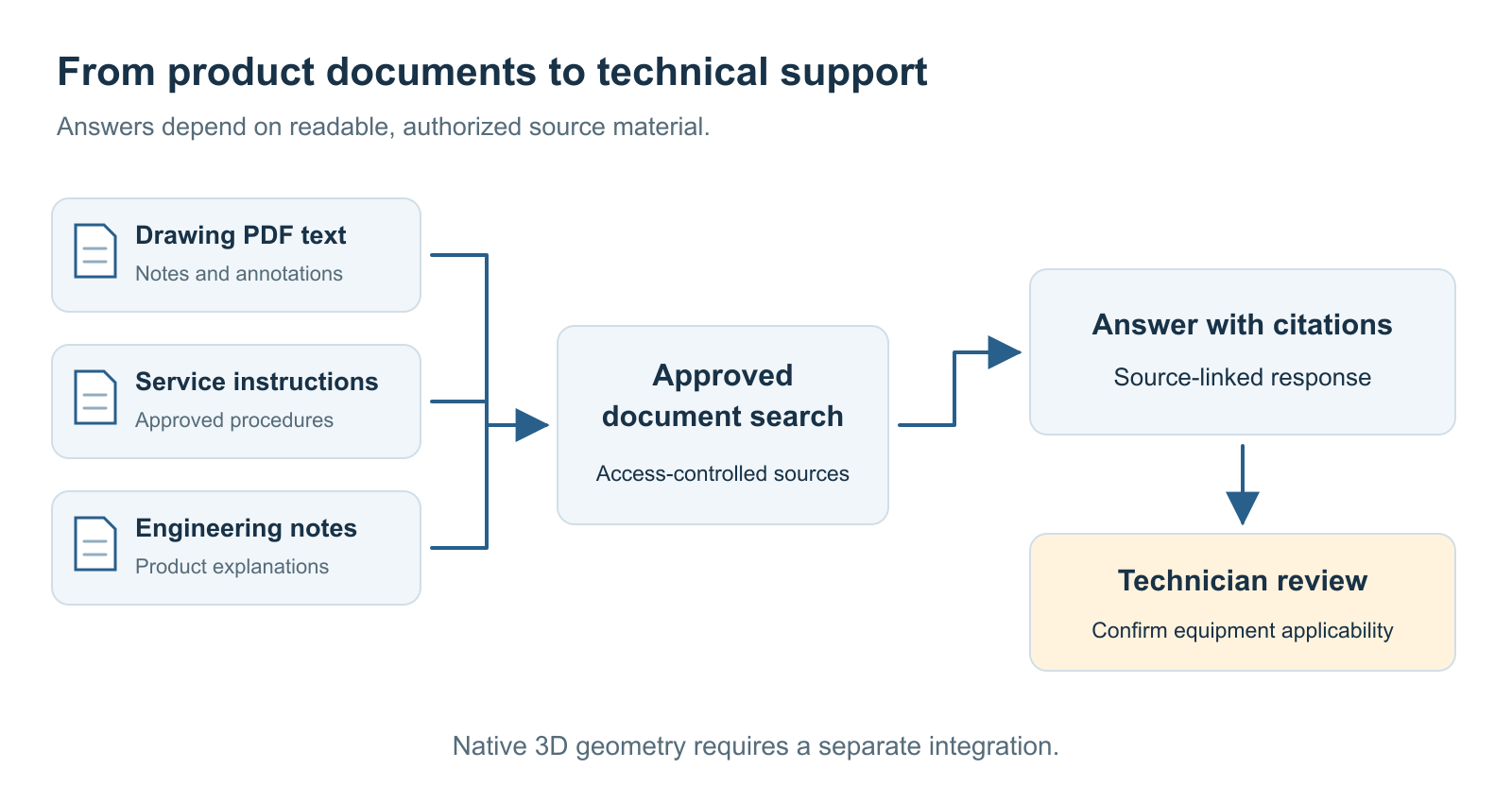
Authorized document text can support cited answers. Native 3D geometry needs a separate integration.
What businesses should expect from AI CAD
A business evaluating an AI CAD tool should start with a specific problem. A team that spends time searching for technical information needs different capabilities from one that repeatedly models similar parts. A geometry generator will not, by itself, organize a fragmented product record.
Useful evaluation follows the work beyond the demonstration. Can the team revise the model? Do suggestions preserve its design intent? Are predictions checked against relevant results? Can an answer be traced to the correct source?
The engineering team also needs to understand how its design data is handled. Data access, retention, and use for model training vary by provider and configuration. Those conditions affect whether a tool is suitable for a particular project.
A pilot on a familiar component or a recurring support question gives the team something to measure: how much review and rework remain before the output can be used in a real project. That is a more useful basis for adoption than the appearance of a single demonstration.