

The Sweep Surface tool is used in surface modeling to generate surface geometry by moving a sketch profile or circular profile along a guide path. By separately selecting the profile and guide path, the system calculates the spatial position and orientation of the cross-section at each point along the path, generating a continuous swept surface. It is suitable for building surface features that vary along a path, such as pipes, wire channels, springs, and irregular frames.
Steps
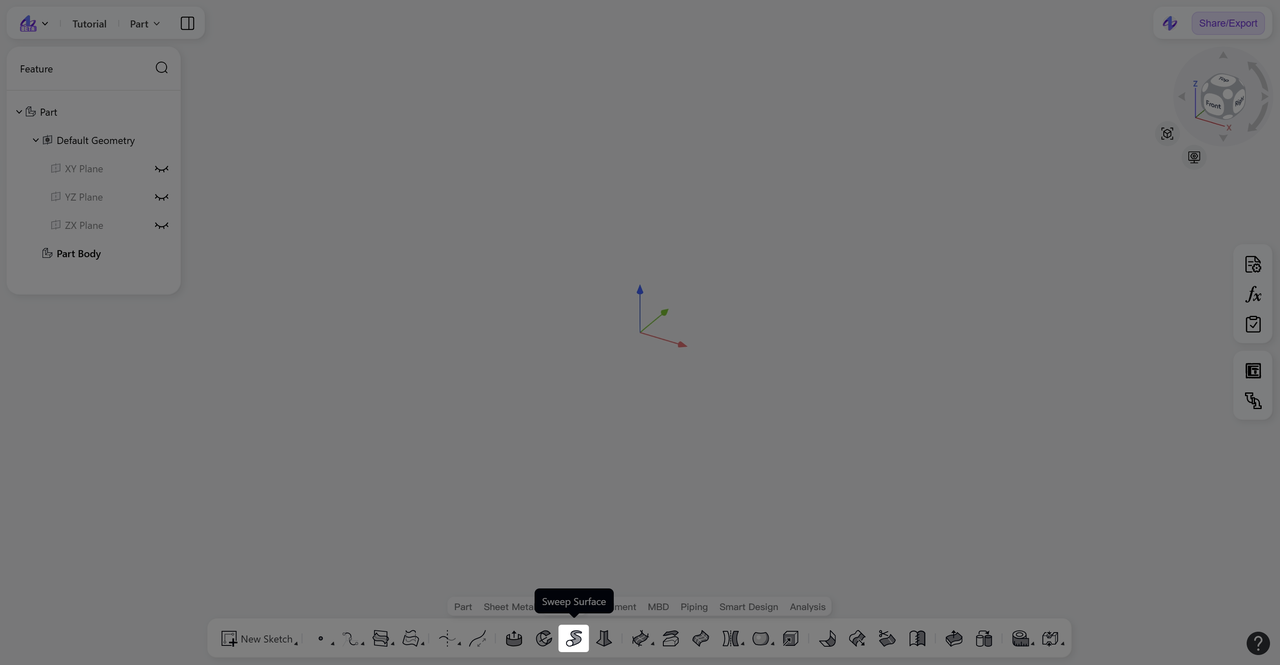
Click the "Sweep Surface" icon in the toolbar to enter the Sweep Surface mode.
Select "Sketch Profile" or "Circular Profile"; "Sketch Profile" is selected by default. Select the profile (sketch profile or curve).
Click "Path" and select the guide path (sketch profile, model edge, or curve).
Select "Profile Control": choose "Follow Path" or "Keep Orientation".
(Optional) Click "Lock Direction" to select a direction reference to constrain cross-section changes.
(Optional) Click "Merge Faces" to merge adjacent and continuous surfaces.
(Optional) Click "Scale" to proportionally scale the profile at the sweep endpoint.
Click "Confirm" to generate the swept surface and exit the Sweep Surface mode.
Profile Type
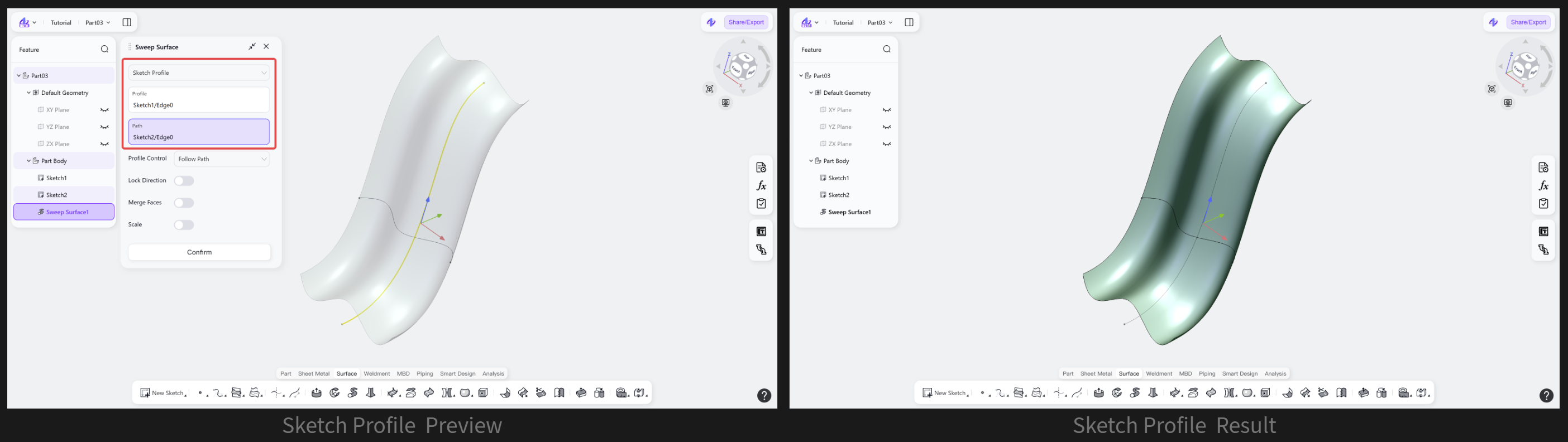
Profile Type: Sketch Profile
Generates a swept surface by selecting any sketch profile, model edge, or feature curve as the sweep cross-section.
Steps
Select "Sketch Profile".
Select the sweep profile and sweep path.
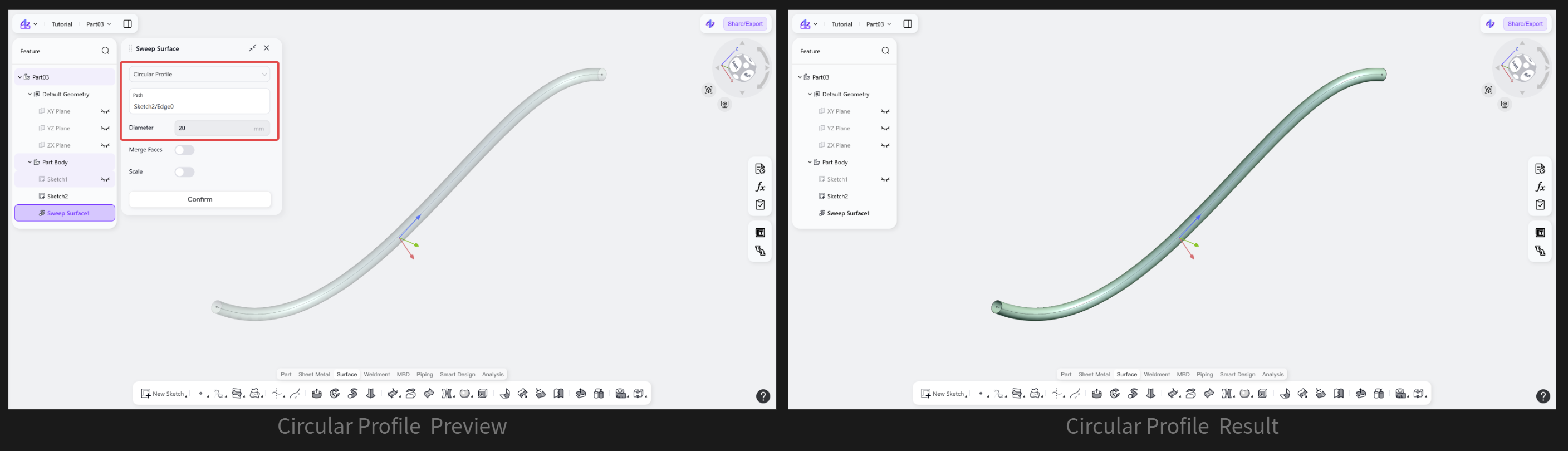
Profile Type: Circular Profile
Automatically uses a circular profile as the sweep profile and sweeps along the path to generate a tubular surface.
Steps
Select "Circular Profile".
Select the sweep path and set the circle diameter.
Profile Control
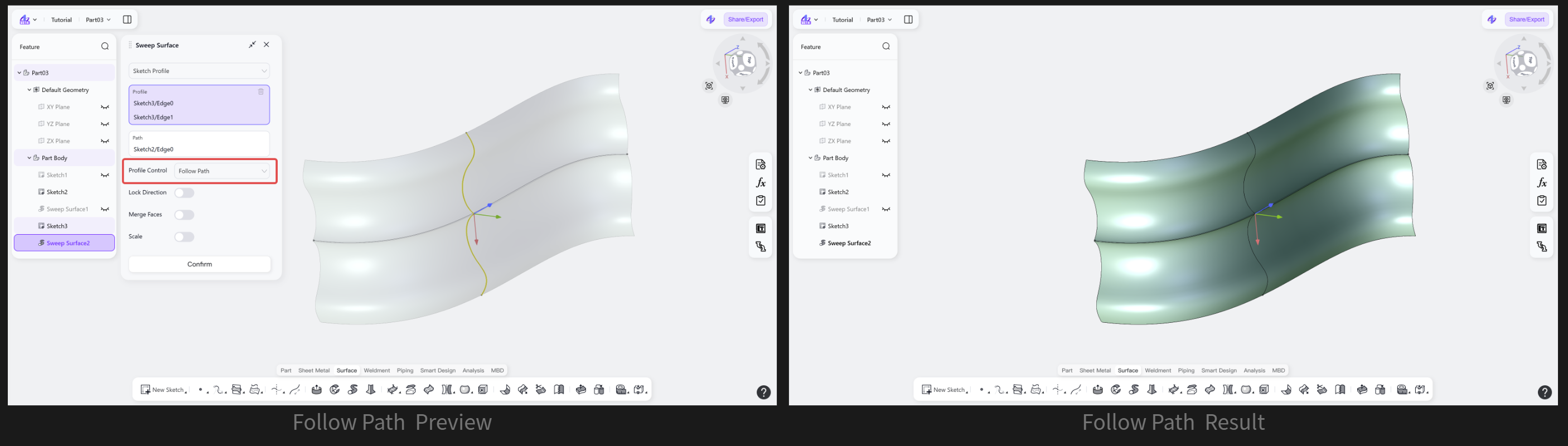
Profile Control: Follow Path
Keeps the plane of the sweep profile perpendicular to the path direction throughout the entire sweep process.
Steps: Select "Follow Path".
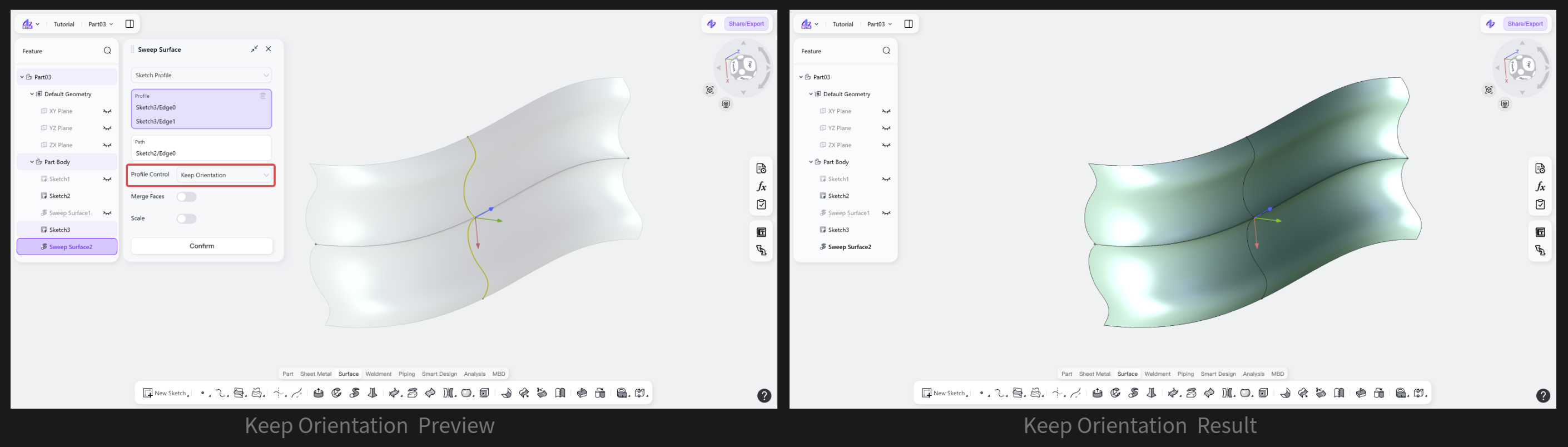
Profile Control: Keep Orientation
Keeps the initial normal direction of the sweep profile unchanged throughout the entire sweep process.
Steps: Select "Keep Orientation".
Advanced Settings
Advanced Settings: Lock Direction
Adds a sweep direction constraint on top of the "Follow Path" sweep, keeping the sweep cross-section in a fixed orientation and further restricting the rotational degree of freedom of the profile along the path.
Steps: (Optional) Click "Lock Direction" and select the direction constraint to lock.
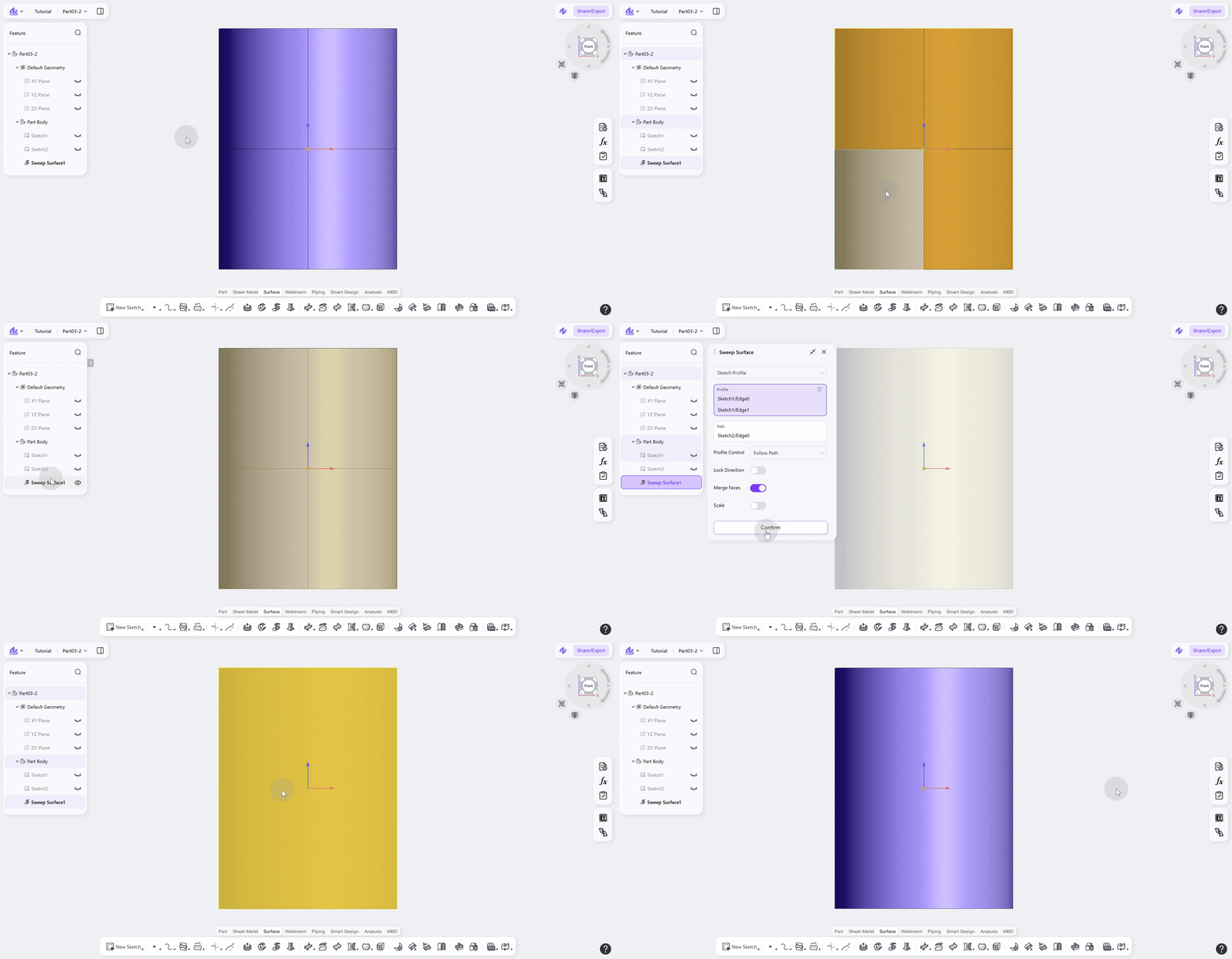
Advanced Settings: Merge Faces
Merges adjacent continuous surfaces generated by the sweep to obtain a complete surface.
Steps: (Optional) Click "Merge Faces".
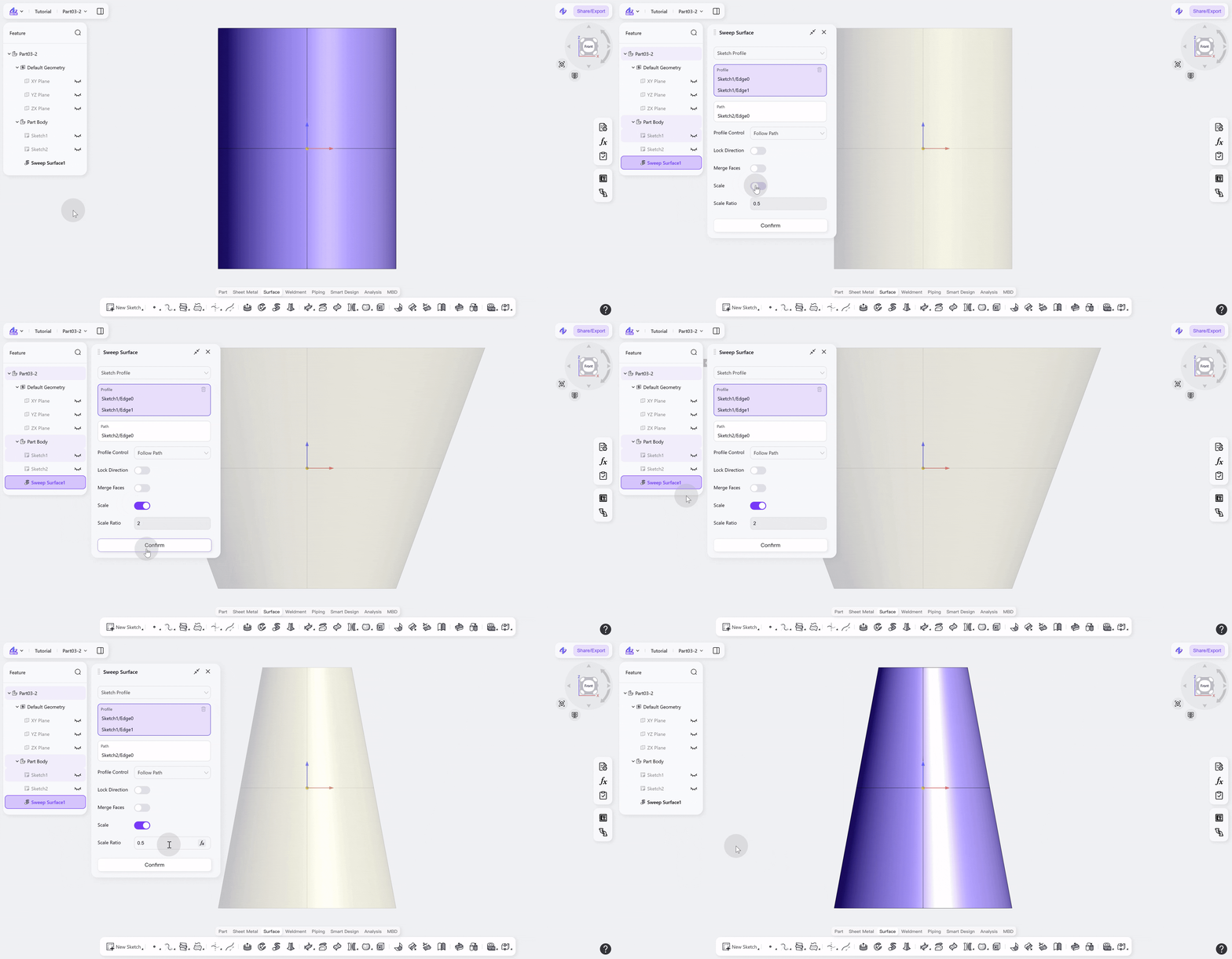
Advanced Settings: Scale
Allows proportional scaling of the profile at the sweep endpoint to further control the surface shape.
Steps: (Optional) Click "Scale".
Notes
The selected profile and guide path must be on different sketches or planes.
The guide path should be a continuous curve.
If the profile is a closed shape, a closed surface is generated; if it is an open curve, an open surface is generated.
When using "Merge Faces", adjacent surfaces must be at least tangentially continuous to complete the merge.