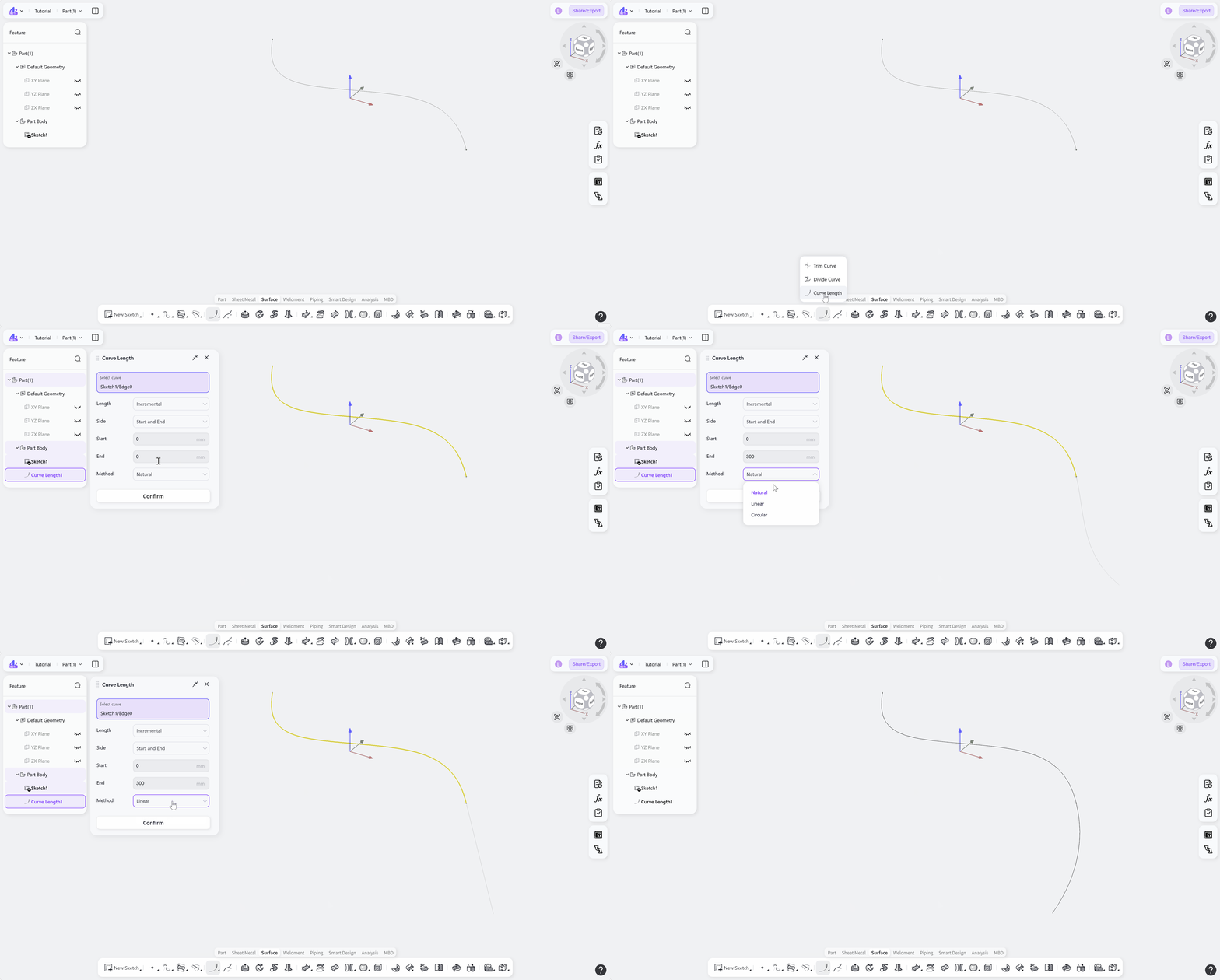

The Curve Length tool adjusts the length of an existing curve in surface modeling. By selecting a target curve and specifying the length calculation method, the side where the length is adjusted, and the extension method, the curve can be lengthened or shortened by a specified amount or adjusted to a target total length. The extension can follow a natural, linear, or circular shape.
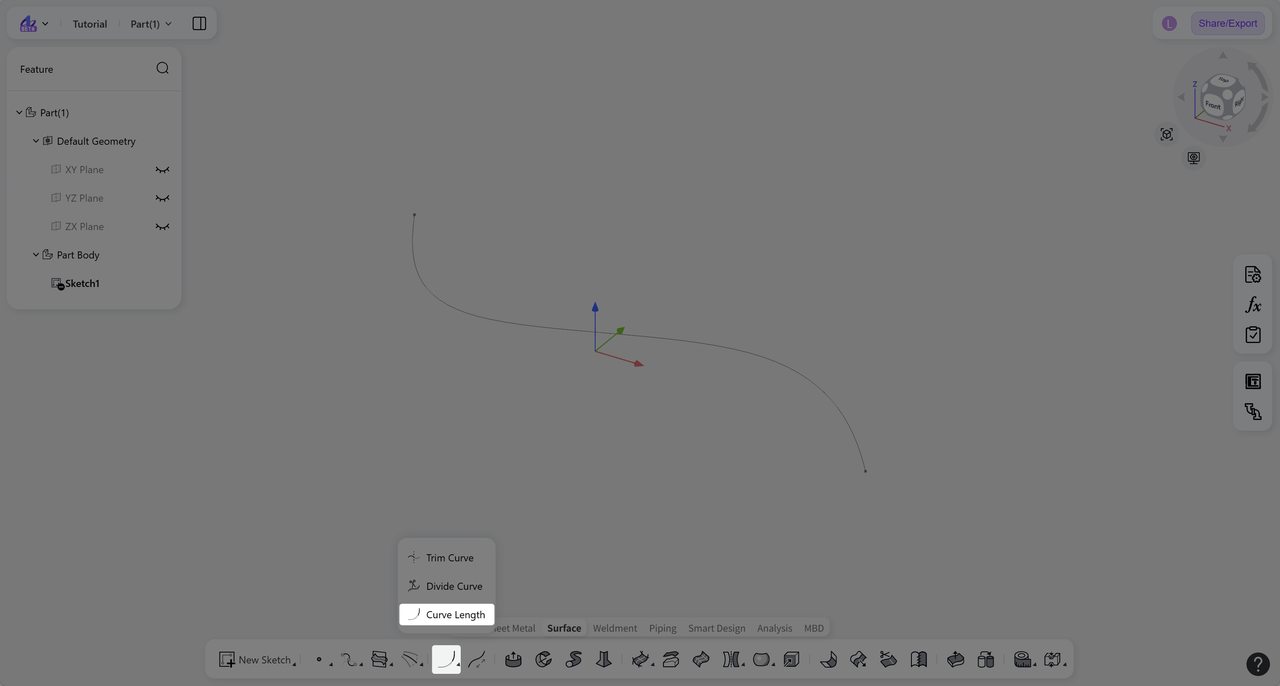
Steps:
Click the "Curve Length" icon on the toolbar.
Under "Select Curve", select the curve to adjust.
Select a length calculation method: "Incremental" or "Total".
Select the "Side" where the curve length is adjusted, then enter the corresponding value.
Select a length adjustment method: "Natural", "Linear", or "Circular".
Click "Confirm" to create the adjusted curve.
Length Calculation Method
Calculation Method: Incremental
Increases or decreases the current curve length by a specified amount.
Steps:
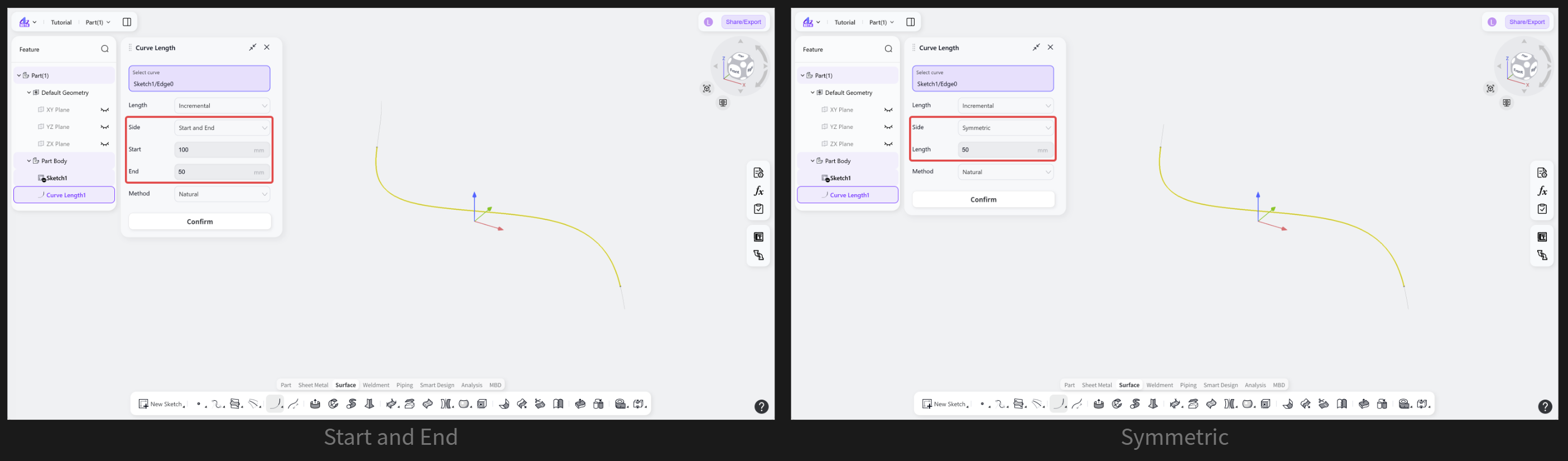
Select the adjustment "Side": "Start and End" or "Symmetric".
For "Start and End", enter the length adjustment for the start and end separately.
For "Symmetric", enter the amount to add to or remove from both ends of the curve.
Calculation Method: Total
Adjusts the curve to a specified length.
Steps:
Select the adjustment "Side": "Symmetric", "Start", or "End".
Enter the target total length.
Length Adjustment Method
Defines how the curve is extended when its length is adjusted. Available methods include natural, linear, and circular extension.
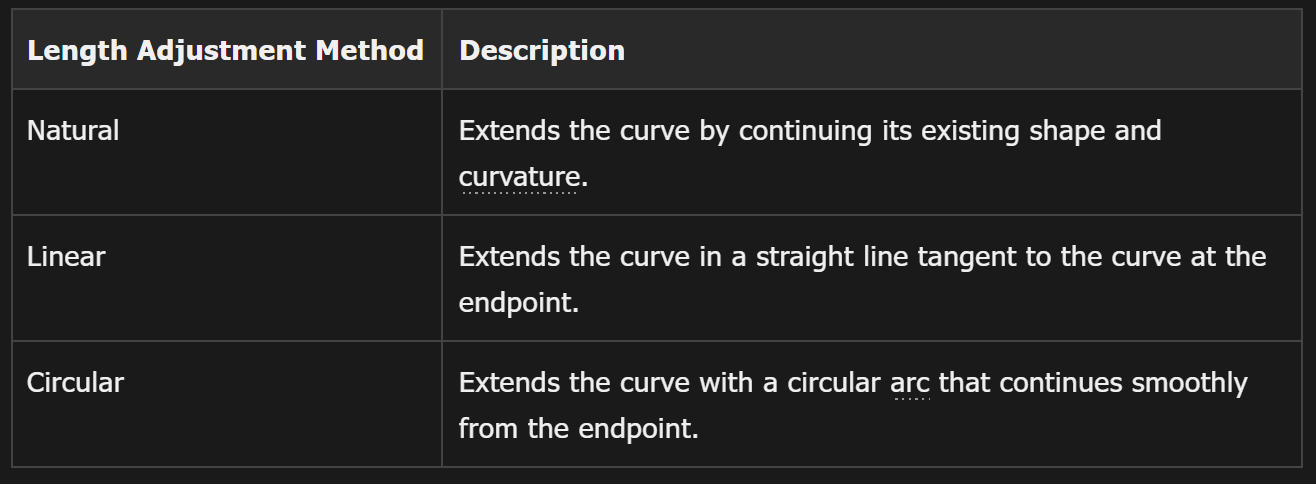
Step: Select "Natural", "Linear", or "Circular".