

The Helix tool is used to create helical or spiral curves for surface modeling. By selecting an arc, circle or circular face as the base profile and configuring the relevant parameters, a cylindrical helix, conical helix, or spiral can be created.
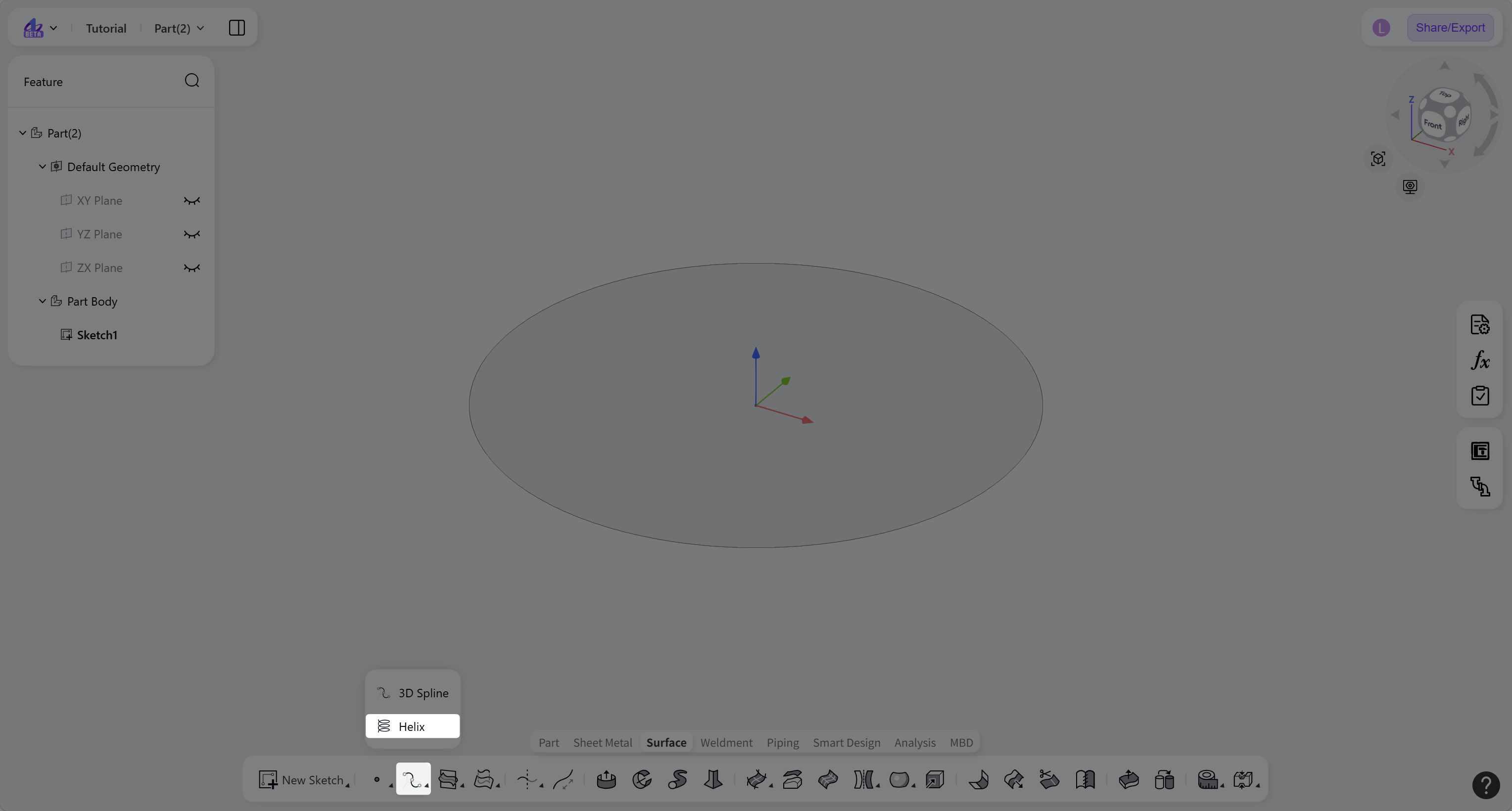
Steps:
Click the "Helix" icon on the toolbar.
Select an arc, circle, or circular face.
Select the curve type "Helix" or "Spiral", then enter the parameters required for the selected definition.
(Optional) For "Helix", enter the "Start Angle", select the rotation direction and curve generation direction, or click "Taper Helix" to create a conical helix and enter the "Taper Angle".
(Optional) For "Spiral", enter the "Start Angle", then select the rotation direction and curve generation direction.
Click "Confirm" to create the helix or spiral.
Curve Type
Curve Type: Helix
Creates a three-dimensional helical curve based on a circular profile, extending along the axial direction as defined by two of the following parameters: pitch, number of revolutions, and height.
Steps:
Select a "Definition Method": "Pitch and Revolutions", "Height and Revolutions", or "Height and Pitch".
Enter the corresponding "Pitch", "Revolutions", or "Height" values based on the selected definition method.
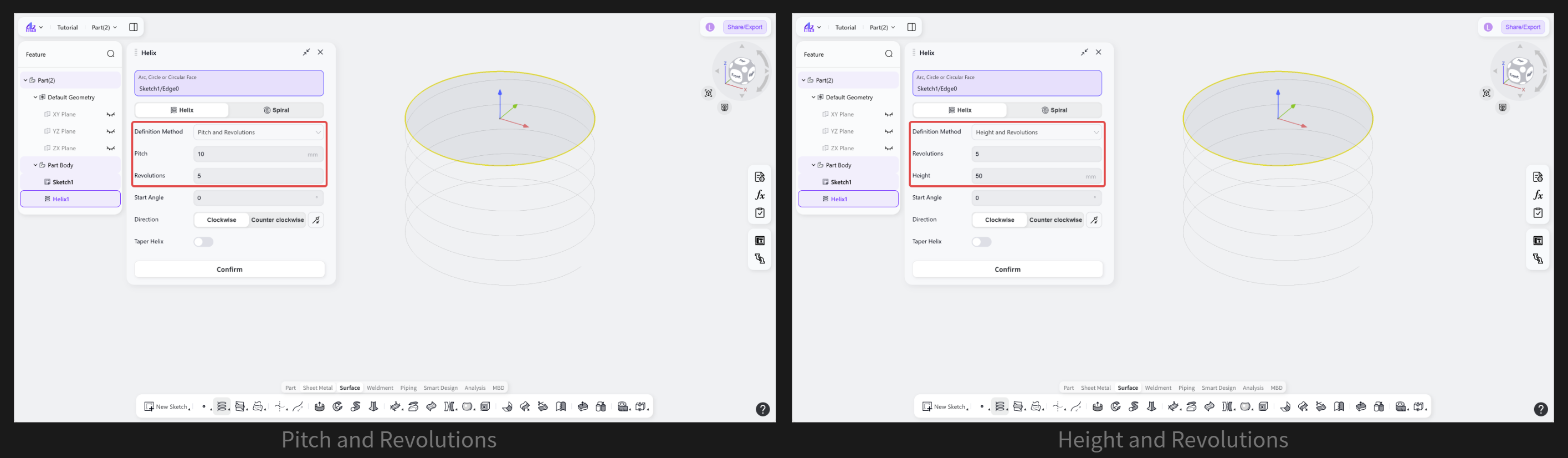
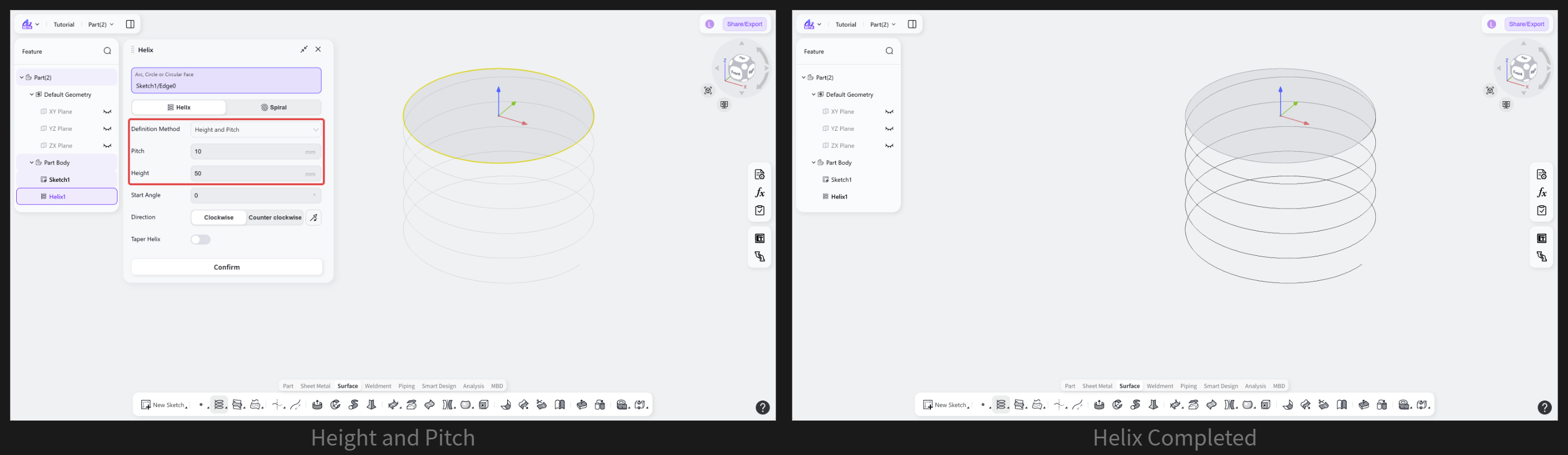
(Optional) Enter the "Start Angle".
(Optional) Select "Clockwise" or "Counterclockwise" to change the rotation direction. Click "Reverse" to reverse the helix generation direction.
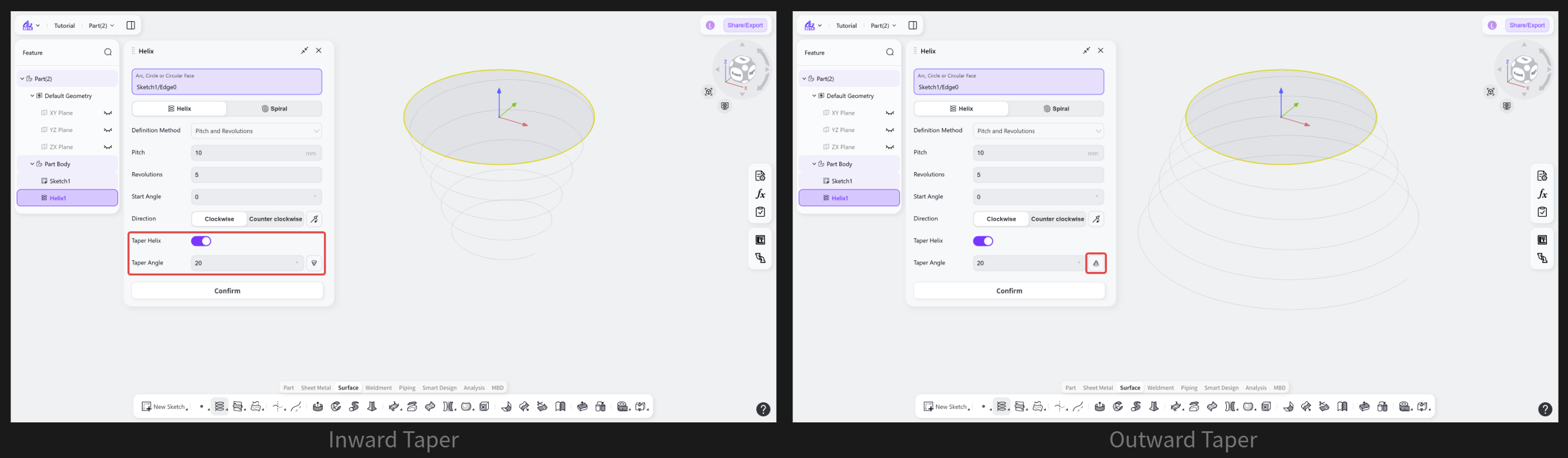
(Optional) Click "Taper Helix" and enter the "Taper Angle". Click "Reverse" to switch between an inward taper and an outward taper.
Curve Type: Spiral
Creates a planar spiral curve based on a circular profile, with its shape determined by the specified pitch and number of revolutions.
Steps:
Enter the "Pitch" and "Revolutions".
(Optional) Enter the "Start Angle".
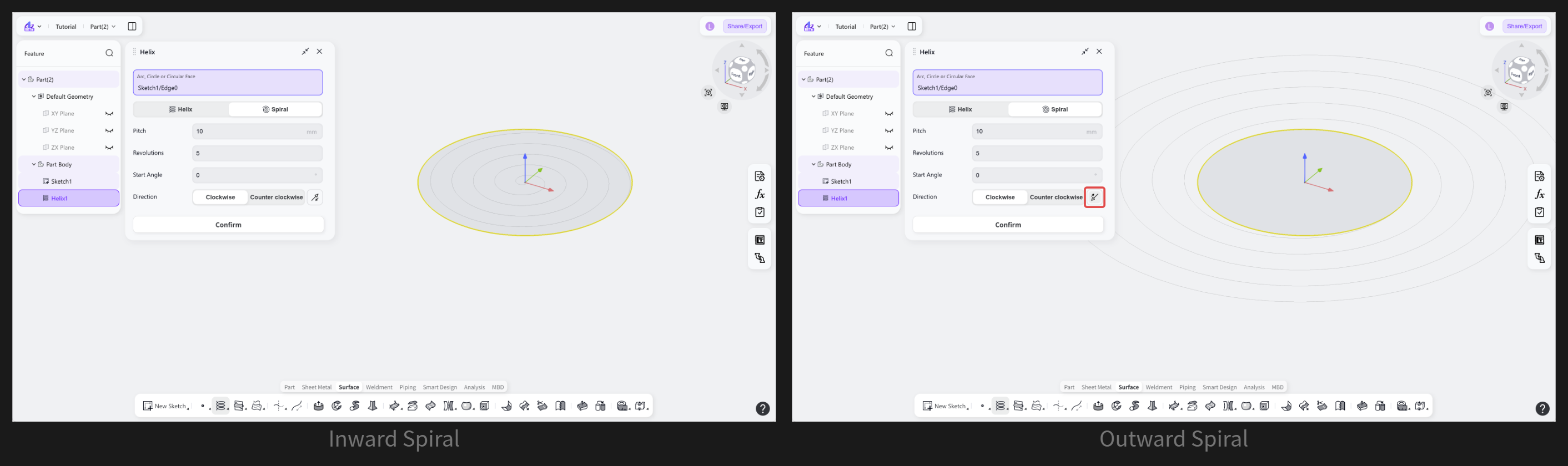
(Optional) Select "Clockwise" or "Counterclockwise" to change the rotation direction. Click "Reverse" to switch between inward and outward spiral generation.
Notes:
"Taper Angle": the angle between the axis of a tapered helix and the generatrix of its conical surface.
For an outward taper, the "Taper Angle" range is 0° ≤ X < 90°.
For an inward taper, the maximum "Taper Angle" is limited by the ratio of the helix base radius to the helix height.