

The Plane tool is used to provide surface references in 3D modeling. By selecting reference objects such as faces, edges, and points, combined with operations such as offset distances and angular constraints, datum planes can be created to meet the requirements of subsequent feature creation.
Steps
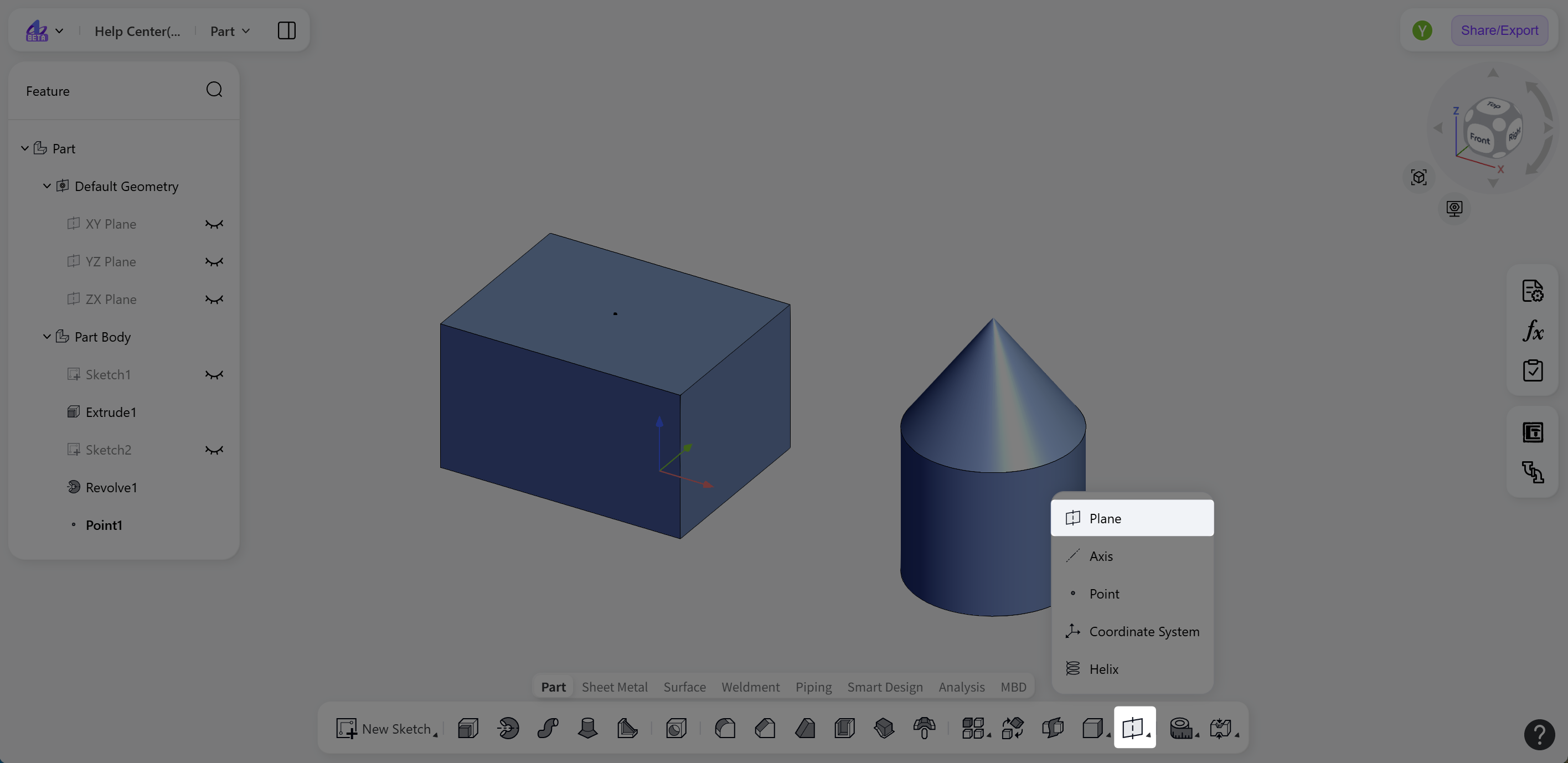
Click the "Plane" icon on the toolbar to activate the tool.
Click the "Object" selection box, and select the reference geometry for the plane in the model.
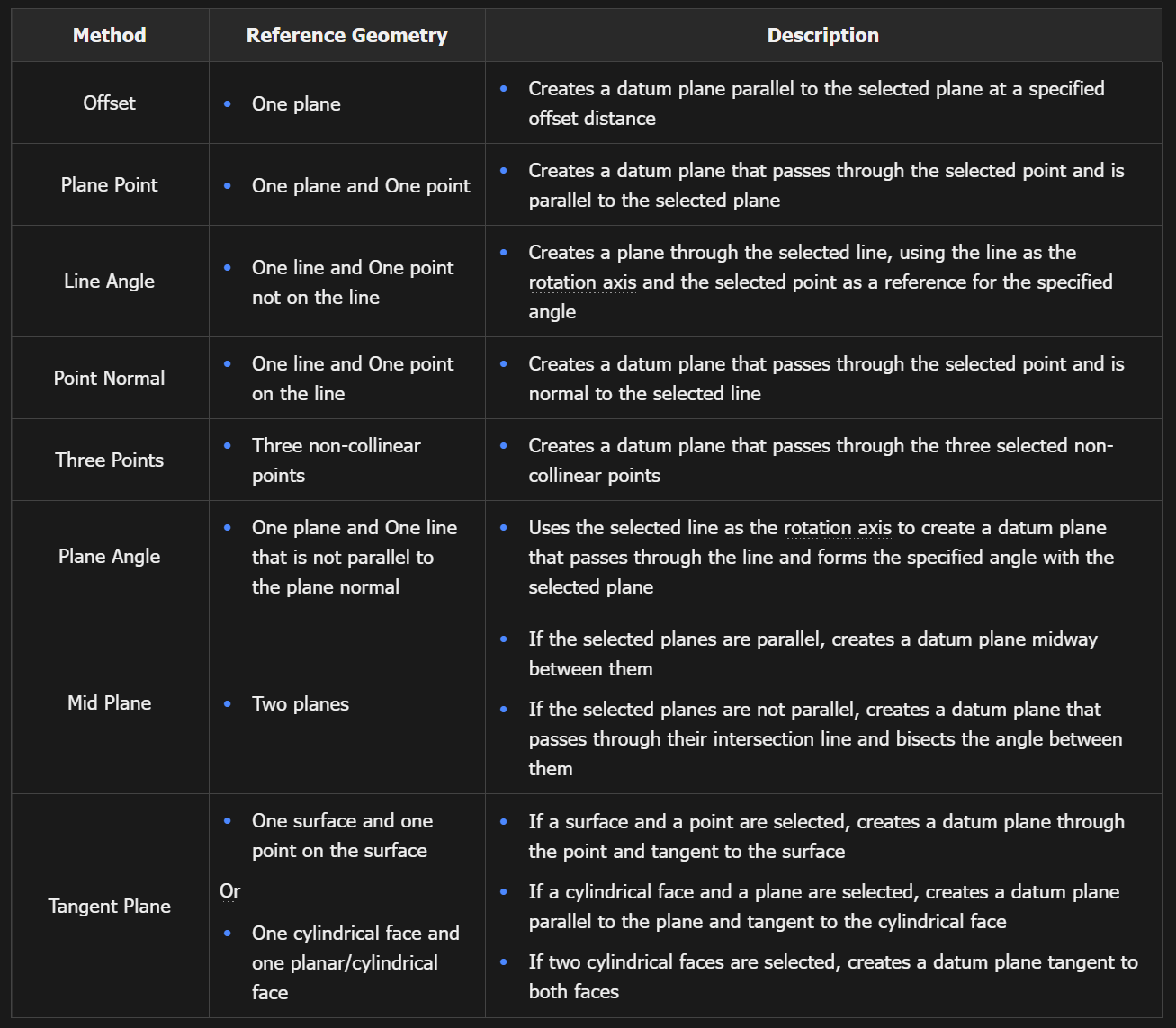
Set "Type" to "Offset", "Plane Point", "Line Angle", "Point Normal", "Three Points", "Plane Angle", "Mid Plane", or "Tangent Plane". Types that are incompatible with the selected reference geometry are grayed out.
Set the required parameters, such as distance or angle, to define the offset distance or rotation angle.
(Optional) Click "Flip Normal" to reverse the normal direction of the plane.
Creation Methods
Examples
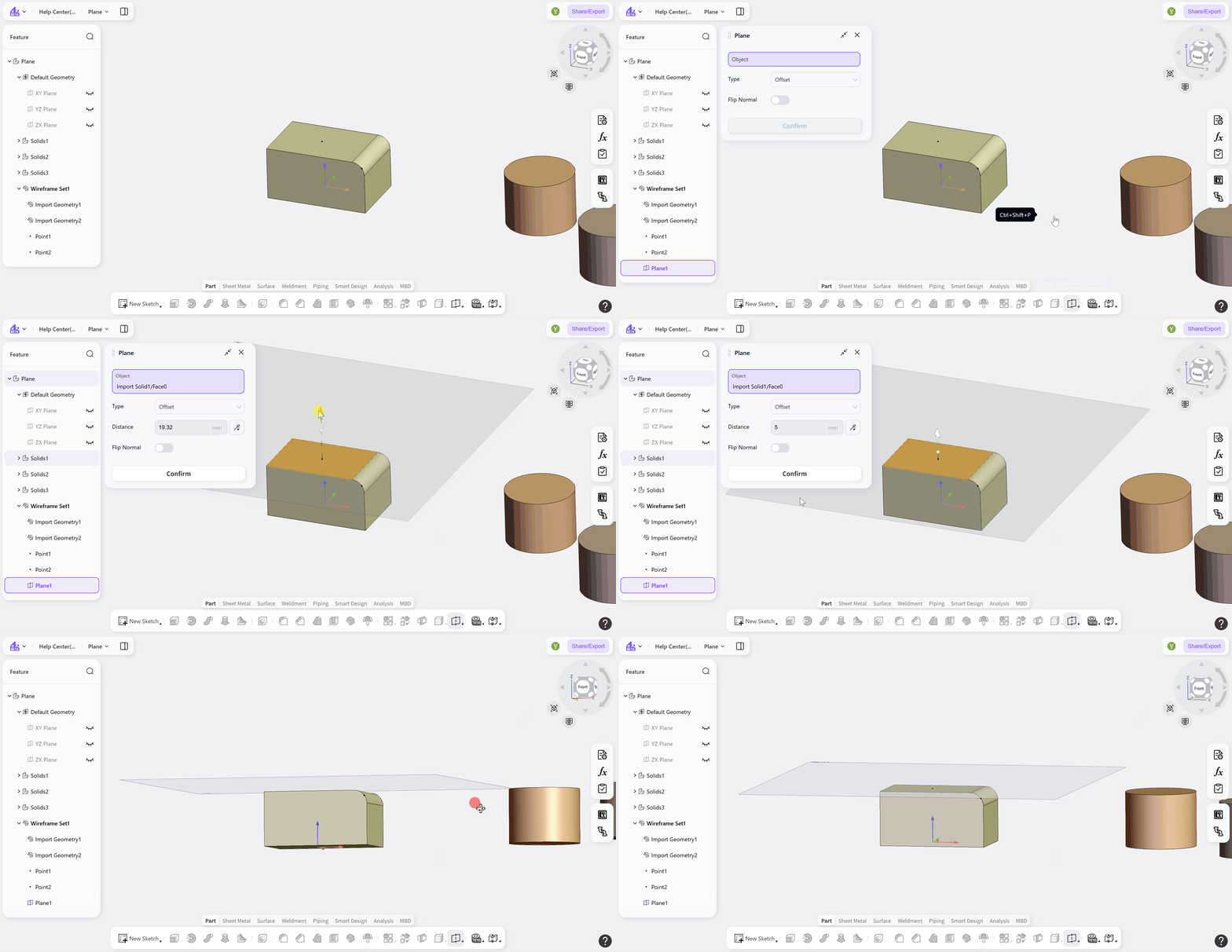
Offset
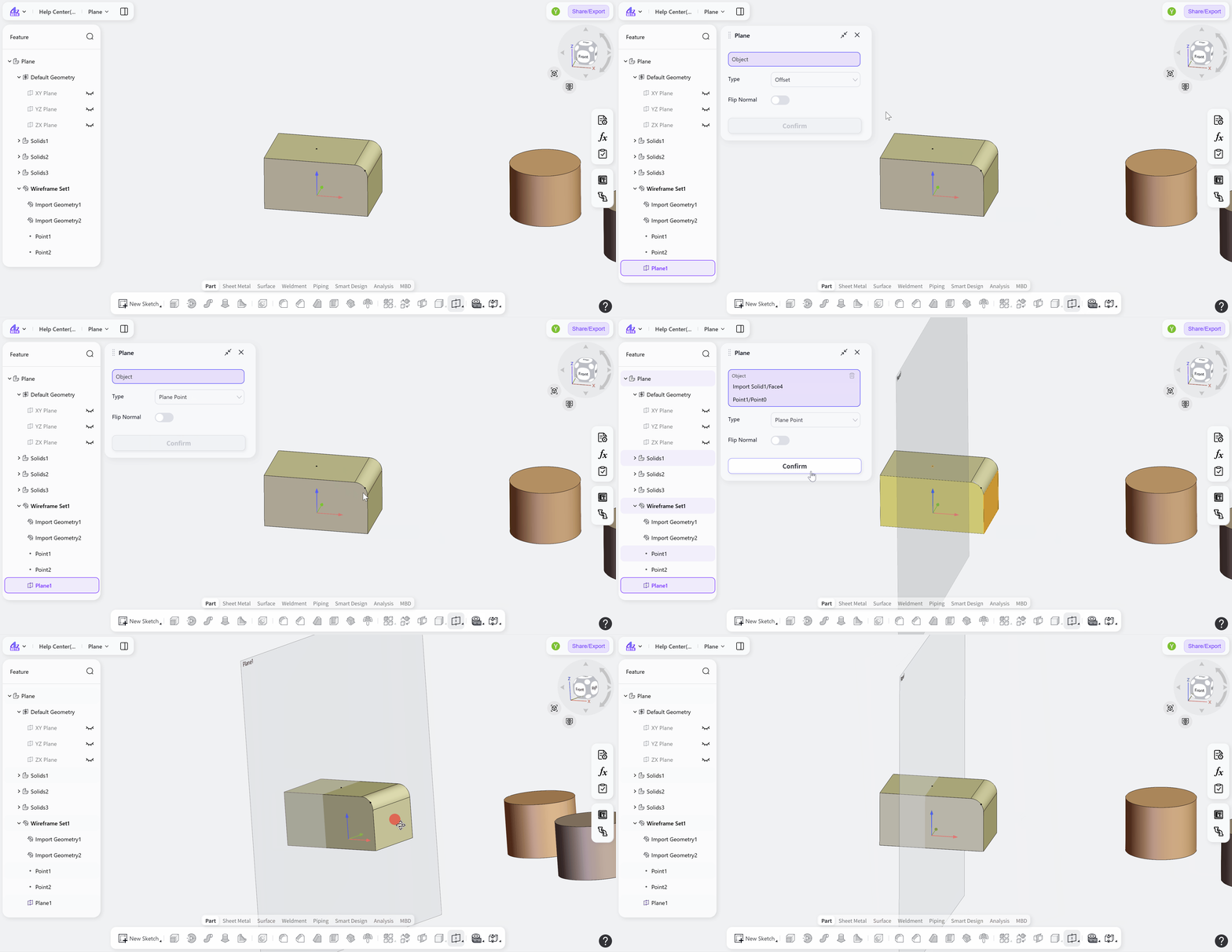
Plane Point
Line Angle
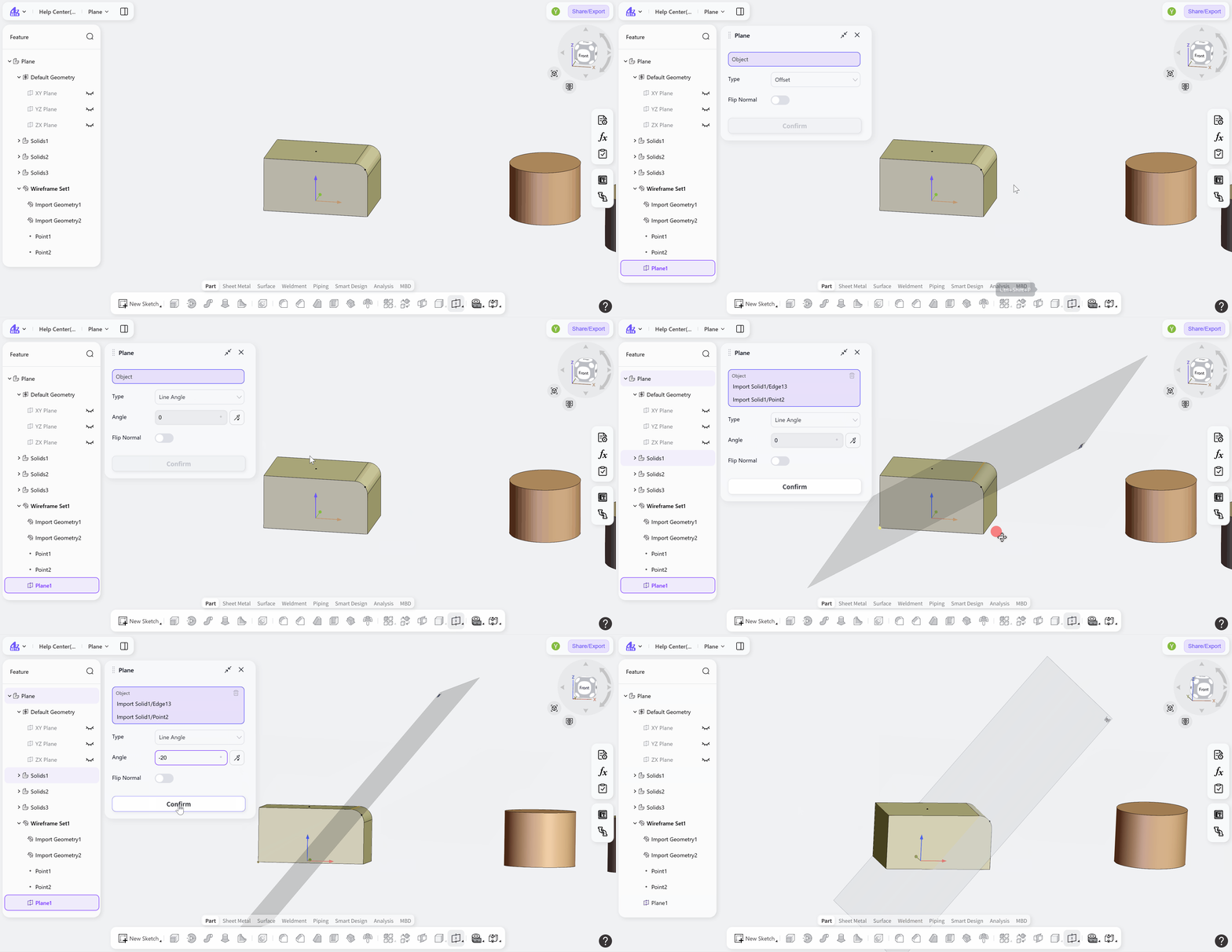
Point Normal
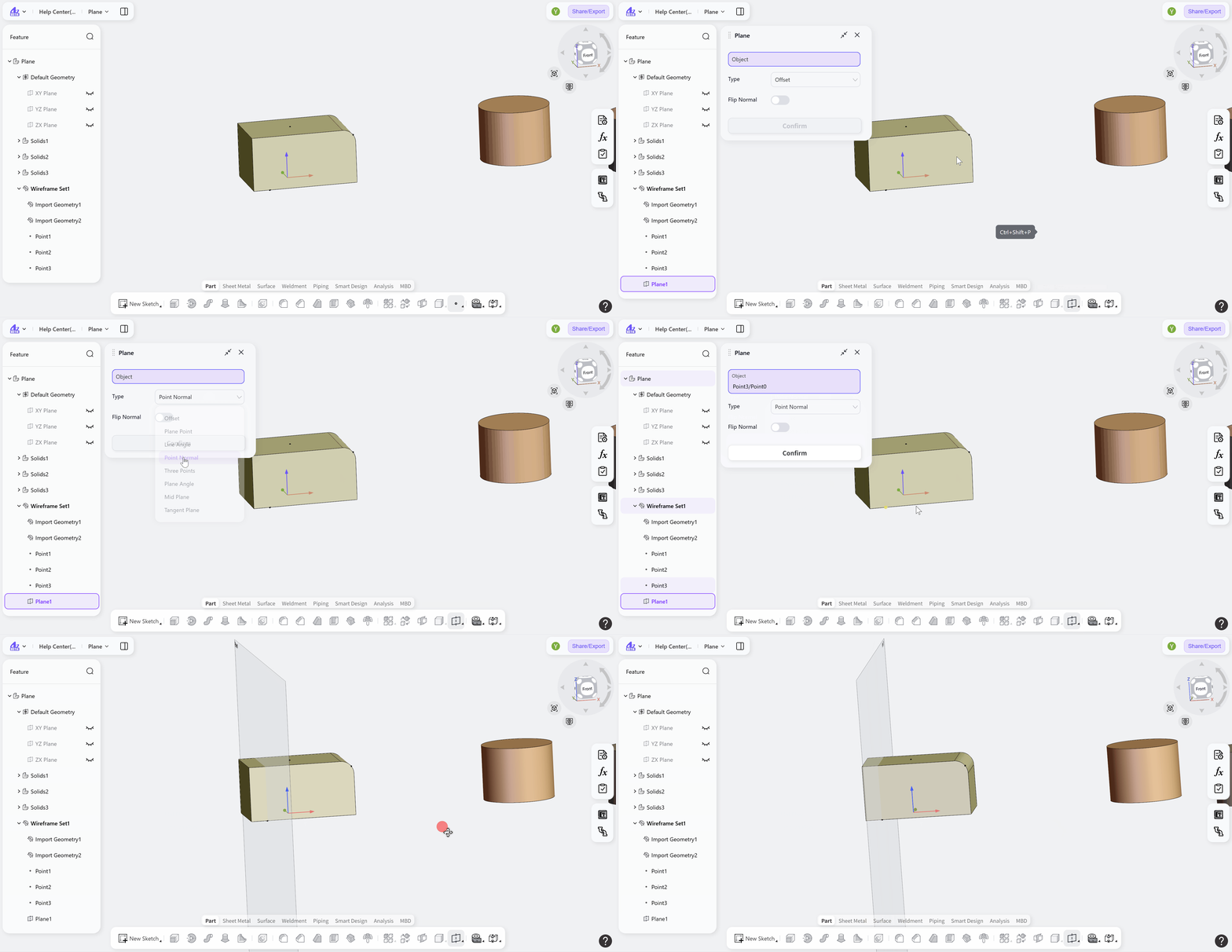
Three Points
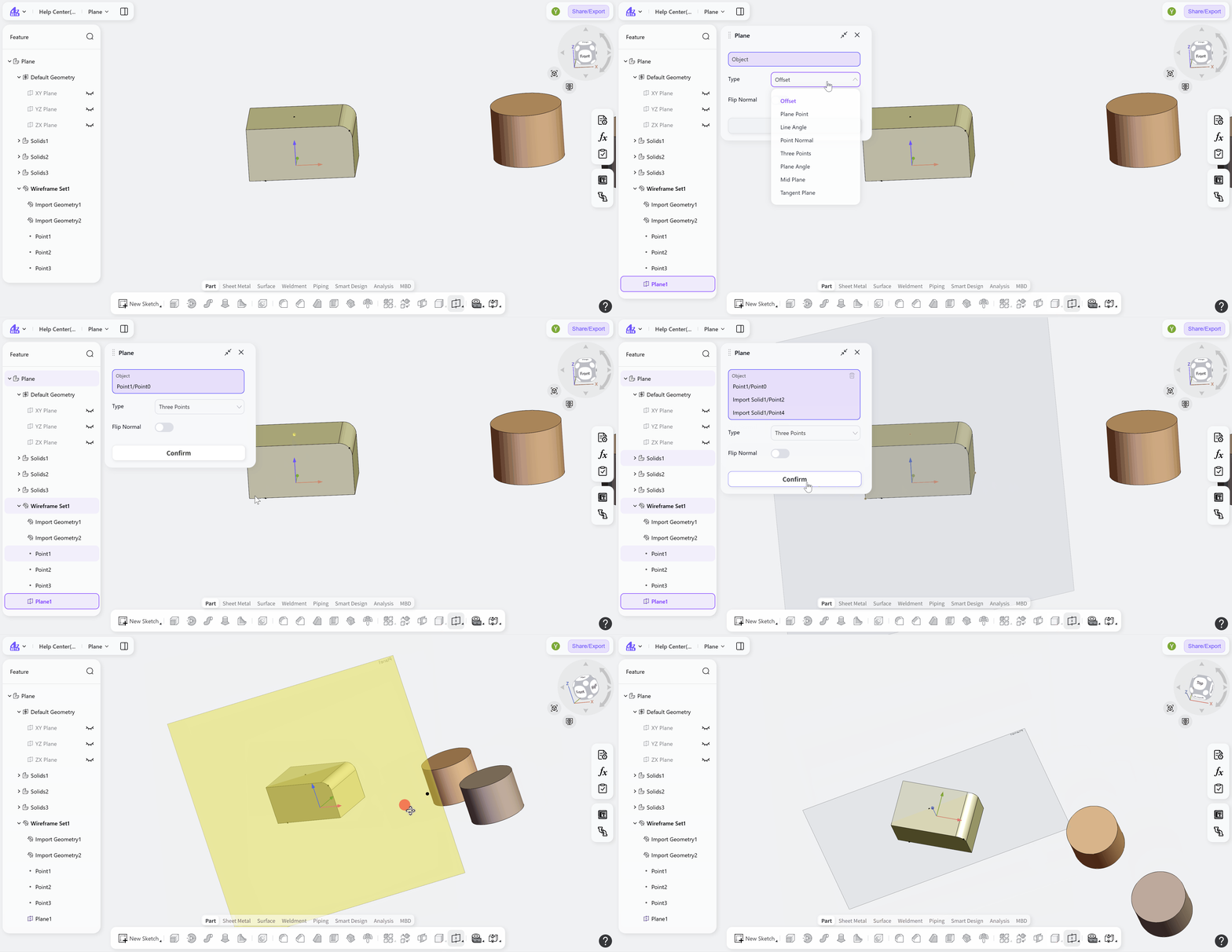
Plane Angle
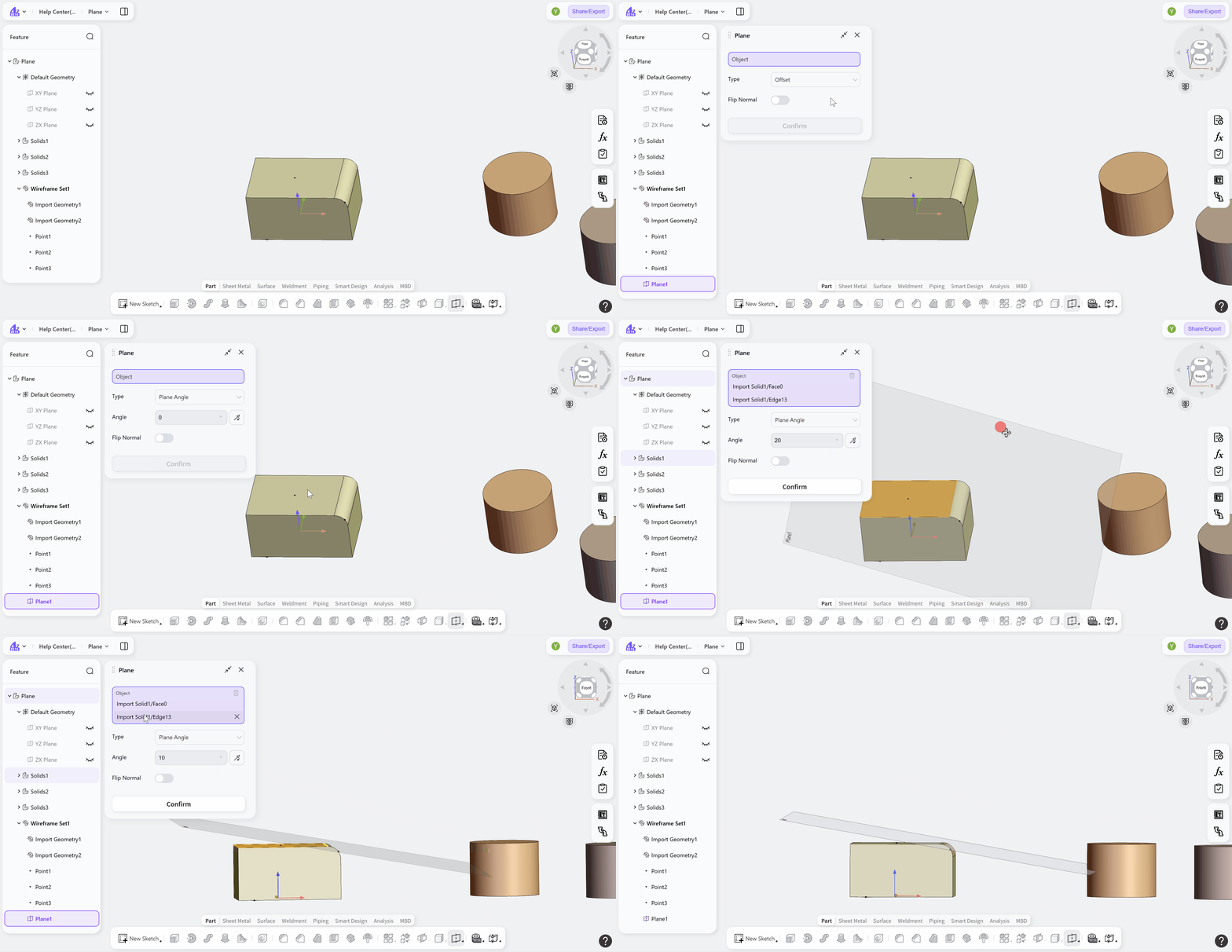
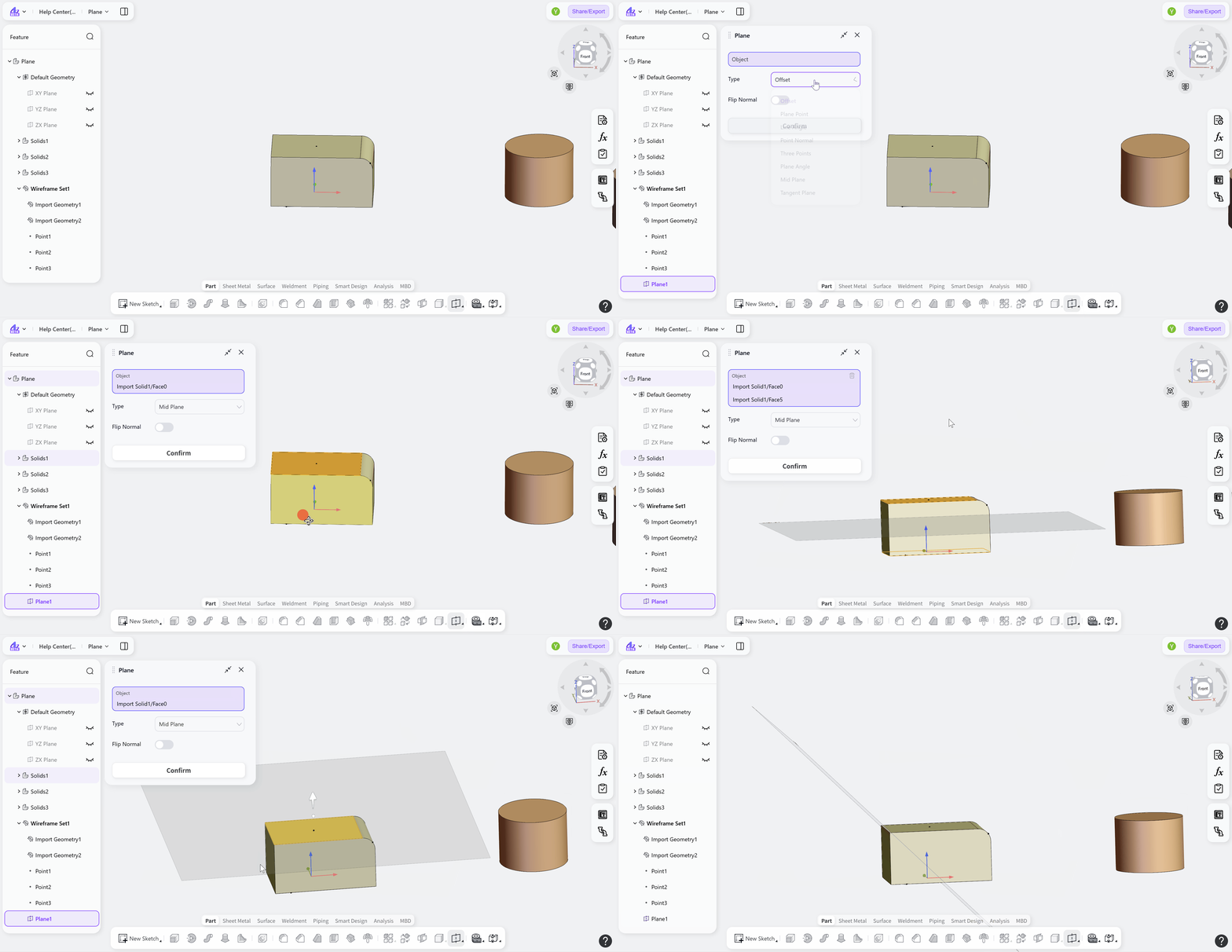
Mid Plane
Tangent Plane
Notes:
Supported reference lines include solid edges, datum axes, and sketch lines.
Supported reference planes include planar solid faces, datum planes, and sketch planes.
When the type is set to "Tangent Plane", there may be multiple tangent results. Please use the "Switch Position" button to adjust the position where the reference plane is generated.