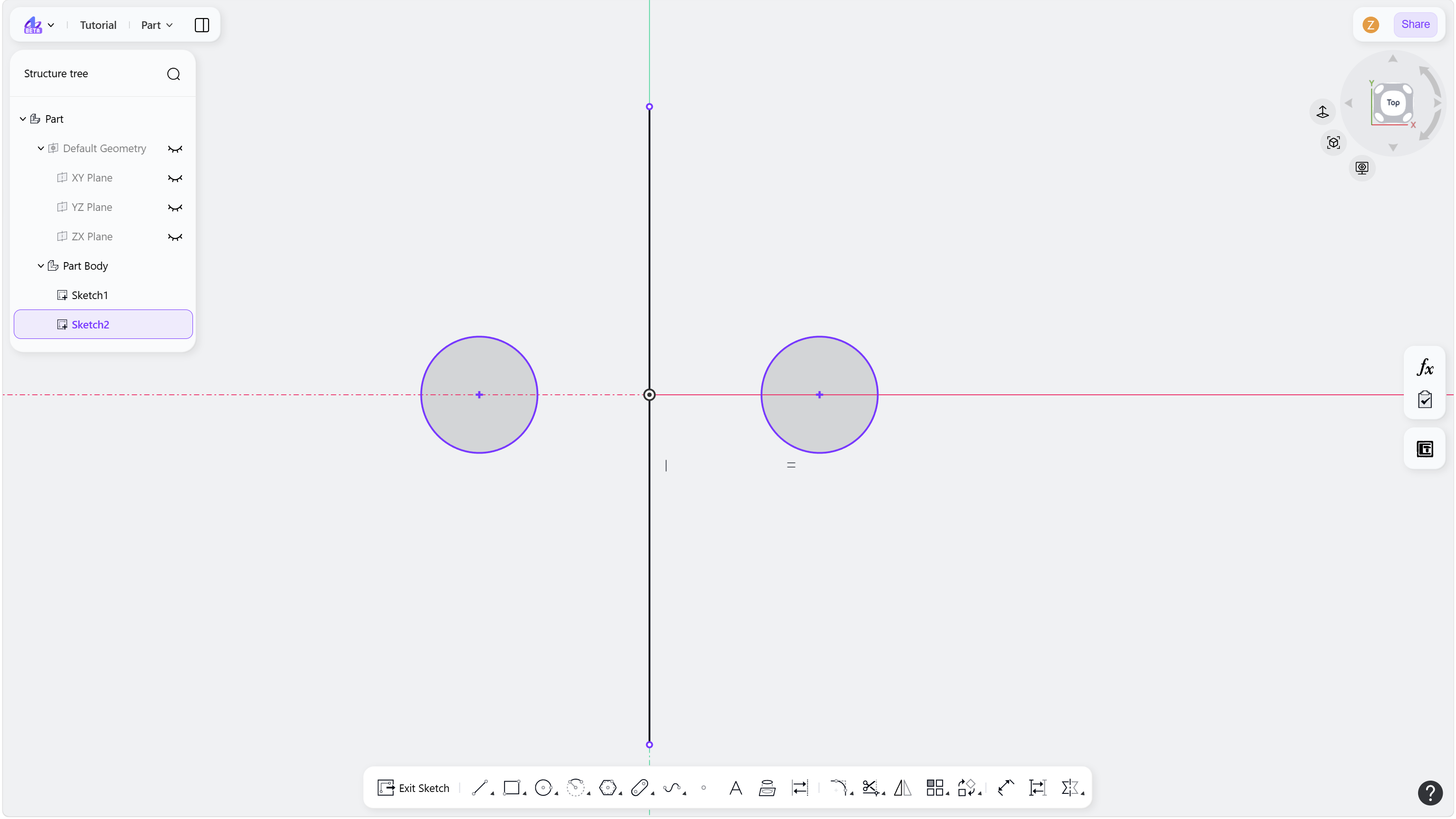
Hover over a sketch element. The constraint icons applied to that element will automatically appear.
Click the constraint icon to be deleted, then press the Delete key. The constraint will be removed.
Step 1 - Hover over a sketch element:
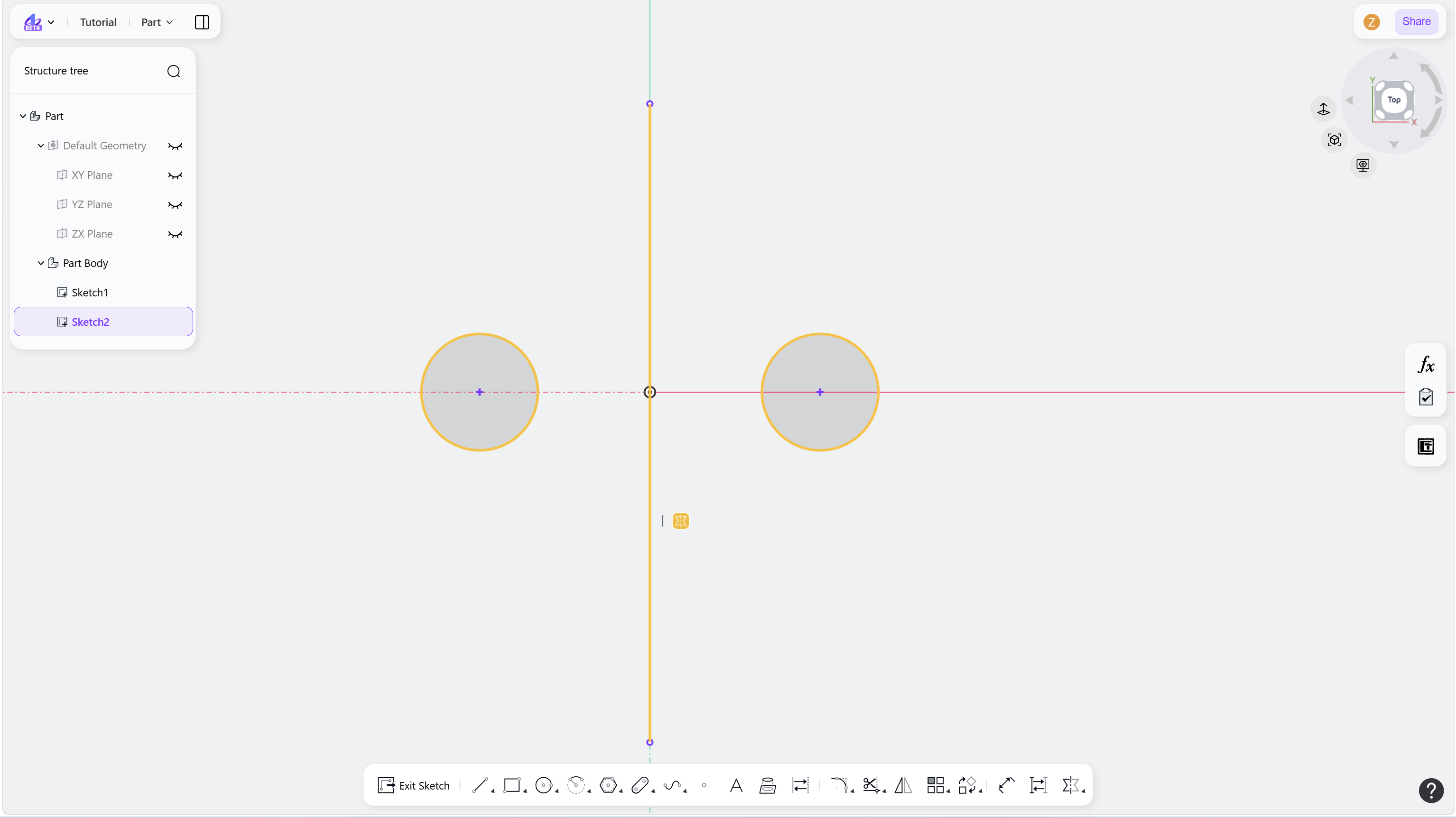
Step 2 - Click the Constraint icon and press Delete: