

The Point tool is used to create positioning reference points in 3D modeling. By selecting reference objects such as solid vertices, faces, and geometric intersections to define the position of the point, reference points can be created for subsequent operations such as hole creation, curve creation, measurement, and assembly.
Steps
Click the "Point" icon on the toolbar to activate the tool.
Set "Type" to "Coordinate", "Arc/Circle Center", "Face Center", "Intersection", "Projection", "On Point", or "On Curve".
Set the parameters required for the selected type.
Click "Confirm" to create the point and exit the "Point" editing state.
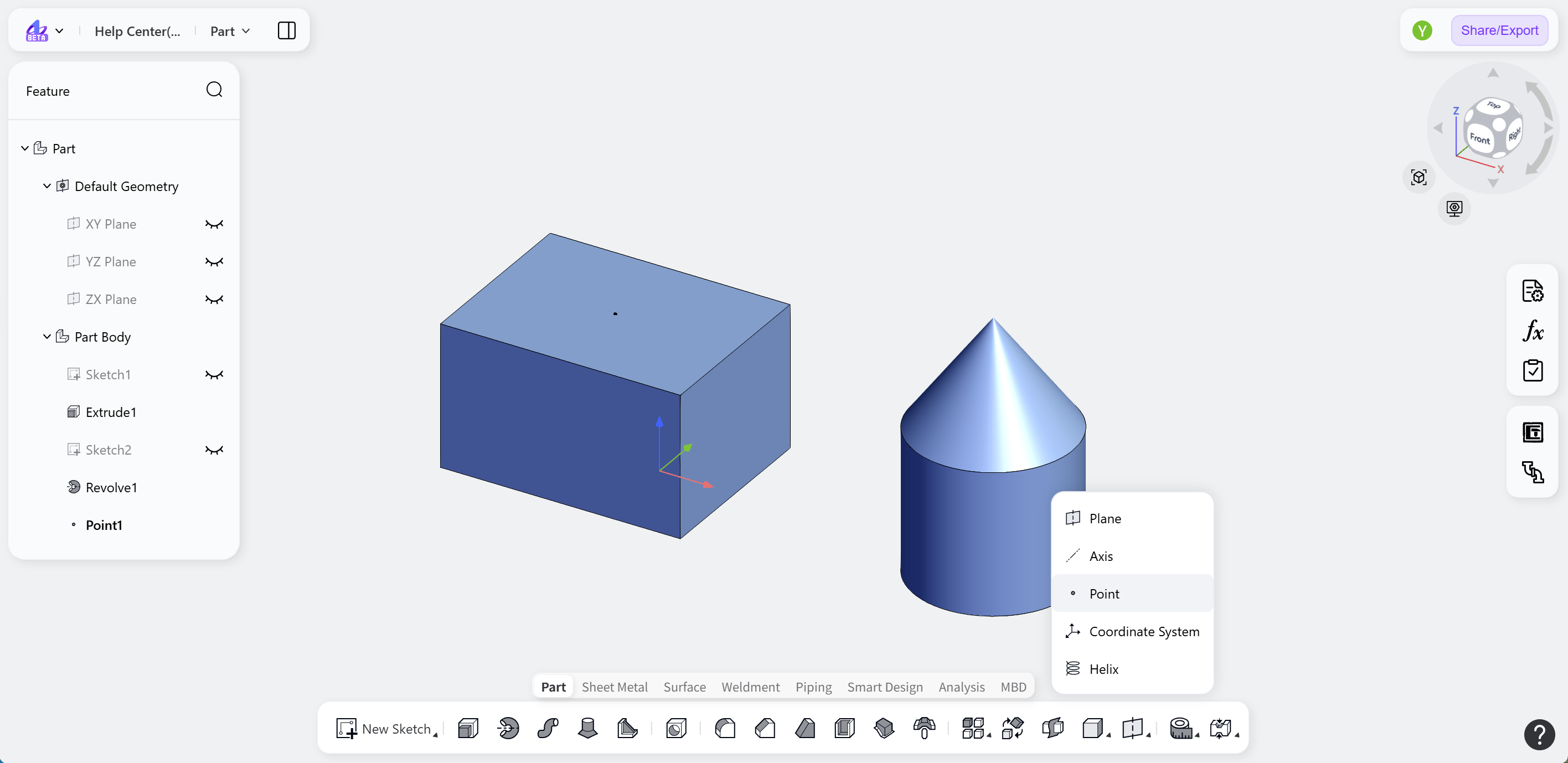
Creation Methods
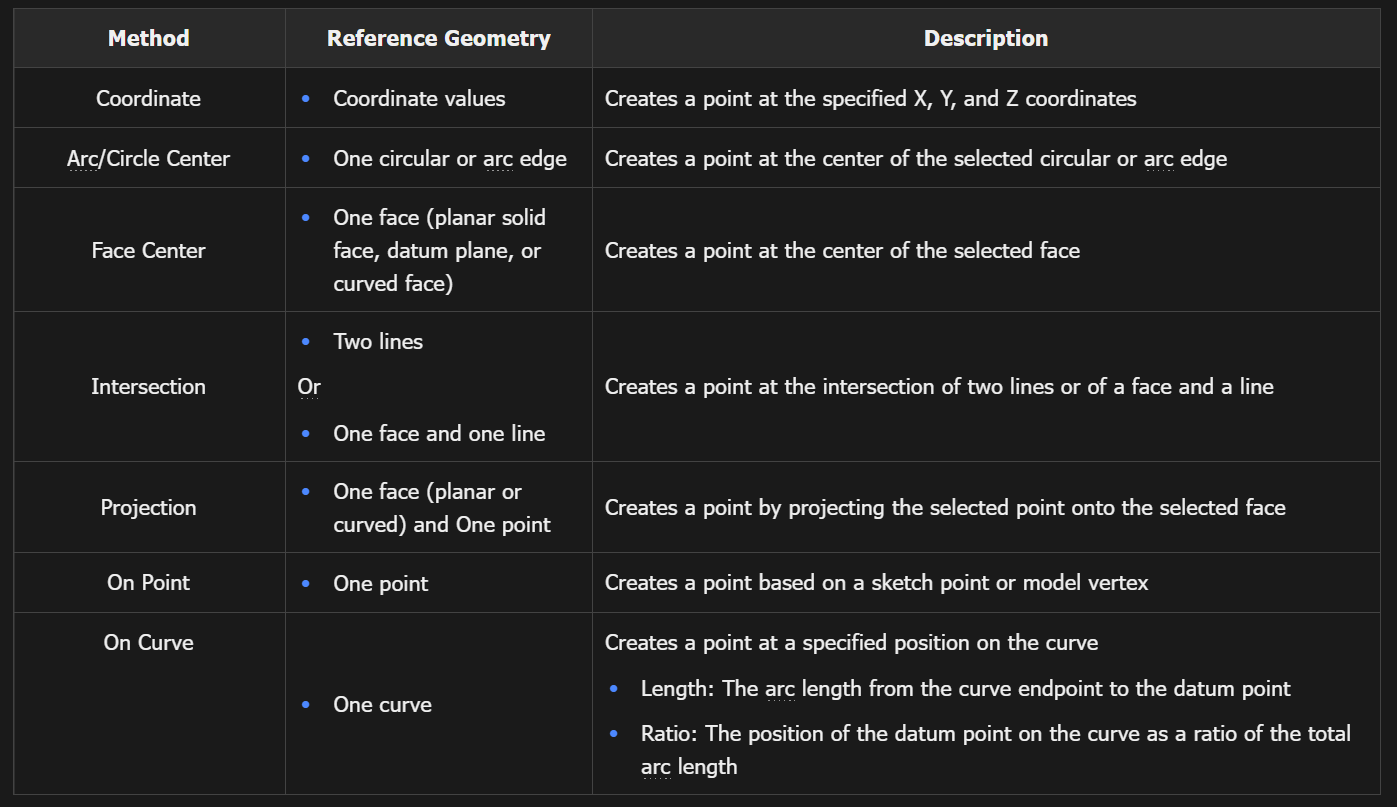
Example
Notes:
When "Coordinate" is selected, enable "Reference Point" to define X-, Y-, and Z-axis offsets from a reference point and control the position of the new point.
When "Intersection" is selected and the selected objects have multiple intersections, click "Switch" to change the position at which the point is created.