
The Sketch Tracer tool inserts an external image as a visual reference for surface modeling. The image can be positioned at a specified location in 3D space by adjusting its size, position, and other parameters.
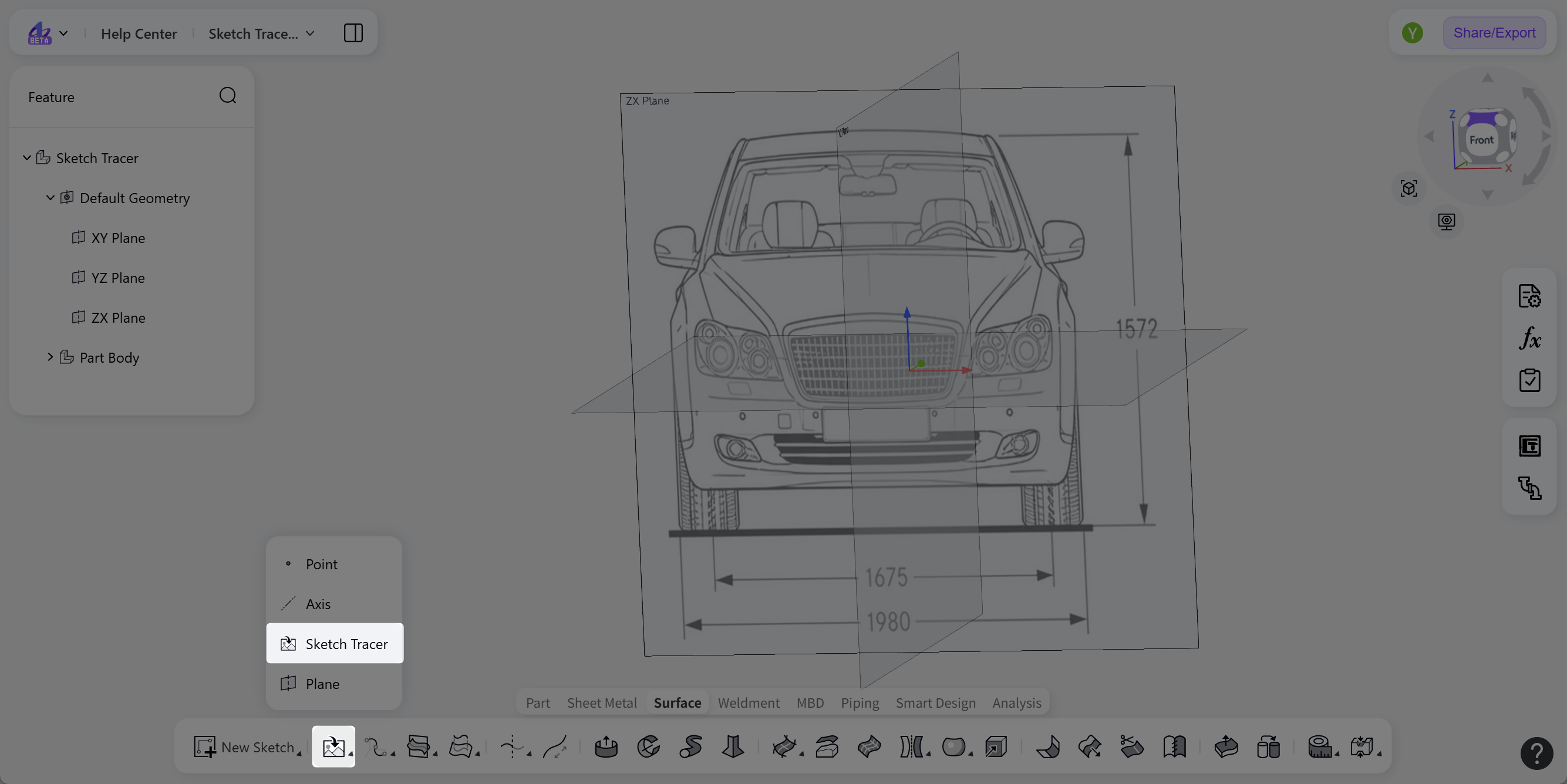
Steps:
Click the "Sketch Tracer" icon in the toolbar.
Click "Select Image" to import a JPG or PNG image from the local device.
Select the "Reference Plane" to which the image will be attached (supports datum plane, sketch planes, and model faces).
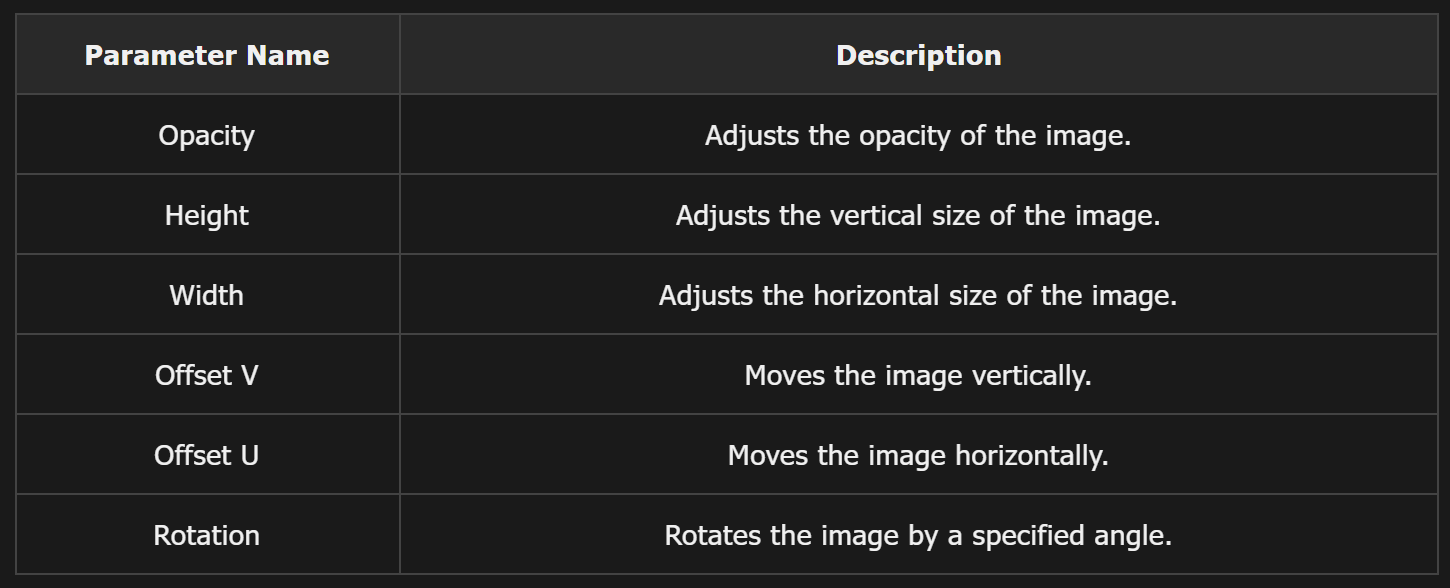
(Optional) Adjust parameters such as "Opacity", "Height", "Width", "Position", "Offset V", "Offset U" and "Rotation".
Click "Confirm" to insert the image and exit the "Sketch Tracer" editing mode.
Position and Size Adjustment
The size and position of the image can be freely adjusted using parameters in the editing panel or by dragging the handles.