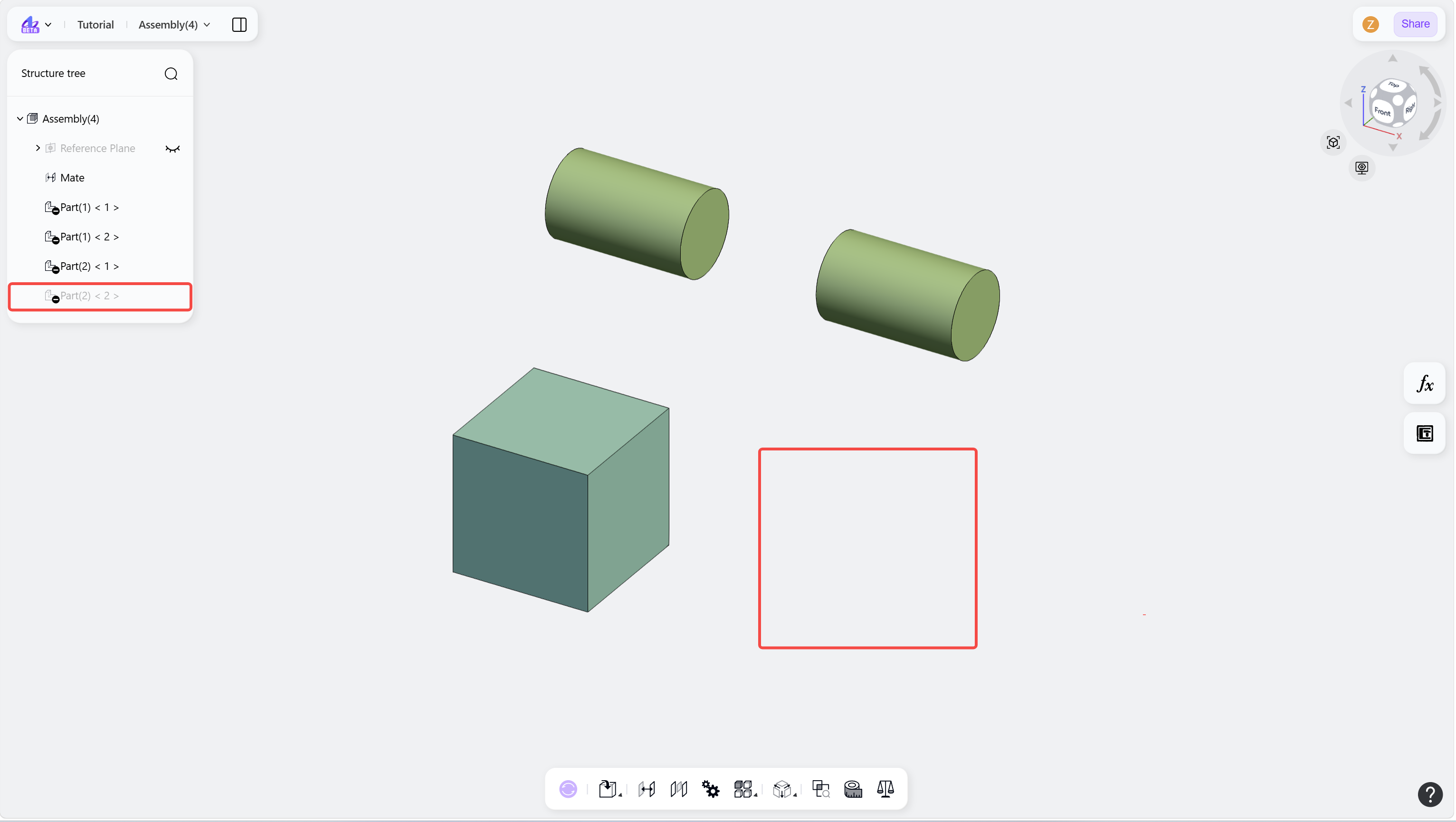
The Show/Hide command controls the visibility of components within an assembly. Components can be selectively hidden or displayed using the visibility controls in the structure tree.

Hide Components
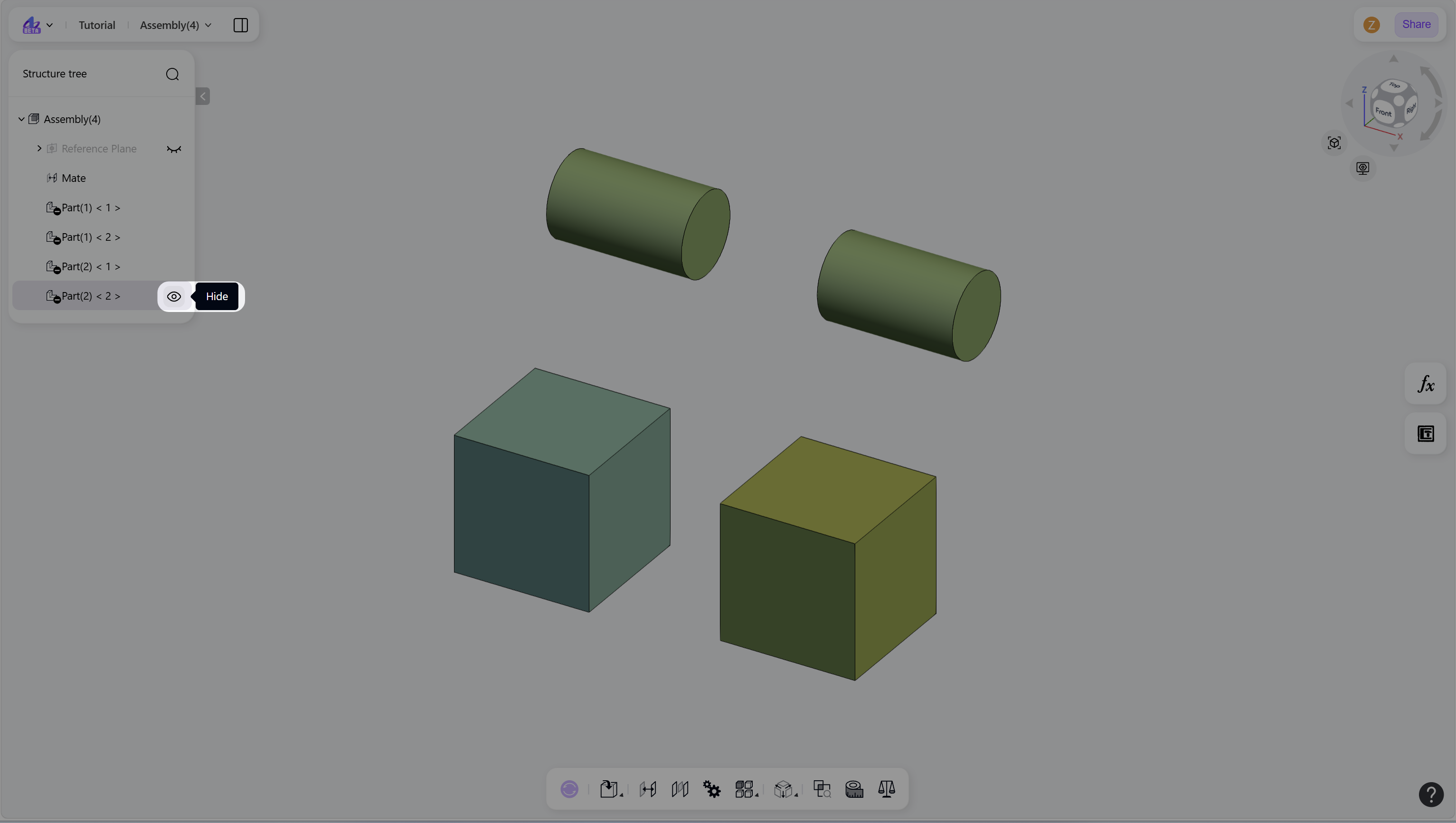
Hover over the corresponding component node in the structure tree.
Click the "Hide" icon.
Show Components
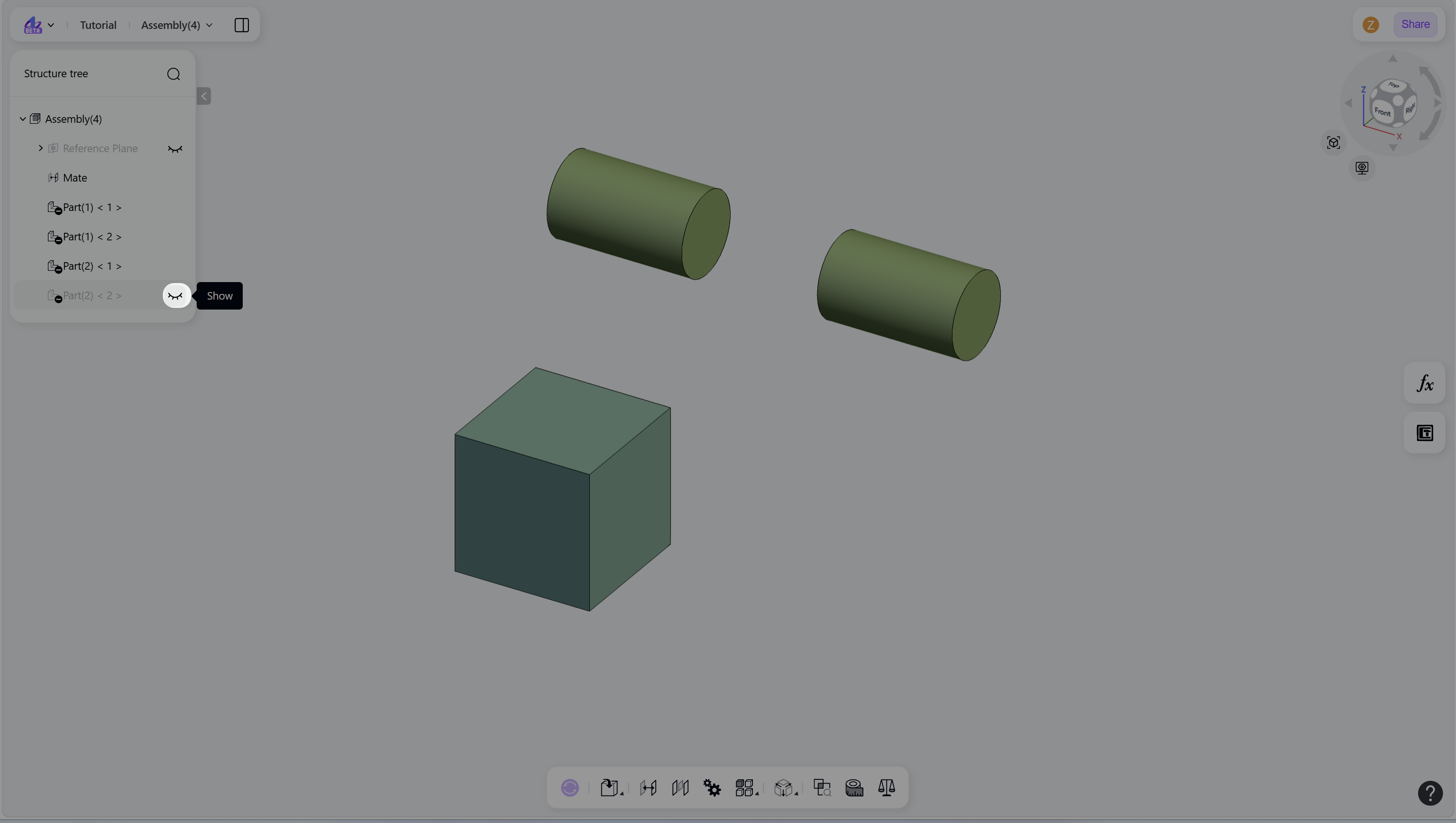
Hover over the corresponding component node in the structure tree.
Click the "Show" icon.
Notes
Hidden components are not displayed in the graphics area.
Hidden components appear greyed out in the structure tree.