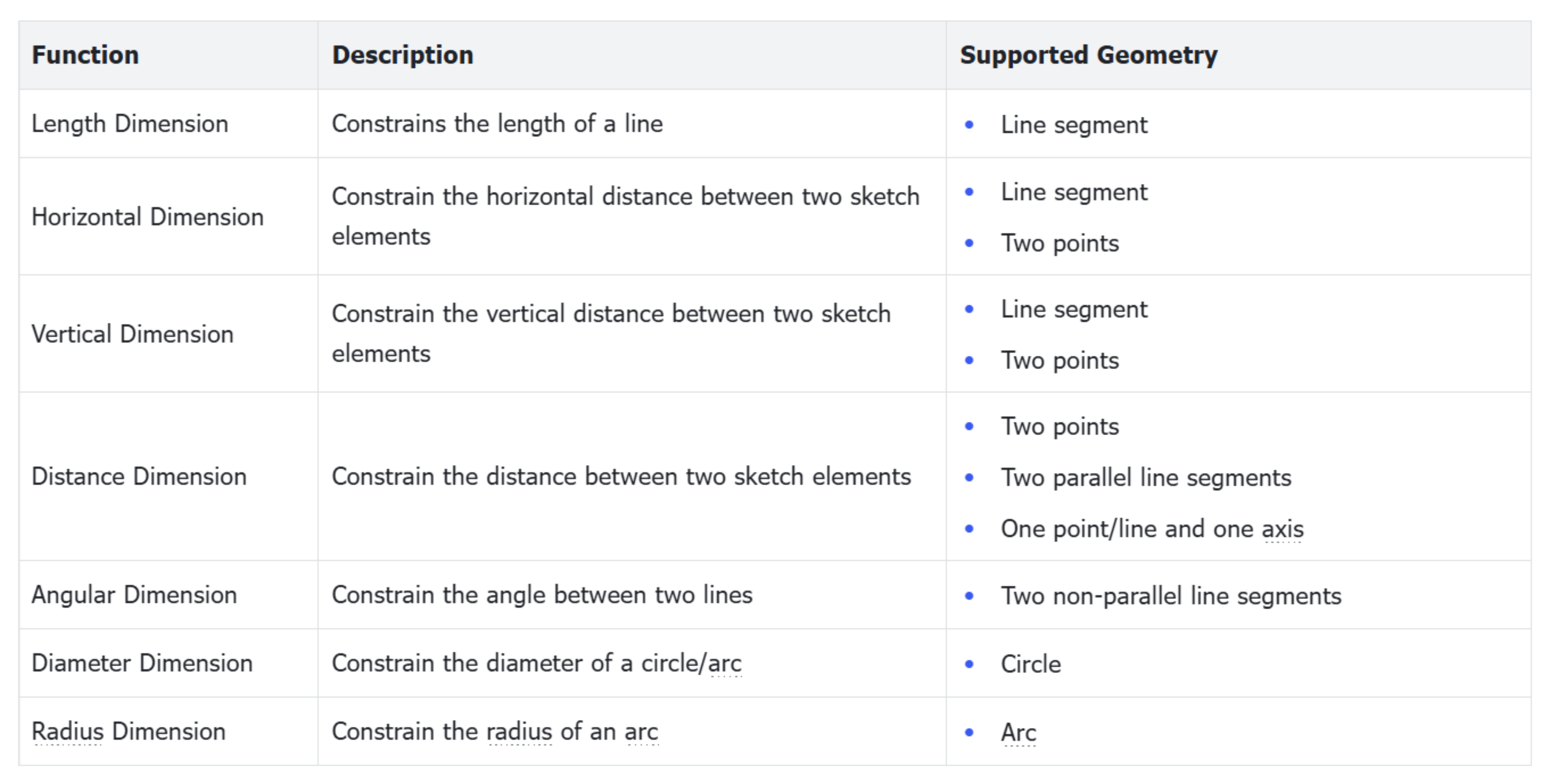
The Dimensional Constraint tools are used to fully define sketch geometry with precise, editable dimensions. Dimensions provide a reliable foundation for downstream 3D modeling and engineering workflows. Users can create, edit, and delete dimensions as needed.
Dimensions can be applied to:
Sketch geometry, including construction geometry.
Relationships between geometry and reference axes.
External reference geometry, such as model edges or projected sketch entities.
Create Dimension
Steps
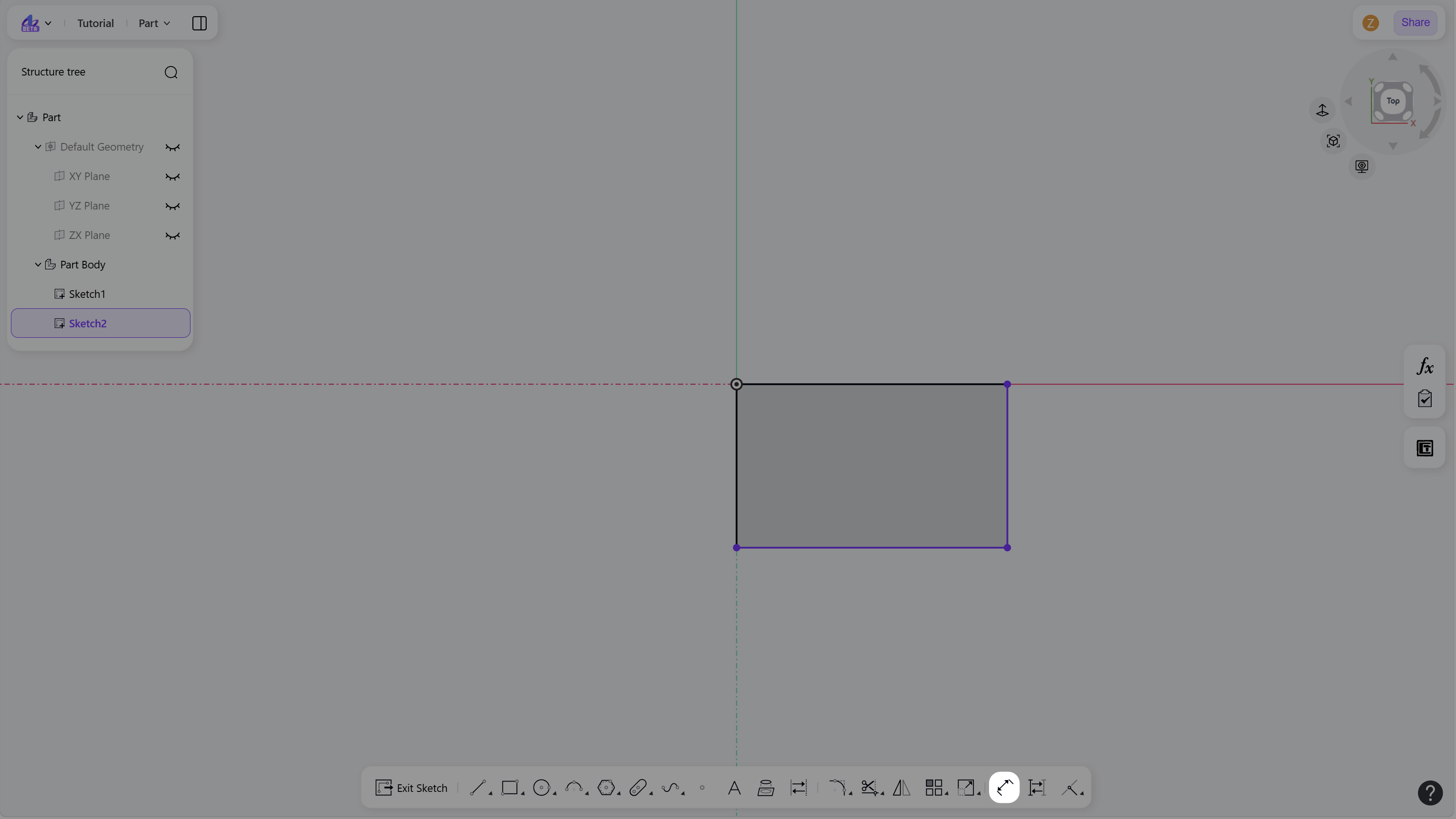
Click the "Smart Dimension" icon in the toolbar.
Create a dimension:
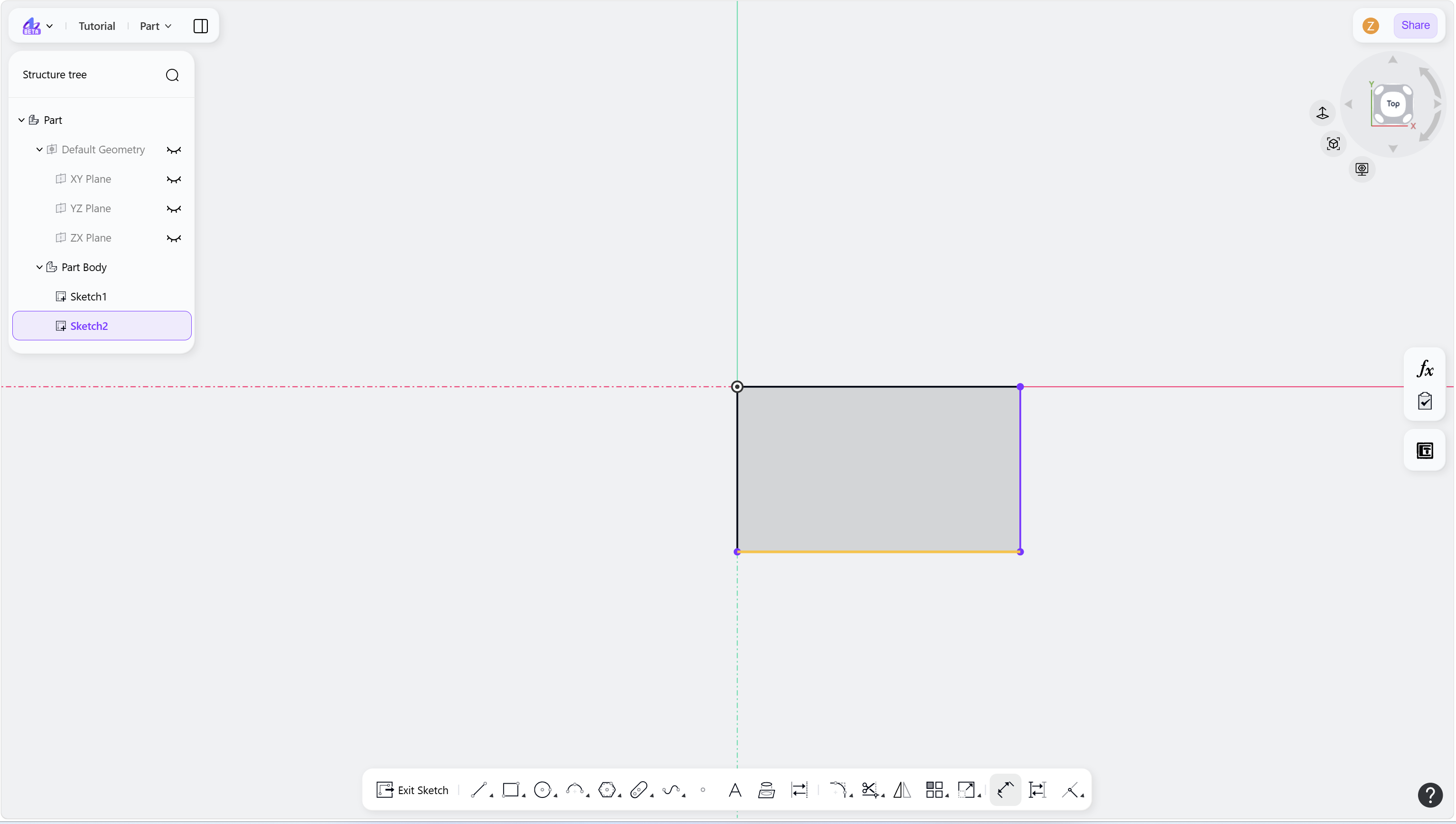
Click to select the sketch geometry to dimension.
Move the cursor to position the dimension preview.
Click to place the dimension and activate the value input box.
(Optional) Enter a dimension value.
Press Enter or click in the empty area to confirm.
3. Press Esc to exit the Smart Dimension tool.
Step 1 - Click the "Smart Dimension" icon in the toolbar:
Step 2 - Select the sketch element to dimension:
Step 3 - Drag to position the dimension:
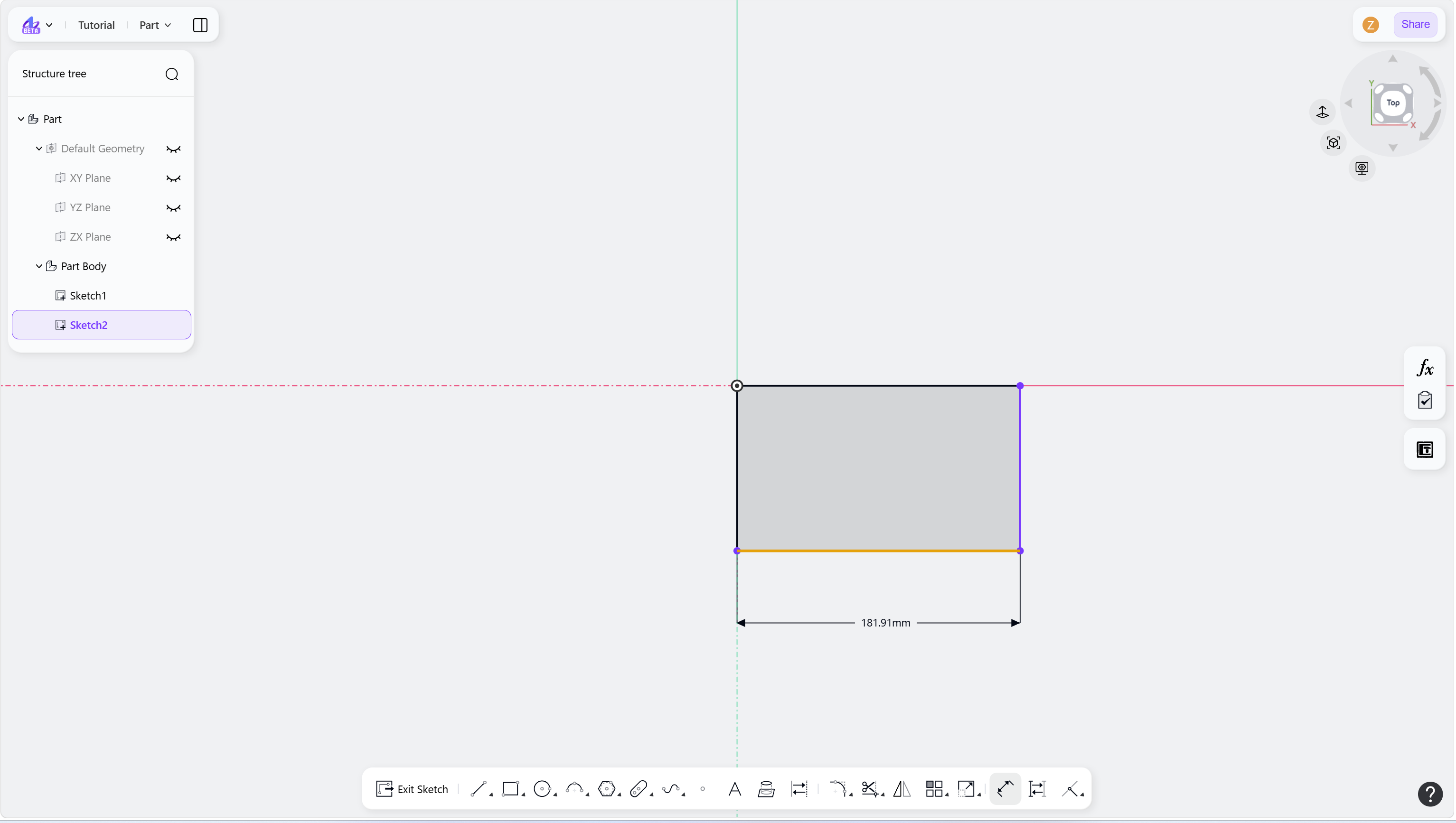
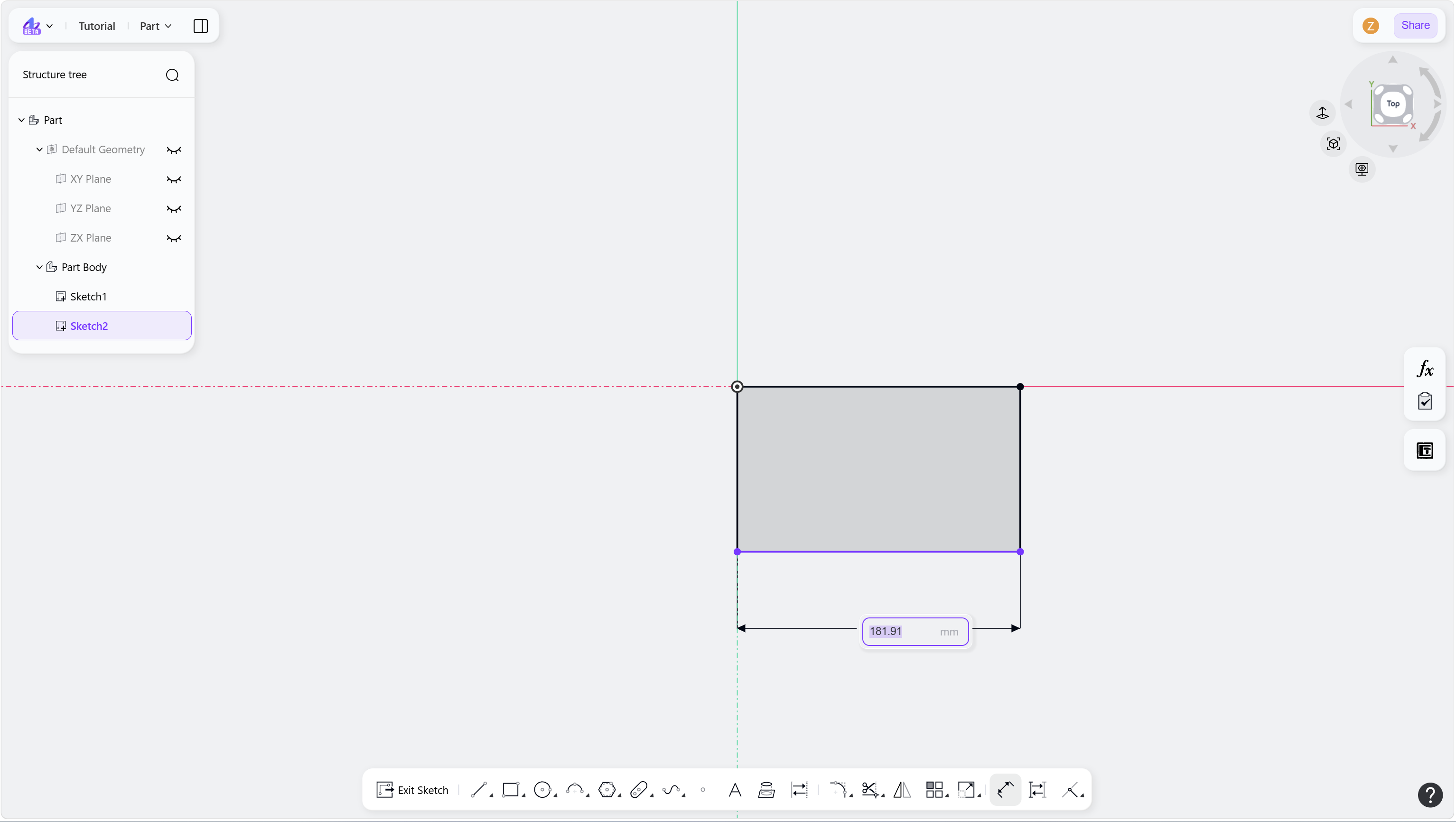
Step 4 - Enter a dimension value:
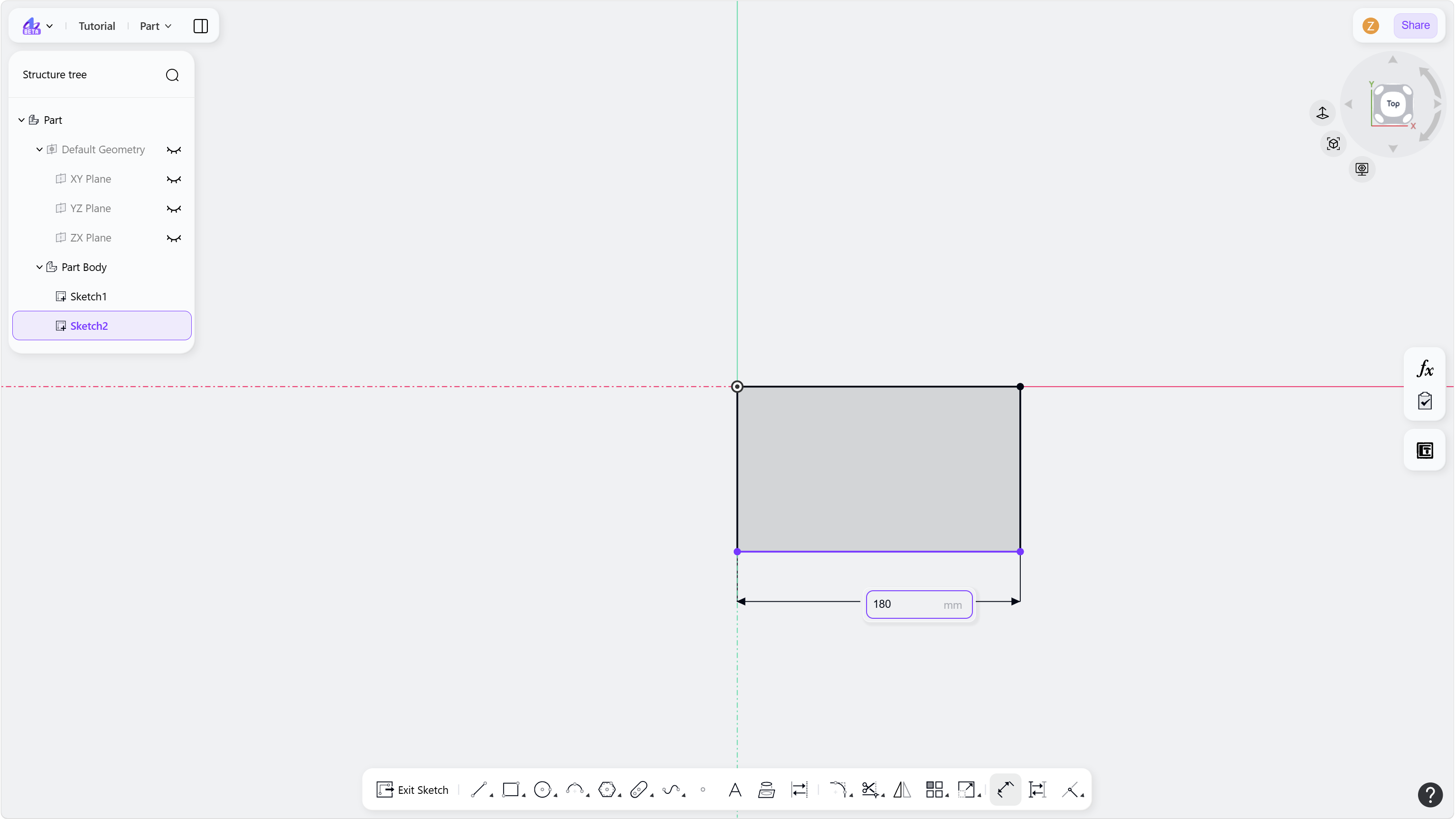
Step 5 - Press the Enter key or click the empty space to finish:
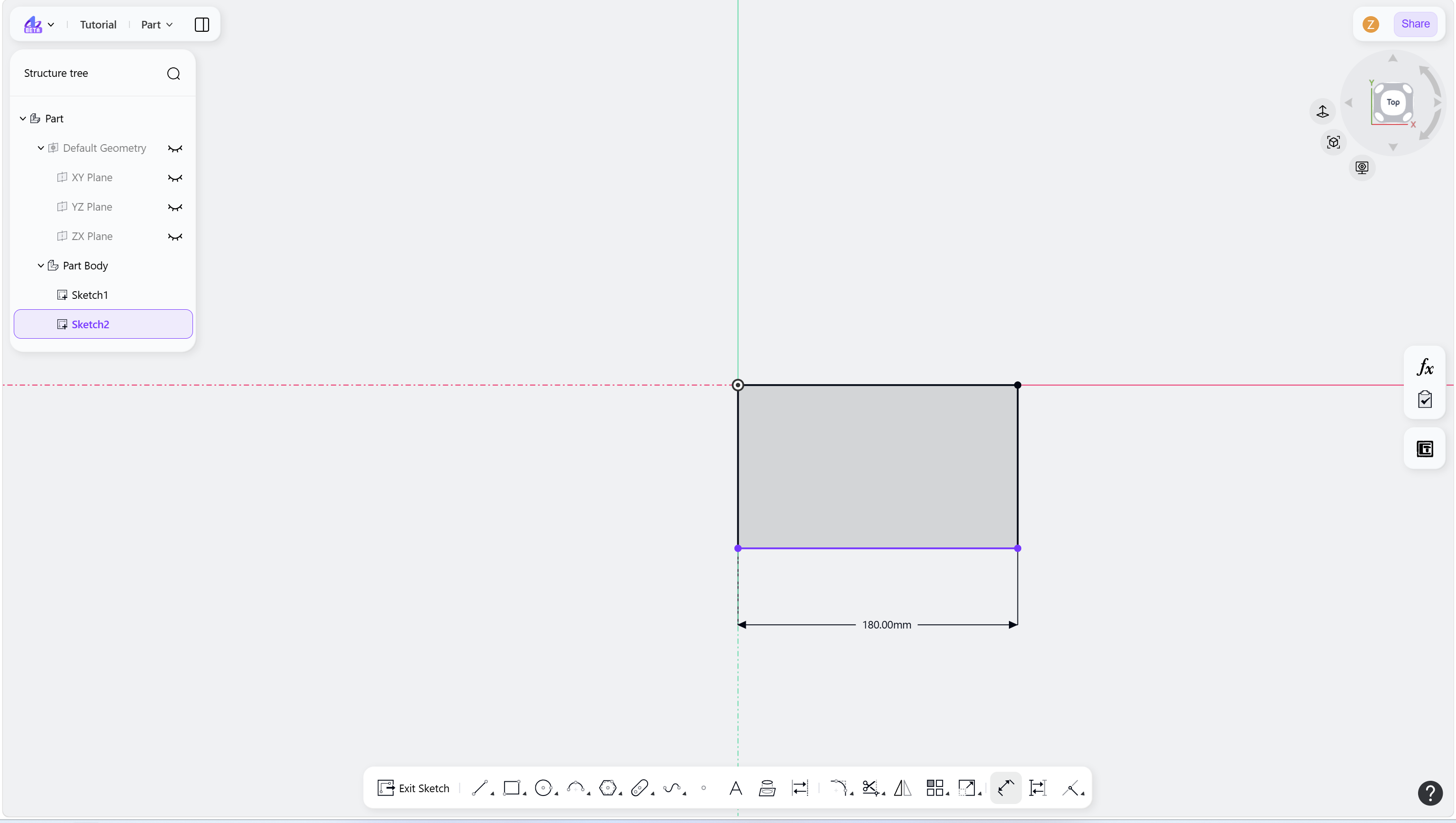
Edit Dimension
Steps
Double-click the dimension to edit.
Enter a new dimension value.
Press the Enter key or click in the empty area to confirm the change.
Step 1 - Double-click the dimension to edit:
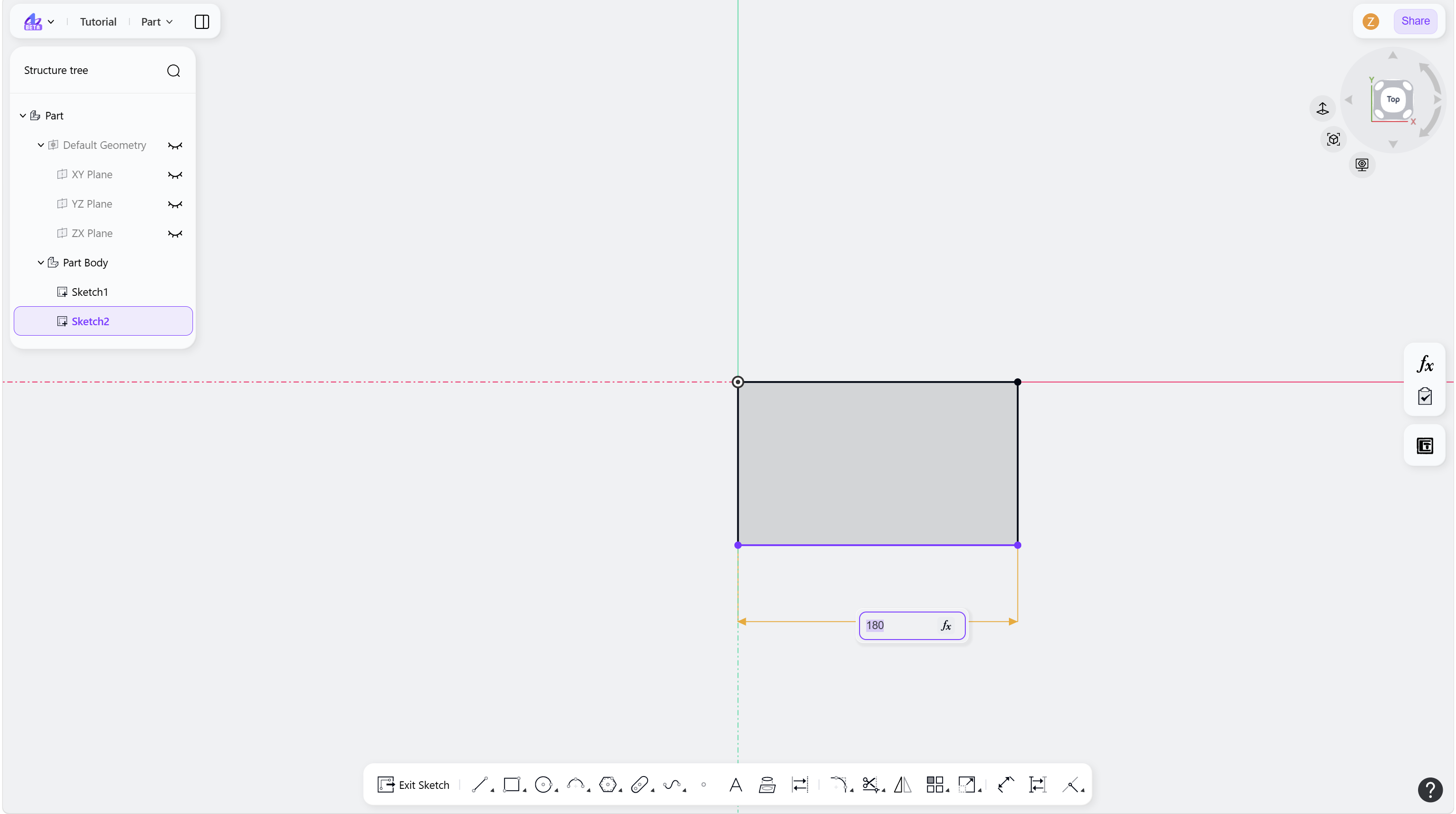
Step 2 - Enter a new dimension value:
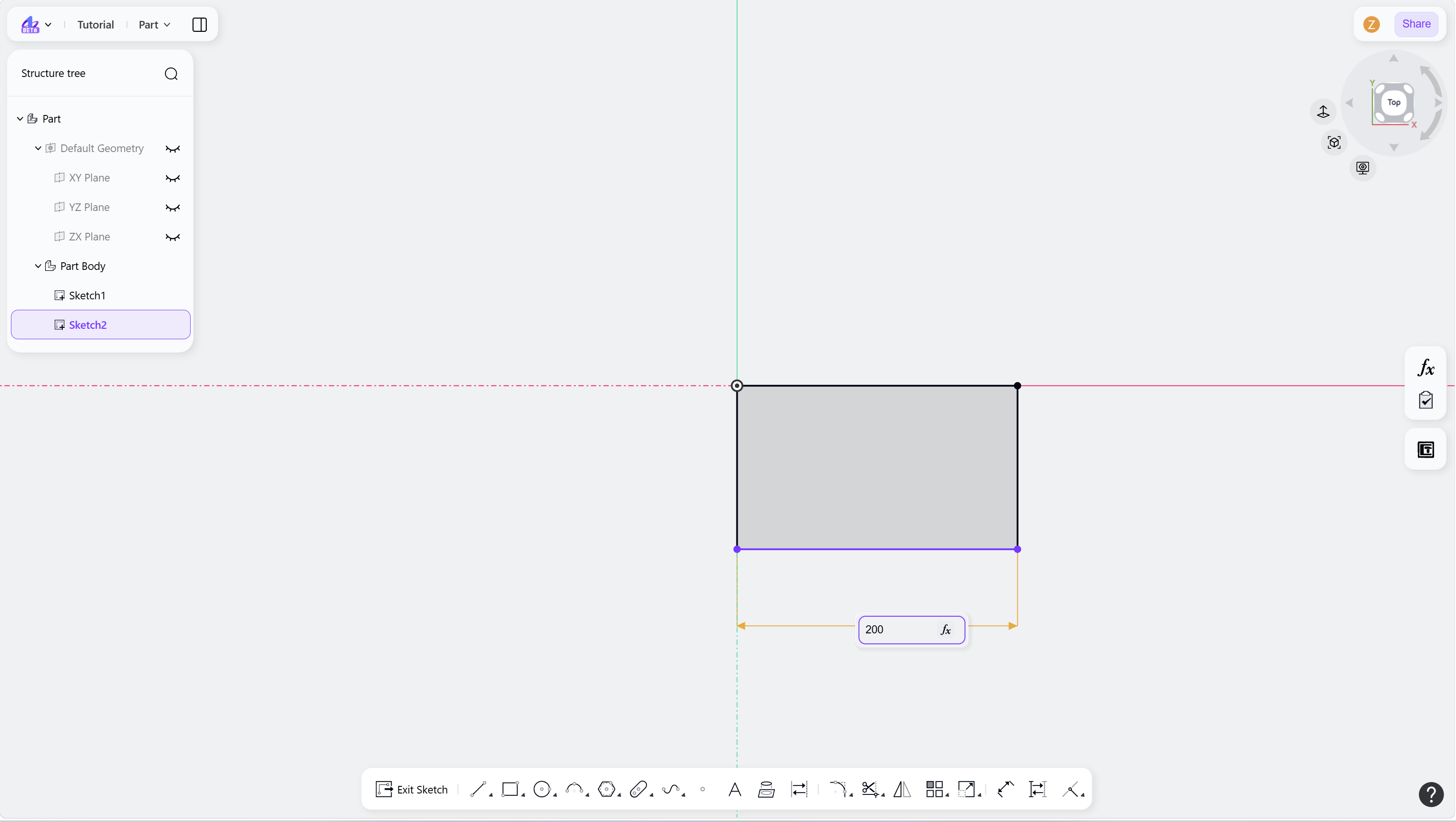
Step 3 - Press Enter or click in the empty area to confirm:
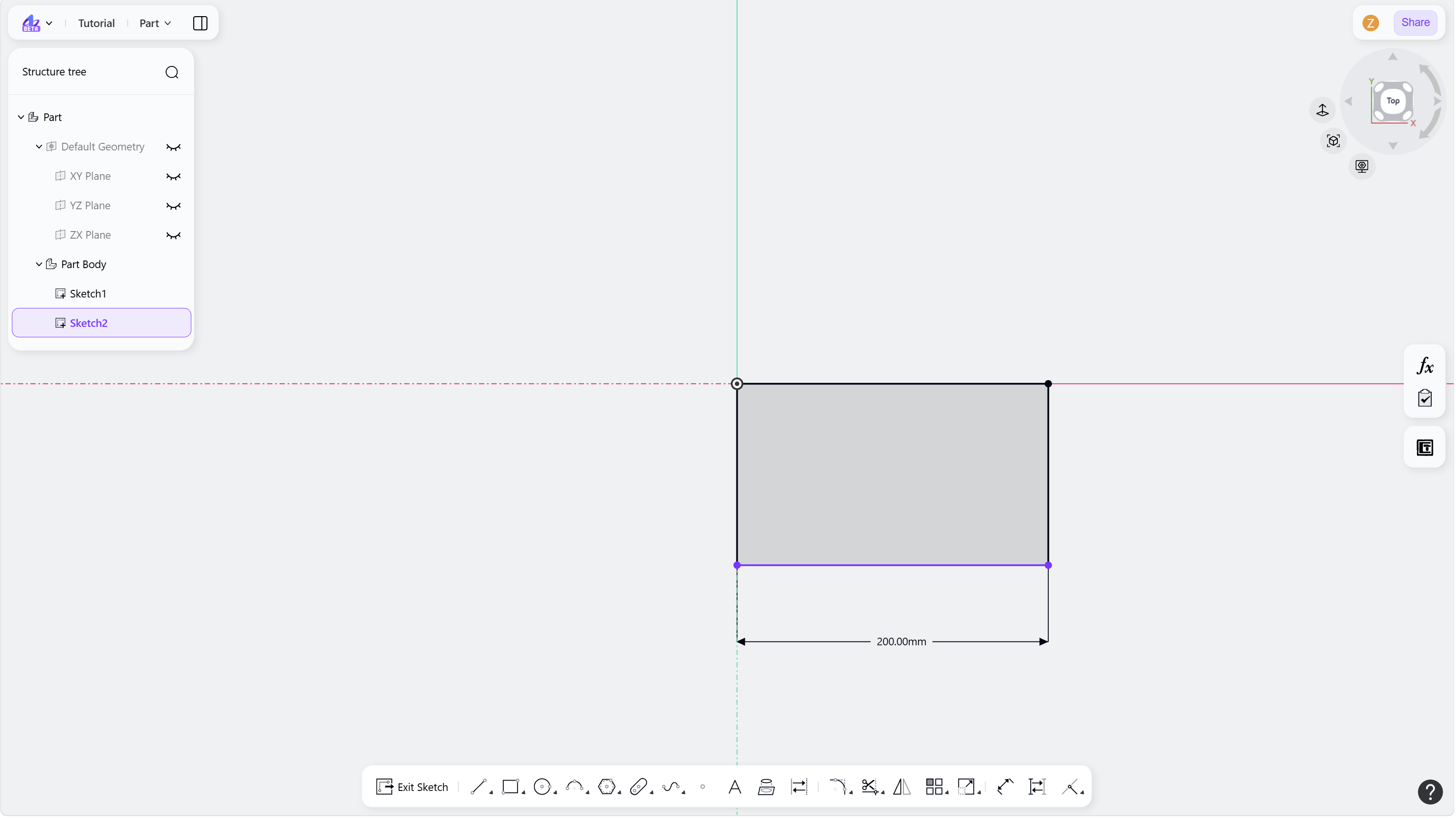
Notes
Variables can be referenced using "$".
Formula expressions are supported, including addition, subtraction, multiplication, and division.
Delete Dimension
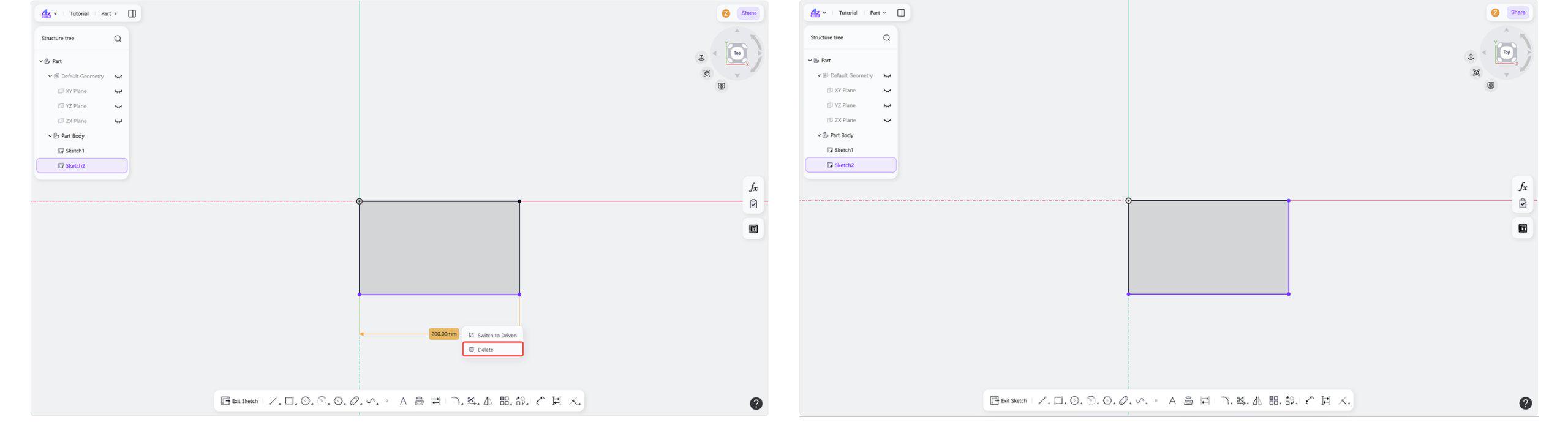
Select the dimension to delete.
Press Delete, and the dimension will be deleted.
Step 1 - Select the dimension to delete:
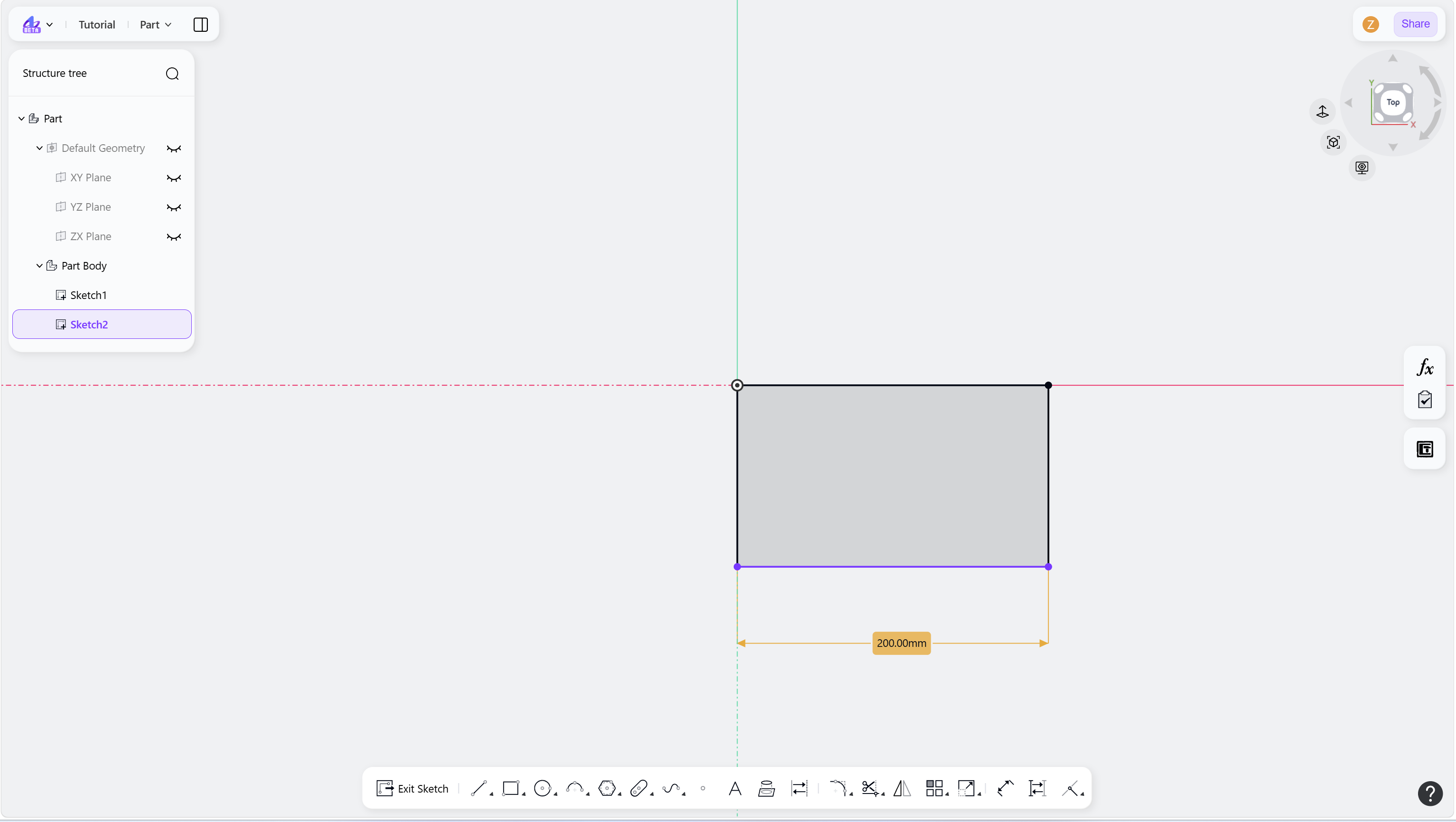
Step 2 - Press Delete, or right-click and choose "Delete":