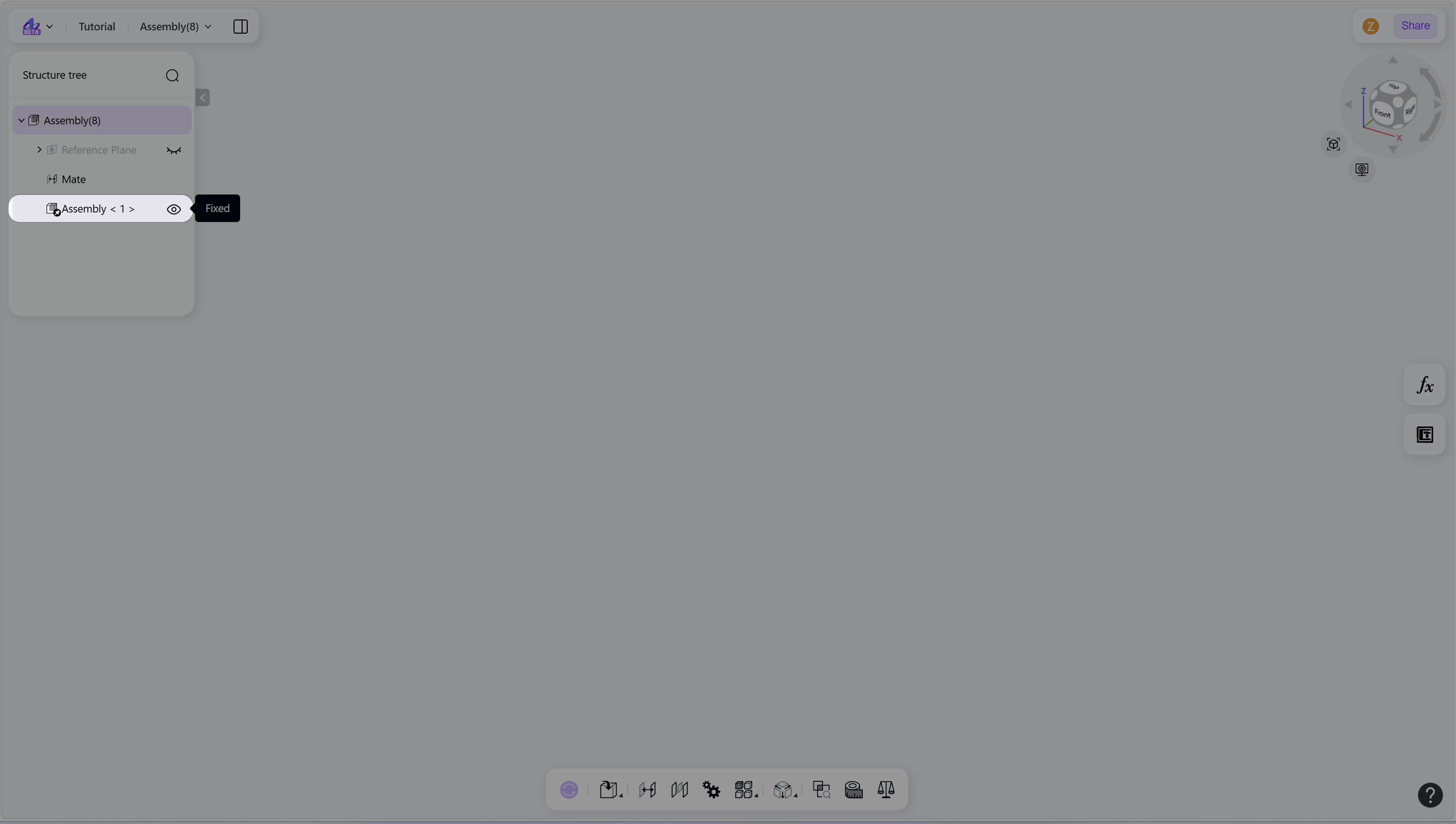
The Create New Assembly command creates a new subassembly within the active assembly. This command supports multi-level assembly structuring, allowing logical grouping of parts and subassemblies.
Create a New Assembly
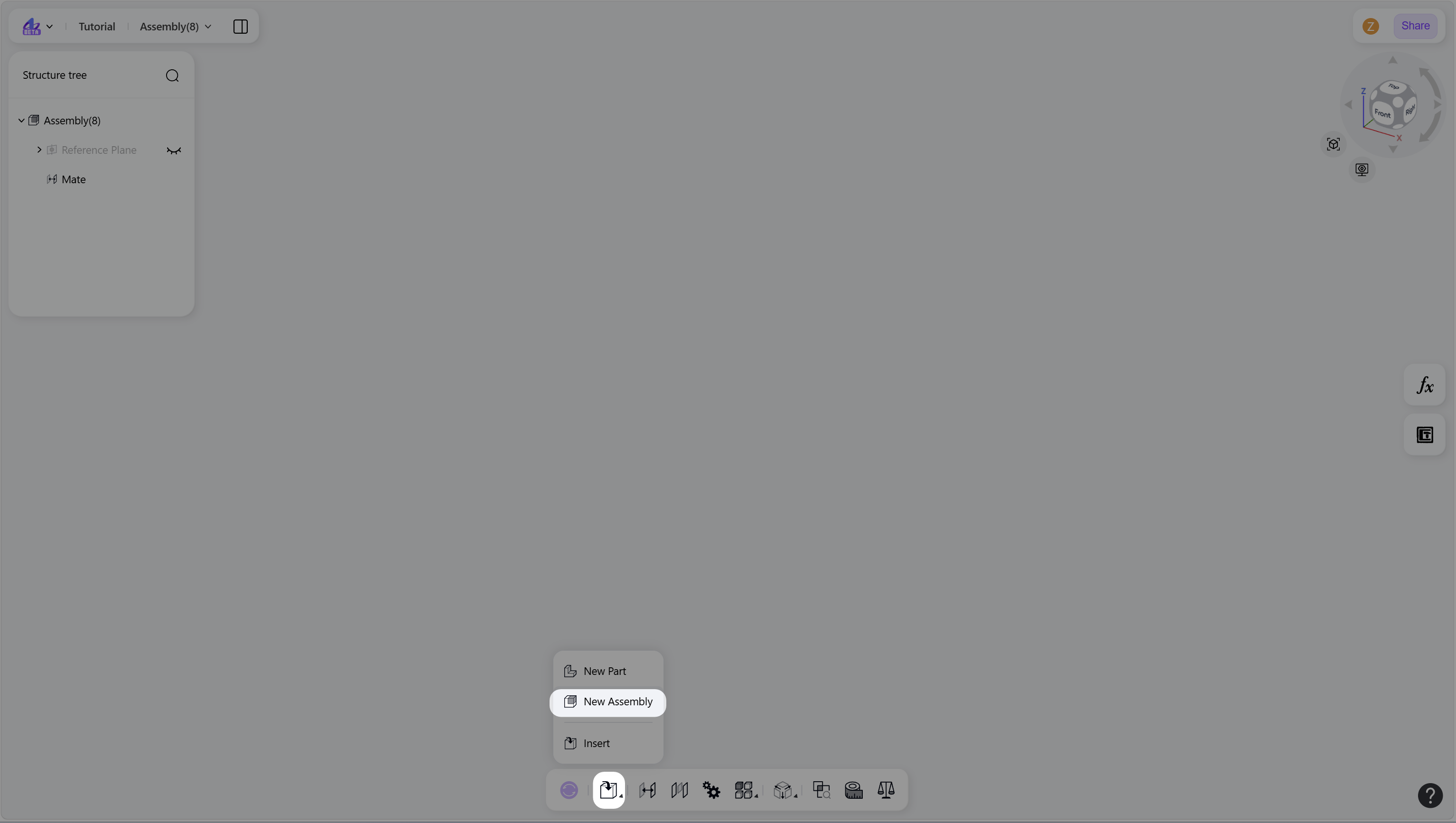
Use either of the following methods to create a new assembly in the current assembly:
Hover over the "Insert" icon, then select "New Assembly".
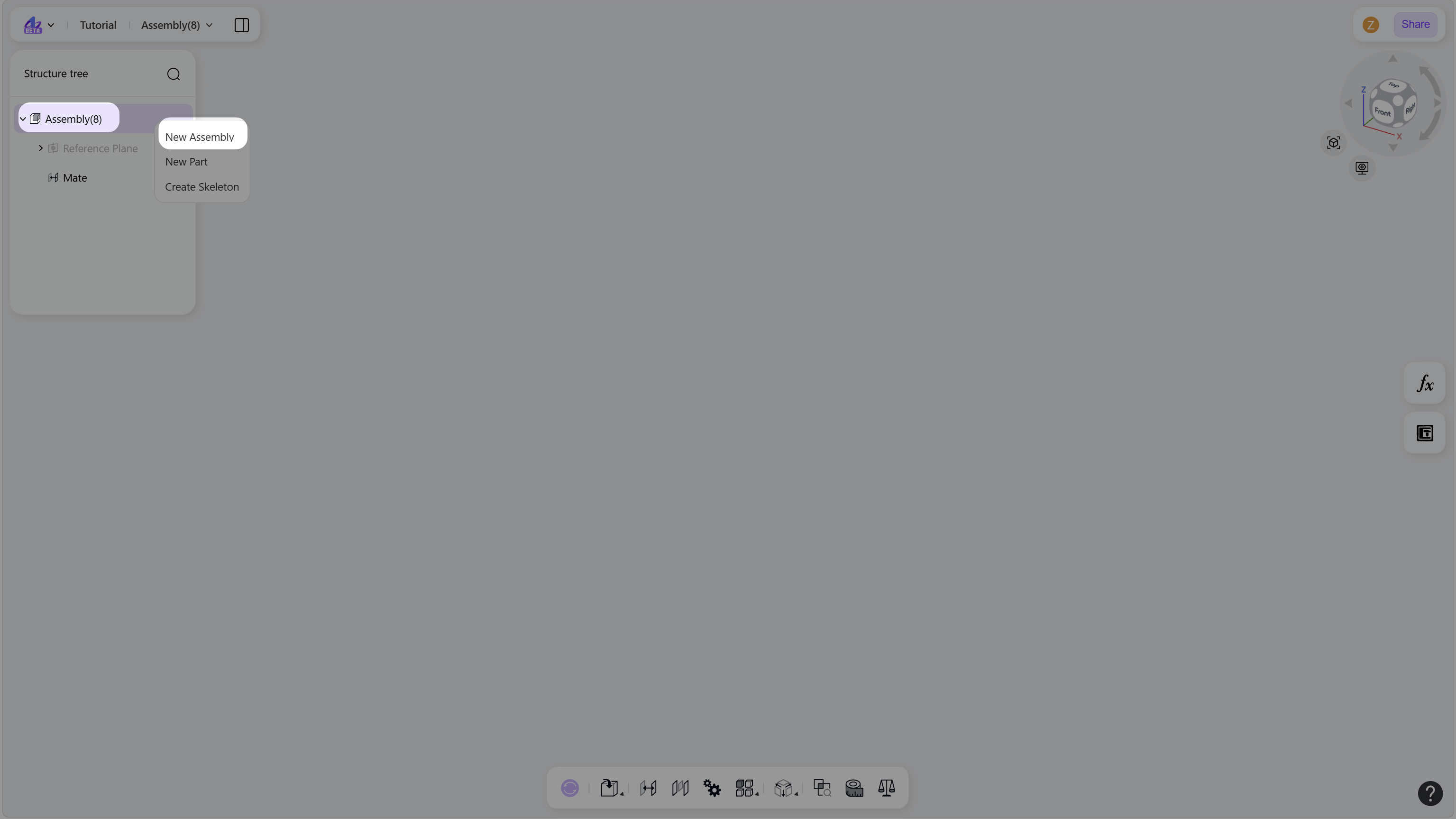
Right-click the assembly node in the structure tree, then select "New Assembly".
Notes
The new assembly node is added to the active assembly automatically.
The new assembly can be saved as a separate assembly file. To open it, right-click the assembly node and select "Open".
The origin of the new assembly is aligned with the assembly origin.
The new assembly is fixed by default.
Right-click the new assembly node in the structure tree, then select "Edit" to enter the assembly editing environment.
Additional parts can be created under this assembly.
The assembly can be renamed during creation.