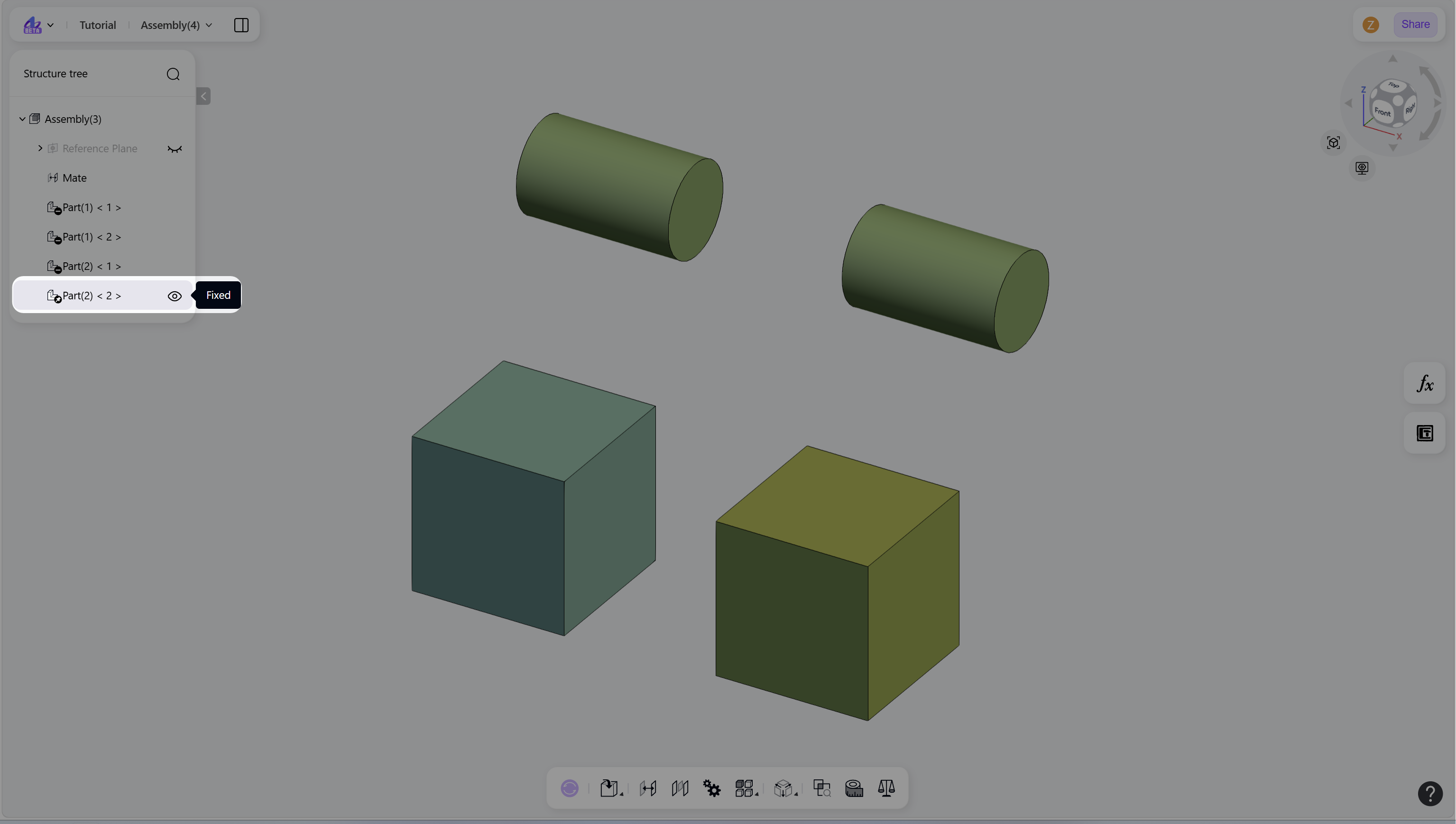
The Fix command constrains a component to a fixed position and orientation within the assembly. Fixed components cannot be moved or rotated until they are released using the Float command. This is typically used to define a stable reference component for the assembly.
Fix
Use either of the following methods:
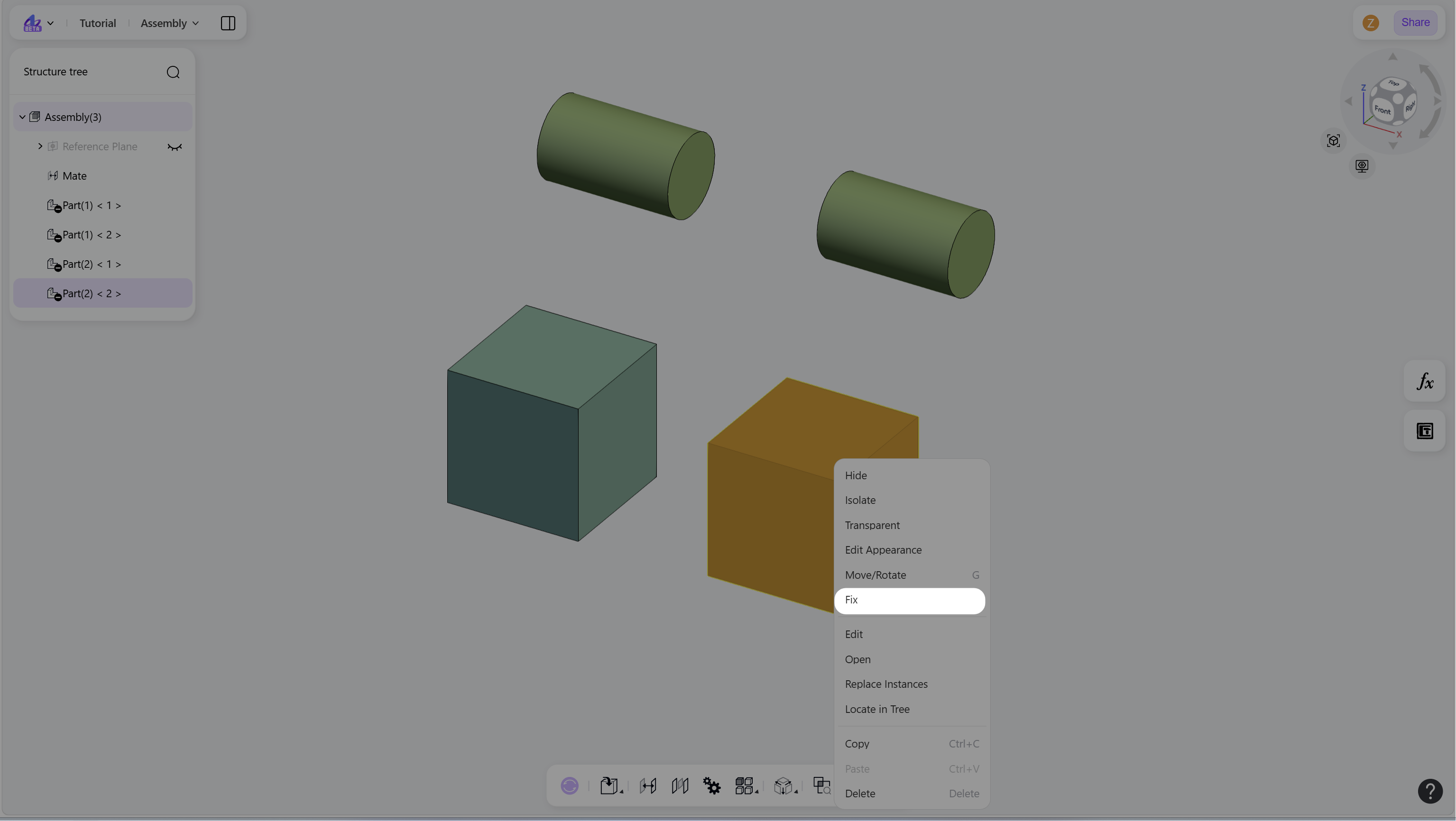
In the graphics area, select the component, right-click, and choose "Fix" from the context menu.
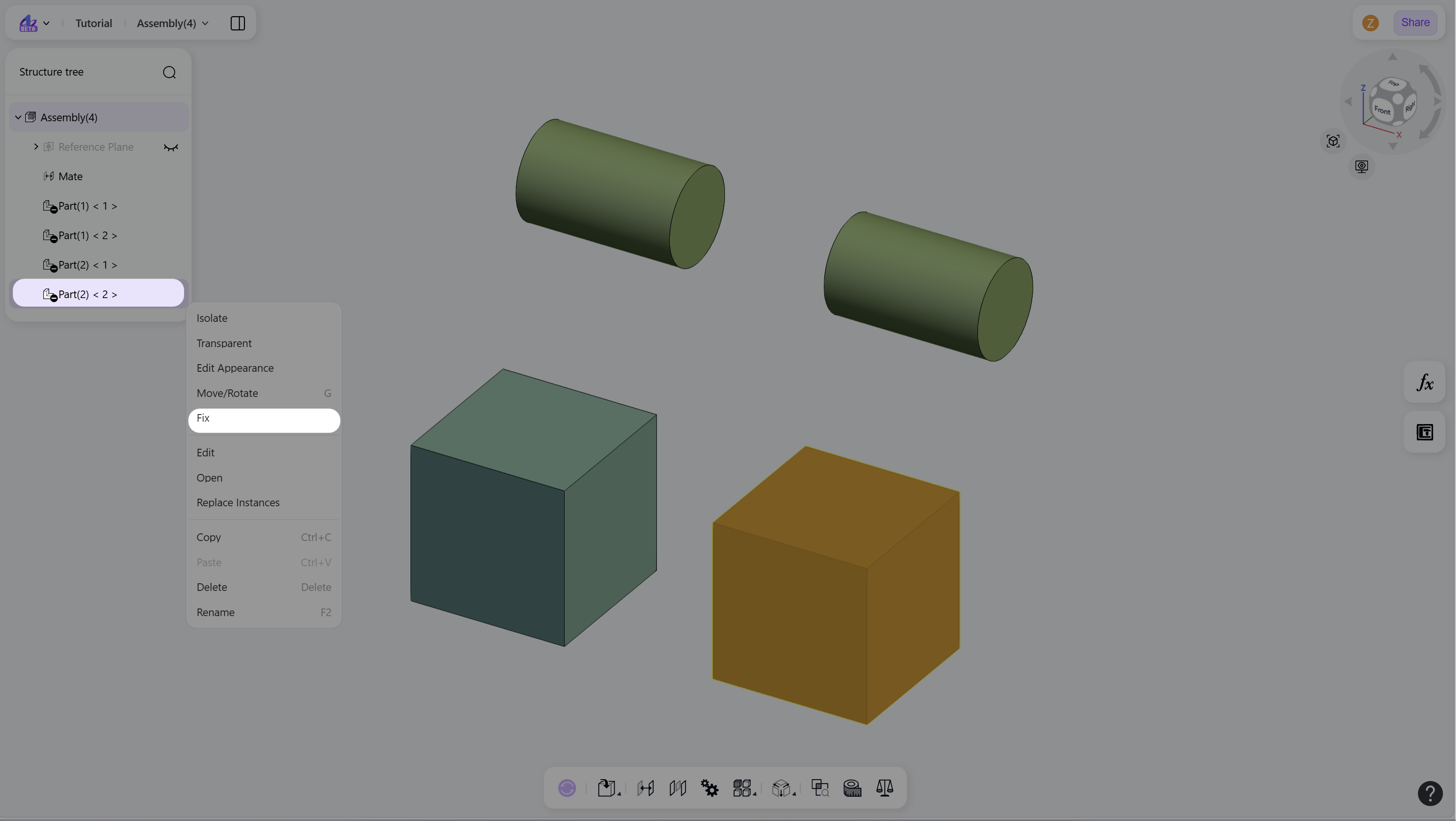
In the structure tree, right-click the component node and choose "Fix".
Float
Use either of the following methods:
In the graphics area, select the component, right-click, and choose "Float" from the context menu.
In the structure tree, right-click the component node and choose "Float".
Notes
A Fixed icon is displayed next to fixed components in the structure tree.