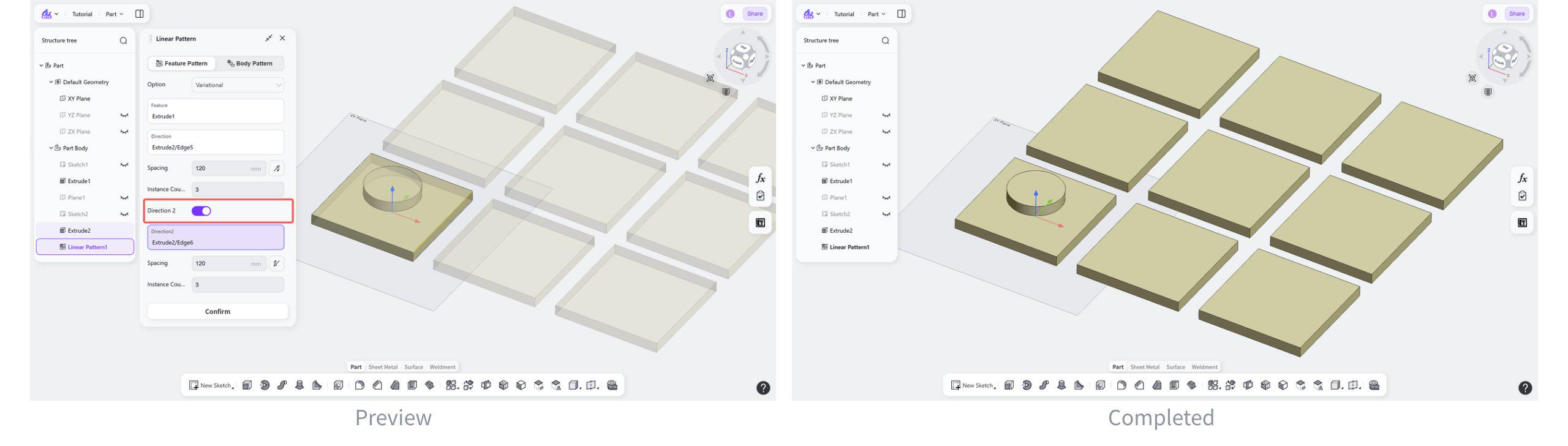
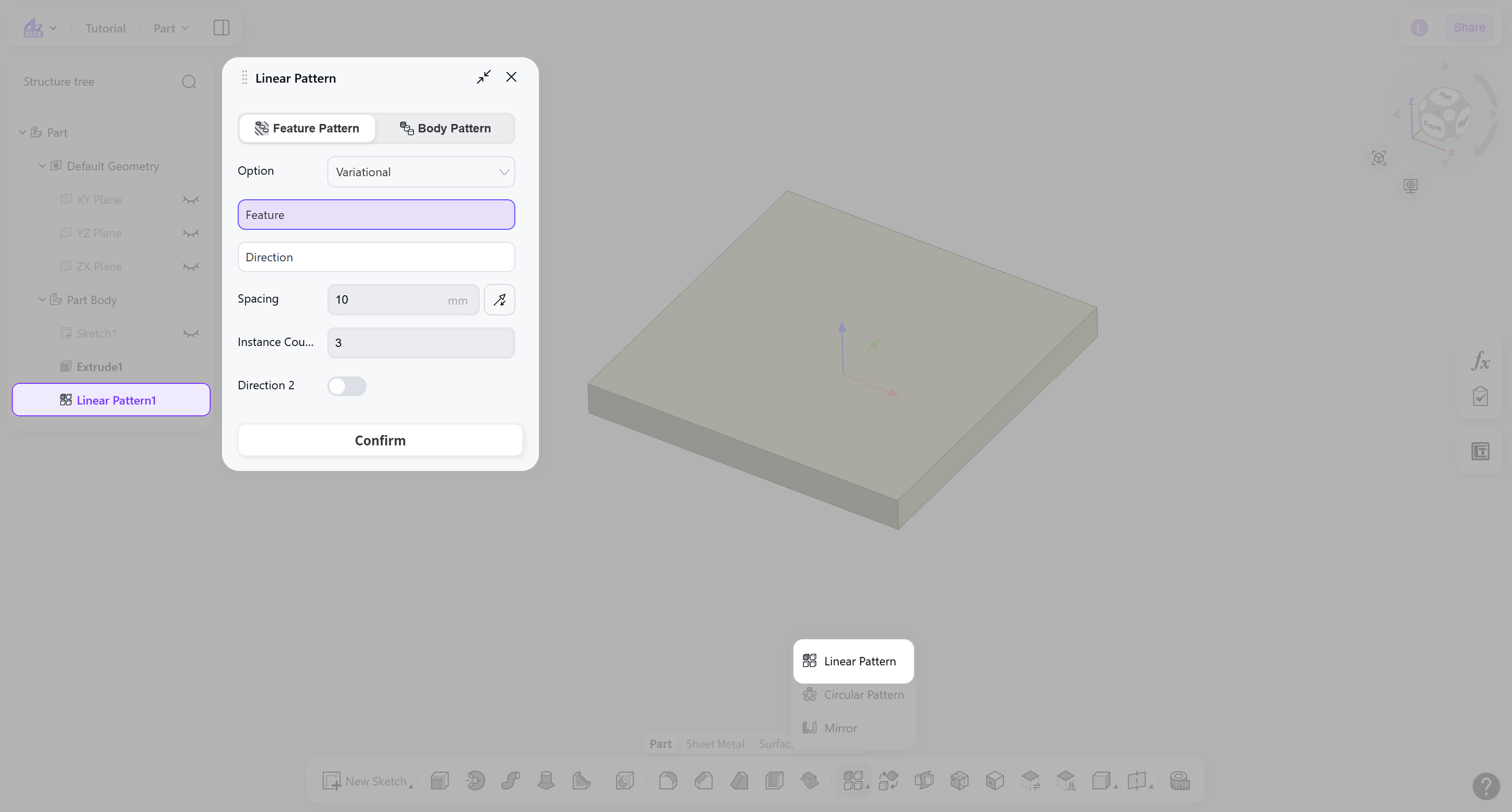
The Pattern tool replicates existing features or bodies in a defined arrangement in the Part module. The Linear Pattern tool creates feature or body instances arranged along a linear direction.
Steps:
Select the pattern object: "Feature Pattern" or "Body Pattern".
Select the features/bodies to be patterned and the pattern direction.
Set the spacing and the instance count.
(Optional) Enable "Direction 2" to define a second pattern direction.
Pattern Object
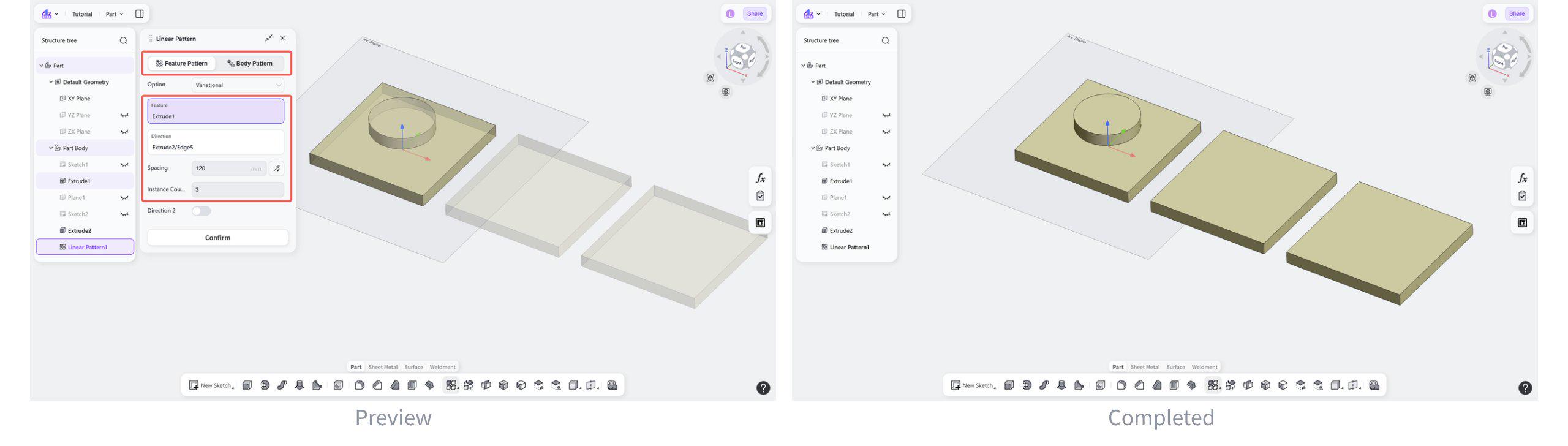
Pattern Object: Feature
Generates a pattern by copying existing features along a linear direction.
Steps:
Select “Feature Pattern”.
Select the pattern type。
Select the feature to be patterned and the pattern direction.
Set the spacing.
Set the number of instances.
(Optional) Click the "Filp" button to switch the pattern direction.
Pattern Object: Body
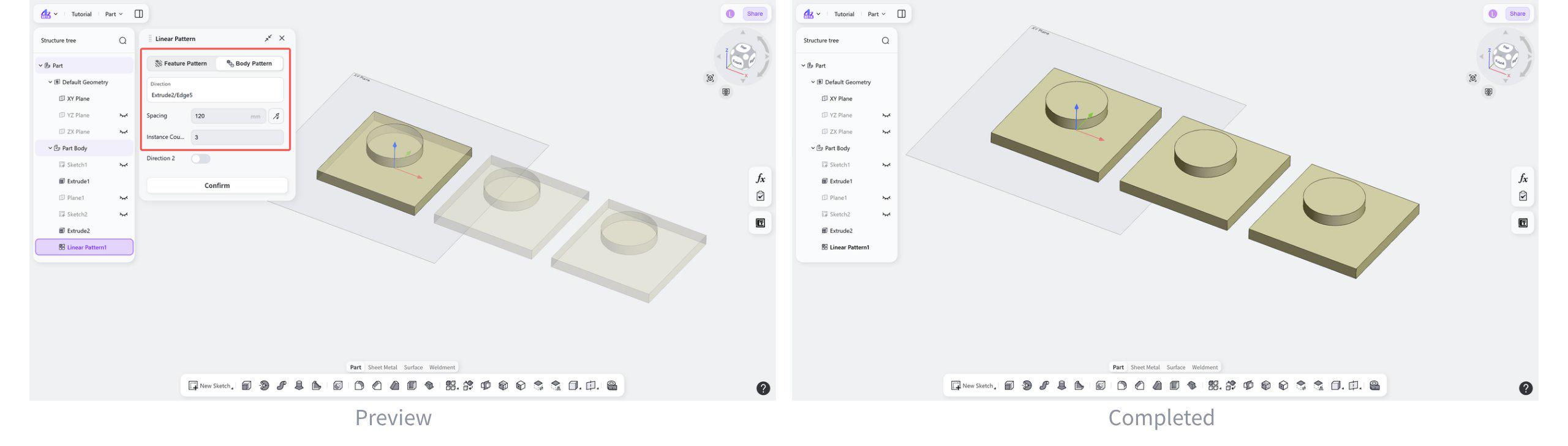
Generate a pattern by copying existing bodies along a linear direction.
Steps:
Select “Body Pattern”.
Select the body to be patterned and the pattern direction.
Set the spacing and the number of instances.
(Optional) Click the "Filp" button to switch the pattern direction.
Second Direction
Add a second direction to create a two-dimensional pattern.
Enable "Direction 2" and set the pattern parameters.